


.svg)
.svg)
.svg%201.svg)



Get Business Email
No domain name required
Get Business Email
With a Free Domain

Key Takeaways
- Where Zoho business email fits: Zoho Mail is an ad-free inbox on your own domain. Its paid plans start at $1 per user per month, billed yearly. Neo Mail is the right fit for teams of 1 to 10 that want email working fast. It starts at $1.25 per mailbox per month on the 4-yearly plan, with a 15-day free trial.
- Zoho Mail alternatives: Neo Mail is better for businesses with less than 10 mailboxes; Google Workspace is right for teams of 50+ on Google apps. Microsoft 365 is right for enterprises on Word, Excel and Teams. Proton Mail is right for sensitive data that needs end-to-end encryption.
- The catch with Zoho's free plan: it's only offered in select data centers. Desktop apps like Outlook can't connect to it, because it lacks IMAP, POP and ActiveSync.
- What people get wrong when setting up Zoho Mail: they send email before SPF, DKIM and DMARC are live. Their first messages then land in spam.
Is Zoho Business Email Good for a Small Business?
Yes, Zoho mail is a reliable, low-cost choice for small businesses that can handle DNS setup. Neo Mail is the right business email for small businesses with 1 to 10 employees that want setup done in minutes.
Zoho Mail is made by Zoho Corporation, which also makes Zoho CRM and Zoho Books. Its business plans are Mail Lite, Mail Premium and Zoho Workplace.
Before you pick Zoho, check whether its free plan is even open to you.
Is Zoho Mail free for Business Use
Yes, but only in some regions. Zoho's Forever Free plan gives up to 5 users 5GB of storage each, on 1 domain. Zoho's pricing page says the plan is "available only in select data centers."
The free plan works in a web browser and in Zoho's own mobile apps. It does not include IMAP, POP or ActiveSync. These are the protocols that let other email apps connect. So Outlook, Apple Mail and Thunderbird can't open a free Zoho inbox.
The free plan's sign-up link sits in Zoho Workplace, not in Zoho Mail. On Zoho's pricing page, the free plan button opens the Zoho Workplace sign-up. One Reddit user in r/SaaS said the same: skip the Zoho Mail link and "go through Zoho Workspace instead."
Other users report they can't get the free plan at all. On r/Zoho, a user in Australia said the plan seemed closed to new accounts. A top answer said the link is hidden in small print. For free options beyond Zoho, see our guide to free business email with a domain.
Readers who can't get the free plan need to know what Zoho's paid plans cost.
How Much Does Zoho Mail Cost, and Which Plan Do You Need for Your Business?
Zoho business email costs $1 to $6 per user per month on annual billing. Mail Lite is the lowest-cost paid plan at $1. Zoho Workplace, which adds documents and chat, runs $3 to $6. Mail Lite and Mail Premium are sold on yearly billing only. Workplace plans also offer monthly billing at a higher rate. Every paid plan adds IMAP and POP, so desktop apps can connect.
Neo Mail's research team verified these prices in September 2026, on Zoho's official pricing page.
Zoho's plan choice comes down to three needs:
- Email only on a budget: Mail Lite covers sending, receiving, desktop apps and more than one domain.
- Compliance or large files: Mail Premium adds S/MIME encryption, email archiving and eDiscovery. Its Huge Attachment feature handles files up to 1GB.
- Email plus team tools: Zoho Workplace bundles Zoho Mail with Writer, Sheet, Show, Cliq and WorkDrive.
Once you've picked a plan, the next step is the sign-up itself.
How Do You Sign up for Zoho Mail?
You sign up for Zoho Mail by choosing a plan, creating a Zoho account and connecting a domain. Before you start, have three things ready:
- A domain: one you own, or one you'll buy during sign-up.
- DNS access: the login for the company that manages your domain's settings.
- A data center choice: Zoho sets your data region at sign-up, and it's a one-time choice.
How to Sign up With a Domain You Already Own
Zoho's own setup guide lists these steps for a domain you already own:
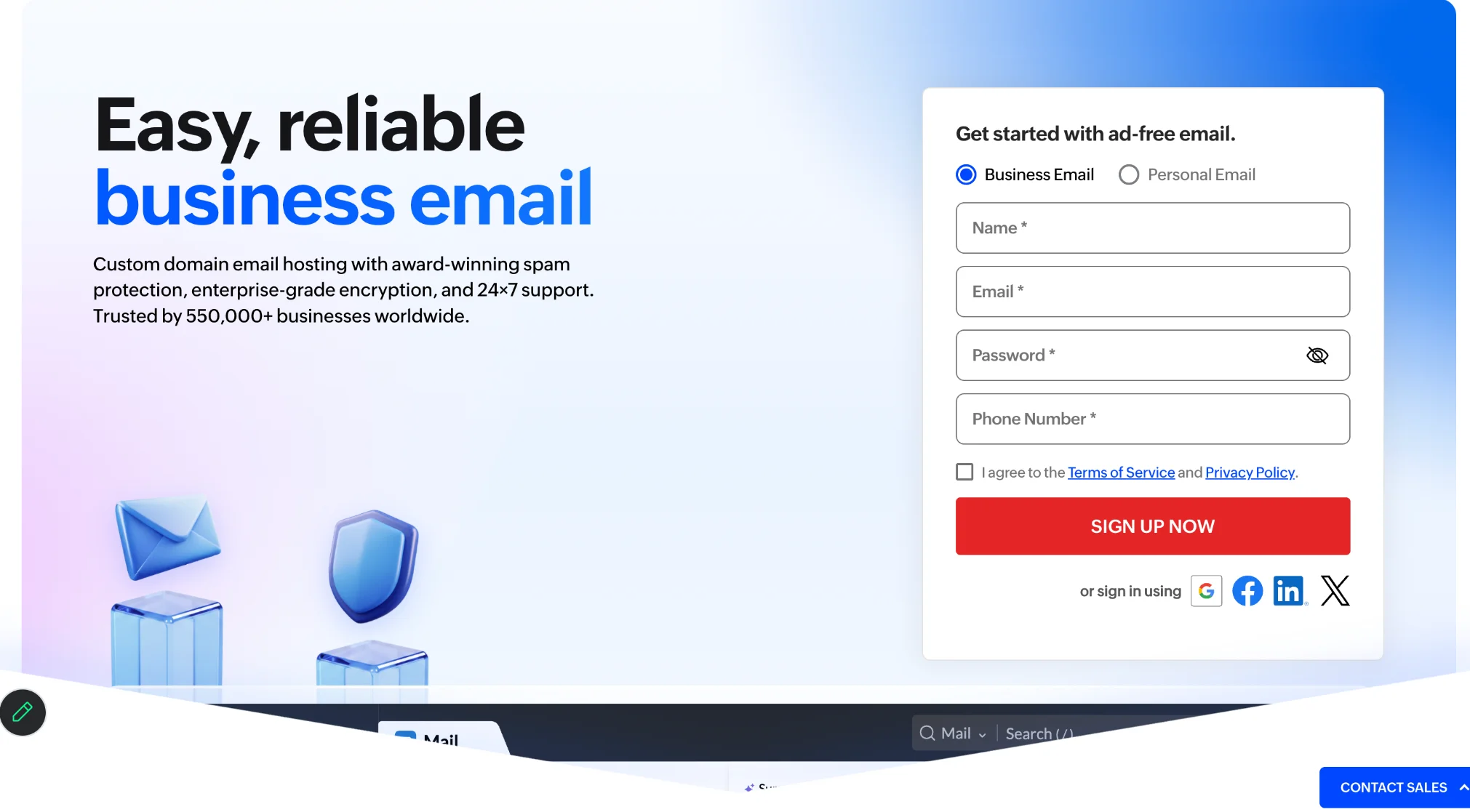
1. Pick a plan: open Zoho's pricing page and choose Mail Lite, Mail Premium or a Workplace plan.
2. Create your account: enter your name, email and a password of at least 8 characters. Confirm with the 7-digit code Zoho sends.
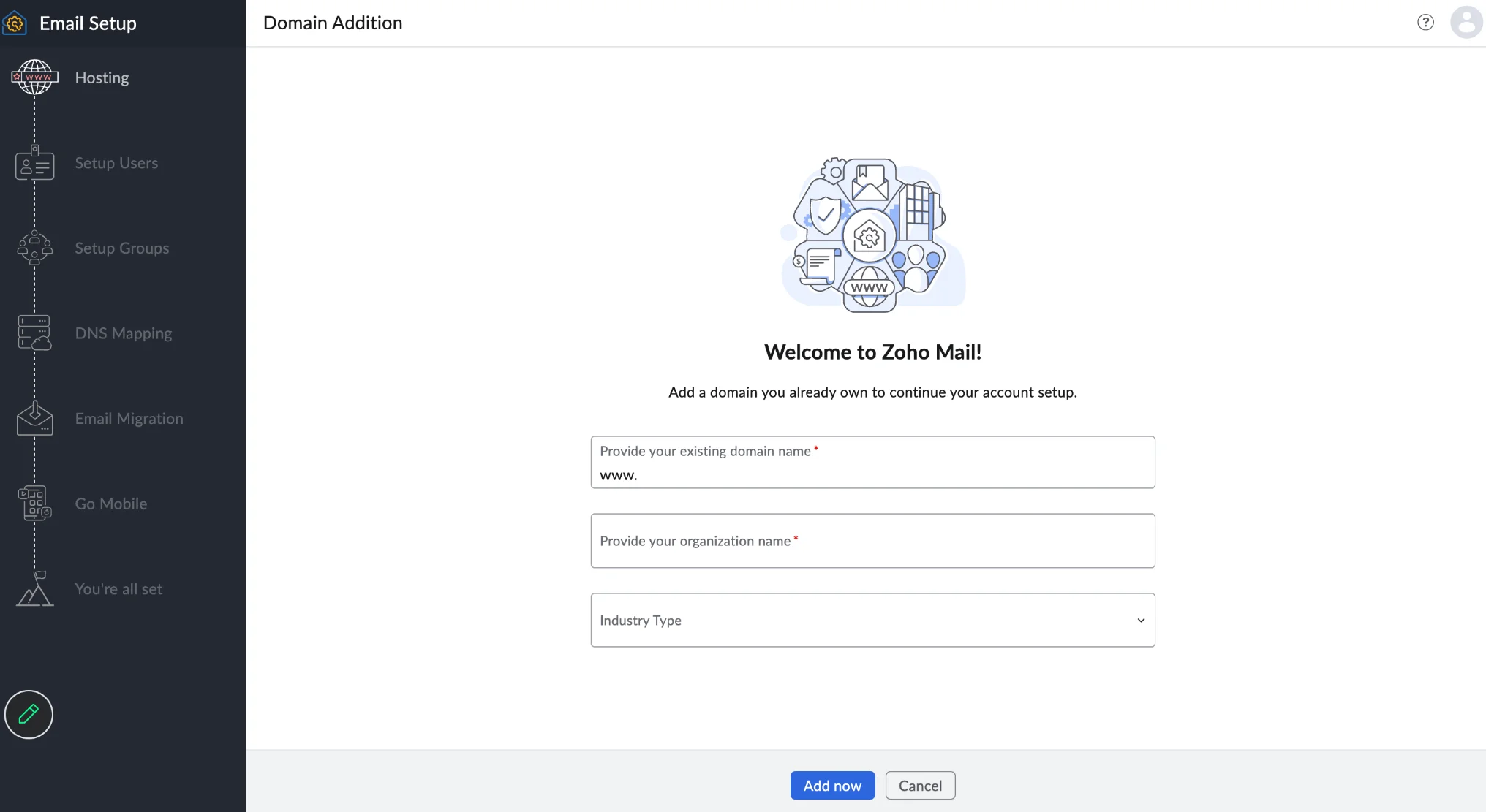
3. Add your domain: type the domain, such as yourbusiness.com.
4. Verify the domain: add the TXT or CNAME record Zoho gives you at your domain host.
5. Create mailboxes: set up addresses like hello@yourbusiness.com and add your users.
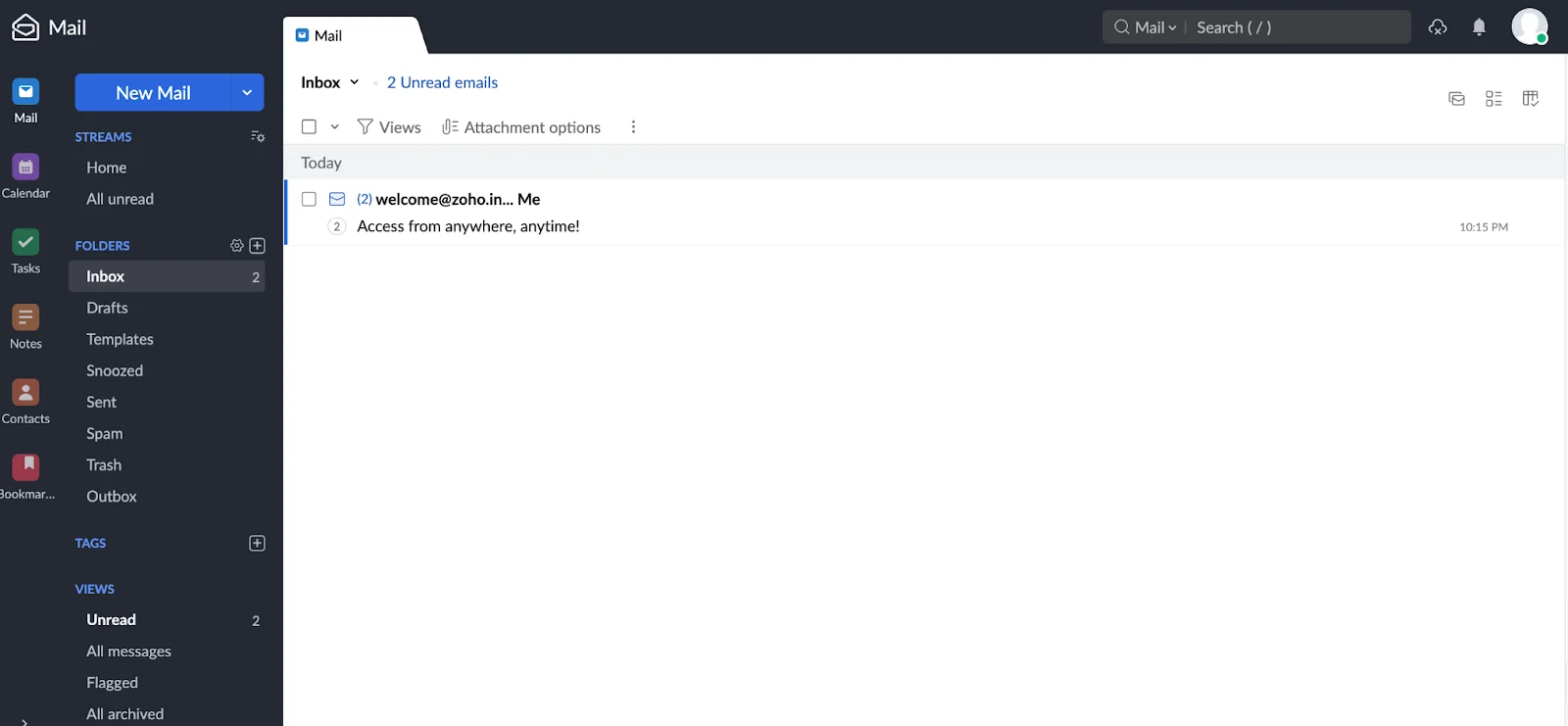
6. Point your MX records: switch incoming mail to Zoho, then add SPF and DKIM.
The process was verified by Neo Mail’s research team on September, 2026.
How to Sign up for Zoho Mail Without a Domain
Zoho Mail lets you buy a new domain during sign-up, through its "Buy Domain" step. The domain is a separate purchase with its own yearly renewal. Setup then continues with the same mailbox steps.
Every Neo Mail plan includes a free domain for anyone who doesn't have one. You can start using business email right away, without a separate domain purchase.
Can You Sign up for a Personal Zoho Mail Account?
Yes. Zoho also offers personal accounts with a zohomail.com address. A personal account is a separate sign-up from business email and doesn't use your own domain. Choose the personal option on Zoho's sign-up page.
After sign-up, you sign in from the Zoho Mail login page, but the domain records decide whether your email arrives.
How Do You Verify Your Domain and Set up DNS Records for Zoho Mail?
You verify your domain for Zoho Mail by adding a TXT or CNAME record at your domain host. Then you add MX, SPF and DKIM records. DNS records are settings that tell the internet how to handle your domain. Each record has one job:
- TXT or CNAME: proves to Zoho that you own the domain.
- MX: tells other servers to deliver your incoming mail to Zoho.
- SPF: lists the servers allowed to send email for your domain.
- DKIM: adds a digital signature that proves an email wasn't changed.
- DMARC: tells receivers what to do with email that fails SPF or DKIM. The DMARC standard's overview explains how it works.
DNS changes take time to spread across the internet. Zoho's setup guide gives these estimates:
Check your records before sending your first email. A free tool such as MXToolbox's TXT lookup shows whether each record is live. A missing record is the most common reason new mail fails.
Setup is where Zoho asks the most of you, and it's one of several disadvantages of Zoho Mail worth knowing before you pay.
What Are the Disadvantages of Zoho Mail?
Zoho Mail's main disadvantages are a limited free plan, a technical setup and mixed reports on spam and support. We read through Reddit threads from Zoho users to see which problems come up most. These five stood out:
- A limited free plan: it's region-limited, and it has no IMAP, POP or ActiveSync. One r/Zoho user put it plainly: "Zoho free plan does not include IMAP/POP/ActiveSync."
- A technical setup: you manage domain verification and DNS records in Zoho's admin console yourself.
- Spam reports: some users on r/Zoho say their mail lands in spam even with SPF and DKIM set. These are individual reports, not measured rates.
- Mixed support: one r/Zoho thread describes an "incredibly frustrating experience" with support on a business account.
- A fixed data region: the data center you choose at sign-up can't be changed later.
Zoho Mail has real strengths too. Its inboxes are ad-free on every plan, including the free one. Some users on r/Zoho say they've used the free plan for more than 10 years without problems. Zoho's paid plans also cost less per user than Google Workspace Business Starter and Microsoft 365 Business Basic, which both start at $7.
Many of these problems show up in the first week, so it helps to know why sign-up or setup fails and how to fix it.
Why Does Zoho Mail Sign-up or Setup Fail, and How Do You Fix It?
Zoho Mail sign-up and setup usually fail for one of five reasons, and each has a quick fix:
- You can't find the free plan: the free plan is limited by region. Try the free sign-up link in Zoho Workplace, or choose Mail Lite at $1.
- Your domain won't verify: the TXT or CNAME record has a typo, or it's still spreading. Wait up to 48 hours and check again.
- Outlook or Thunderbird won't connect: the free plan has no IMAP or POP. Use Zoho's apps, or move to a paid plan.
- Your first emails land in Gmail spam: add SPF, DKIM and DMARC before you send. A new free user on r/Zoho wrote, "all sent email are getting into gmail spam folder."
- You aren't receiving mail: your MX records are missing, or old MX records are still in place. Remove the old ones.
Brand-new domains often land in spam on any provider. Receiving servers trust domains with a sending history and full SPF, DKIM and DMARC records. A new domain has neither. Send a few normal emails before any bulk outreach.
Fixes help, but the bigger question is whether Zoho fits your business at all.
Who Should Use Zoho Business Email?
Zoho business email is right for cost-focused teams and for businesses already using Zoho CRM or Zoho Books. It also suits teams that are comfortable editing DNS records. Mail Lite at $1 per user per month is hard to match for plain email.
Zoho Mail is a weaker fit in three cases:
- You want setup done for you: Zoho leaves domain verification and DNS to you.
- You use desktop apps on a free plan: Outlook and Thunderbird need a paid Zoho plan.
- You need more than email in one simple inbox: file sharing and invoicing need extra Zoho apps.
Readers who fall into any of these cases should compare the alternatives to Zoho Mail.
What Are the Alternatives to Zoho Mail?
The main alternatives to Zoho Mail are Neo Mail, Google Workspace, Microsoft 365 and Proton Mail. Each one is right for a different reader:
- Neo Mail: right for small businesses that want easy setup and more than email in one inbox, with Neo Drive, Invoice Builder and Email Templates.
- Google Workspace: right for teams of 50+ that work in Google Docs, Sheets and Meet.
- Microsoft 365 (Outlook): right for large enterprises that run on Word, Excel and Teams.
- Proton Mail: right for businesses handling sensitive data that needs end-to-end encryption.
Neo Mail is popular with boutiques, consultants, online stores, real estate agents and freelancers. Every plan comes with a free AI website, and the free domain covers anyone still without one. Read Receipts show you when someone opens your email. Neo Mail starts at $1.25 per mailbox per month on the 4-yearly plan. You can try Neo Mail free for 15 days. Neo Mail fits small teams: 98% of its customers use 1 to 5 mailboxes (Source: Neo Mail customer data, 2026). 96% of reviewers rate Neo Mail 4 or 5 stars (Source: G2).
The most common complaint on G2 is wanting more advanced features on the basic plan. On Starter, Send Later, Priority Inbox and sending from an alias need Standard or above.
FAQs
Is Zoho Indian or Chinese?
Zoho is an Indian company. Zoho Corporation is headquartered in Chennai, India, and it runs data centers in several regions. You choose your Zoho Mail data center when you sign up. That choice decides where your email is stored and which plans you can see.
What Happens When a Zoho Mail Account Becomes Inactive?
Zoho Mail flags an account as inactive after 180 days with no sign-in from any app or device. Zoho then sends up to five reminders over a 90-day grace period. If nobody signs in during those 90 days, Zoho permanently clears the mailbox data.
Can You Use Zoho Mail's Free Plan With Outlook or a Phone App?
No for Outlook, yes for phones. The free plan has no IMAP, POP or ActiveSync, so Outlook, Apple Mail and Thunderbird can't connect. You can still read mail on your phone through Zoho's own mobile apps. Paid plans from Mail Lite up add IMAP and POP.
How Do You Add Users and Email Aliases in Zoho Mail?
You add users in Zoho Mail's Admin Console, under Users. Each user gets a mailbox such as sales@yourbusiness.com. Aliases are extra addresses, such as info@yourbusiness.com, that deliver to an existing user's inbox. You add them from that user's profile in the same console.
Can You Move Existing Email to Zoho Mail?
Yes. Zoho Mail's migration tools move email from Google Workspace, Microsoft 365, Exchange Server and any IMAP or POP server, including Gmail. An admin runs the migration from the Admin Console. It copies existing messages into the new Zoho mailboxes, so users keep their old email history.
Is Zoho Mail Good for Cold Email?
No. Zoho Mail, like other business mailboxes, isn't built for bulk cold outreach. Business mailboxes have daily sending limits and strict spam filters. Sending many cold emails from a new domain can hurt its reputation. Warm up the domain slowly, and set up SPF, DKIM and DMARC first.
Get Business Email
No domain name required
Get Business Email
With a Free Domain
