


.svg)
.svg)
.svg%201.svg)



Get Business Email
No domain name required
Email Addresses
for Job Application

Key Takeaways
- Gmail or Outlook.com for most job applications: Pick your real name on one of these two free services. Recruiters notice the name before the @ sign far more than the brand after it.
- Neo Mail for freelancers applying with custom email: Consultants and creatives can send applications from an address like maya@mayachen.com. Neo Mail starts at $1.25 per mailbox per month on the 4-yearly plan, with a 15-day free trial and a free domain for those who don't own one.
- The catch with free personal email addresses for job applications: Popular names are often taken. Fix that with a middle initial or a job title, never a birth year.
- What people get wrong about job application email addresses: Many use an address that does not clearly match their name, making it harder for recruiters to identify them quickly. Others use an inbox they rarely check and end up missing interview requests or follow-ups.
What Is a Good Email Address for Job Applications?
A good email address for job applications is your real name on a trusted provider, like firstname.lastname@gmail.com or firstname.lastname@outlook.com. Your address is one of the first things a hiring manager sees, so the next step is choosing which name format looks most professional.
Which Email Address Formats Look Most Professional?
The most professional format is firstname.lastname, because it matches the name on your resume. A hiring manager can find you by typing your name into their inbox search. The address also lines up with your LinkedIn profile, so your application looks consistent.
Each format below works for job applications, and each one fits a different situation. Start at the top of the table and pick the first format that is still free on your provider. Only move down the list when the one above it is taken.
Numbers need care. An area code such as 312 is neutral, so it's fine as a last resort. A birth year such as 1994 is not, because it tells an employer your age before they read your resume.
What Makes an Email Address Look Unprofessional?
An email address looks unprofessional when it says something about you other than your name. Here are five common problems and a cleaner swap for each one:
These rules cover people with an easy, available name, so the next section shows professional email address examples for other job seekers.
What Are Some Professional Email Address Examples for Job Seekers?
Professional email address examples for job seekers all start from your name, then change one thing to fit your situation. The examples below use one person, Maya Chen, so you can see how each group differs.
- Standard: maya.chen@gmail.com, mayachen@outlook.com, m.chen@gmail.com, chen.maya@proton.me. Use these when your name is free.
- Common name: For John Smith, try john.r.smith@gmail.com, jrsmith@outlook.com or smith.john.r@gmail.com. A middle initial solves most clashes.
- With your job title: maya.chen.design@gmail.com, mayachen.cpa@gmail.com or mayachen.writer@outlook.com. These help when one field defines your career.
- Students and new graduates: mchen@stateu.edu for internship applications, then maya.chen@gmail.com once you graduate.
- Freelancers and creatives: maya@mayachen.com, hello@mayachen.com or maya@mayachendesign.com. A musician or artist can use their stage or studio name.
Every example above assumes your name is free, so the next question is what to do when your name is already taken.
What If Your Name Is Already Taken?
Adding your middle initial is the first fix when firstname.lastname is already taken. That small change keeps the address short, easy to spell and clearly yours. Try these fixes in order, and stop at the first one that works:
- Add a middle initial: maya.l.chen@gmail.com.
- Swap the order: chen.maya@gmail.com.
- Use your first initial: mchen@gmail.com.
- Add your job title: maya.chen.design@gmail.com.
- Add your area code: maya.chen312@gmail.com.
- Use your own domain: maya@mayachen.com.
Avoid doubled letters, such as maya.chenn@gmail.com. A top answer on Reddit's r/careerguidance warns that a repeated letter makes people mistype the address, so replies may never reach you. Also avoid filler words like "the" or "real" in front of your name.
Don't overthink the final choice. One commenter who spent years in HR told a worried job seeker, "You're overthinking this." Any clean, name-based address passes the first look, even if it isn't the exact format you wanted.
A clean name solves most of the problem. The provider after the @ sign is the next thing job seekers worry about.
Does Your Email Provider Matter to Employers?
Your email provider matters much less than the name in front of it. Any mainstream provider works for job applications, as long as the address looks professional. One commenter on Reddit's r/careeradvice summed it up: the part before the @ sign is what people care about.
Some reviewers still judge older providers, though. On Reddit's r/Professors, one top answer said they rarely see a legitimate email from a Hotmail account. A new Gmail or Outlook.com address takes a few minutes to create, so switching is cheap insurance.
An older Yahoo or AOL address can still work for job applications. The risk is small, but it is real, and a free fix removes it. Keep the old account for shopping and newsletters, and use the new one for every job application.
How to Create an Email Address for Job Applications With Neo Mail?
You create an email address for job applications with Neo Mail in five steps, and none of them involves DNS or technical settings. Most users go from sign-up to their first sent email in about 2 minutes.
Our guide to creating a business email without a domain covers each step in more detail. The steps below build an address on your own name:
The steps below build an email address on your own name:
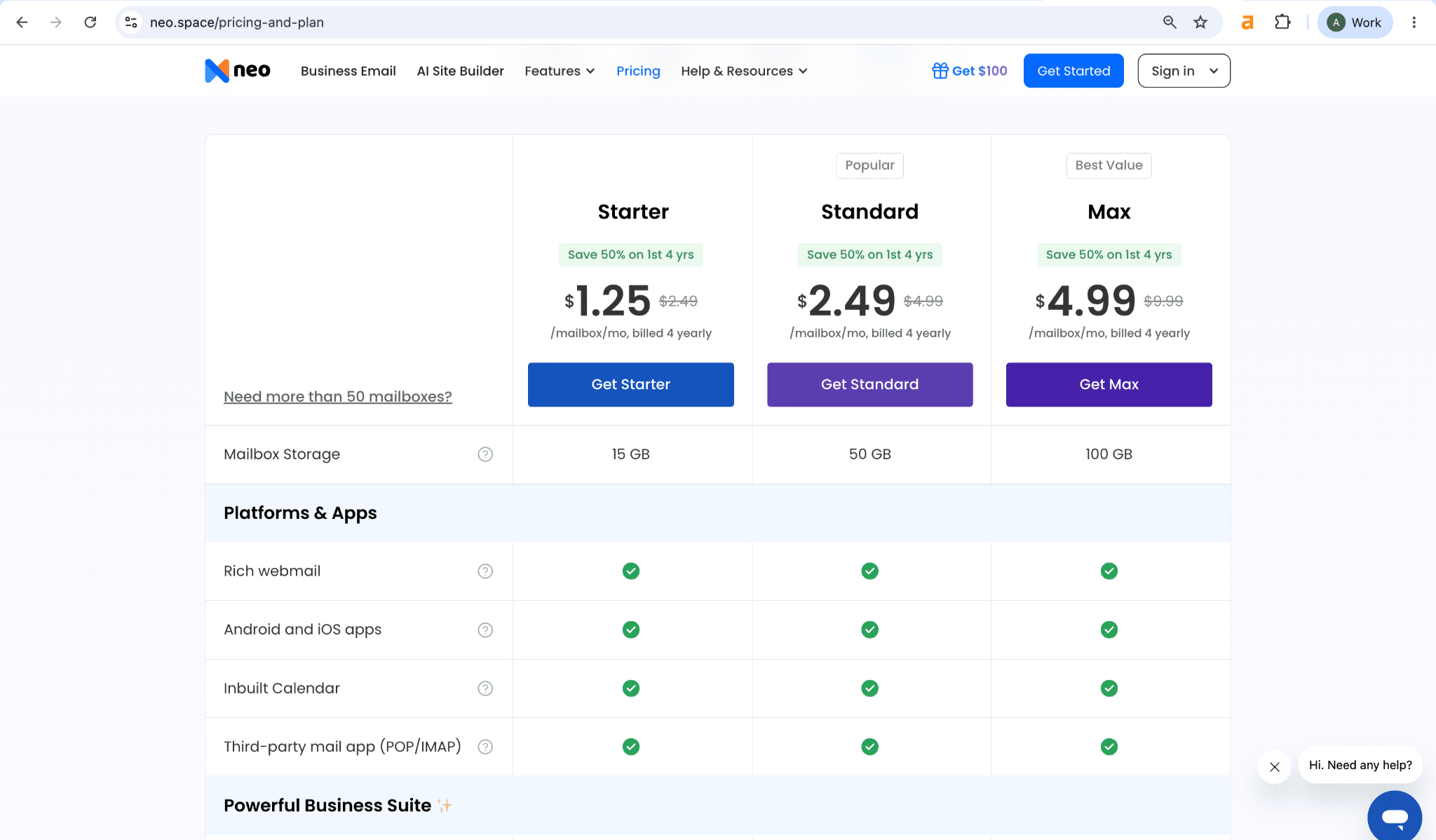
1. Choose a plan: Pick Starter, Standard or Max. Starter is enough for one job-search mailbox.
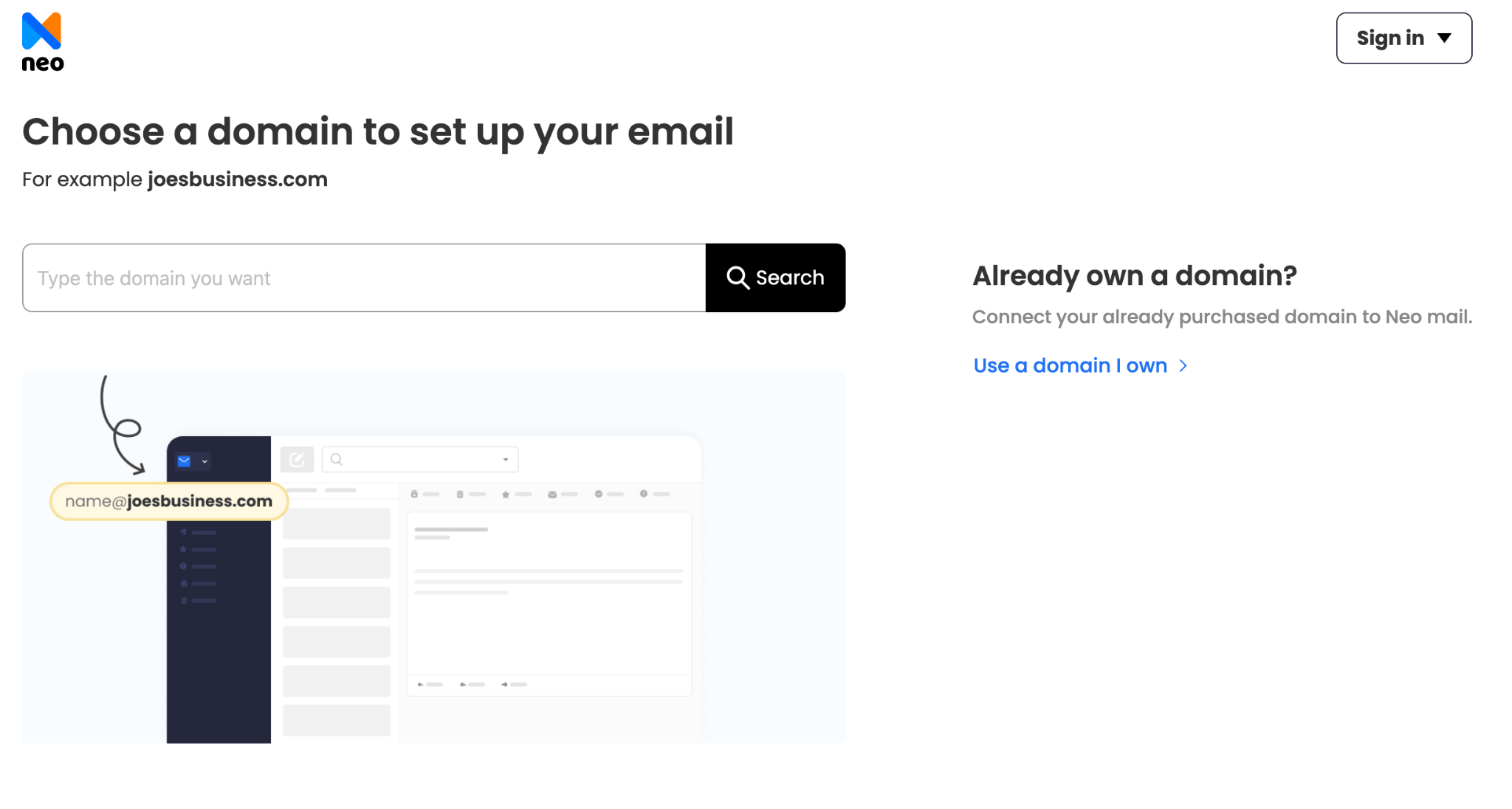
2. Pick your domain: Search for a domain with your name, or connect one you already own. Every Neo Mail plan includes a free domain if you don't have one.
3. Create your account: Use a personal email and phone number you check daily. Then turn on two-factor authentication, a second check each time you log in.
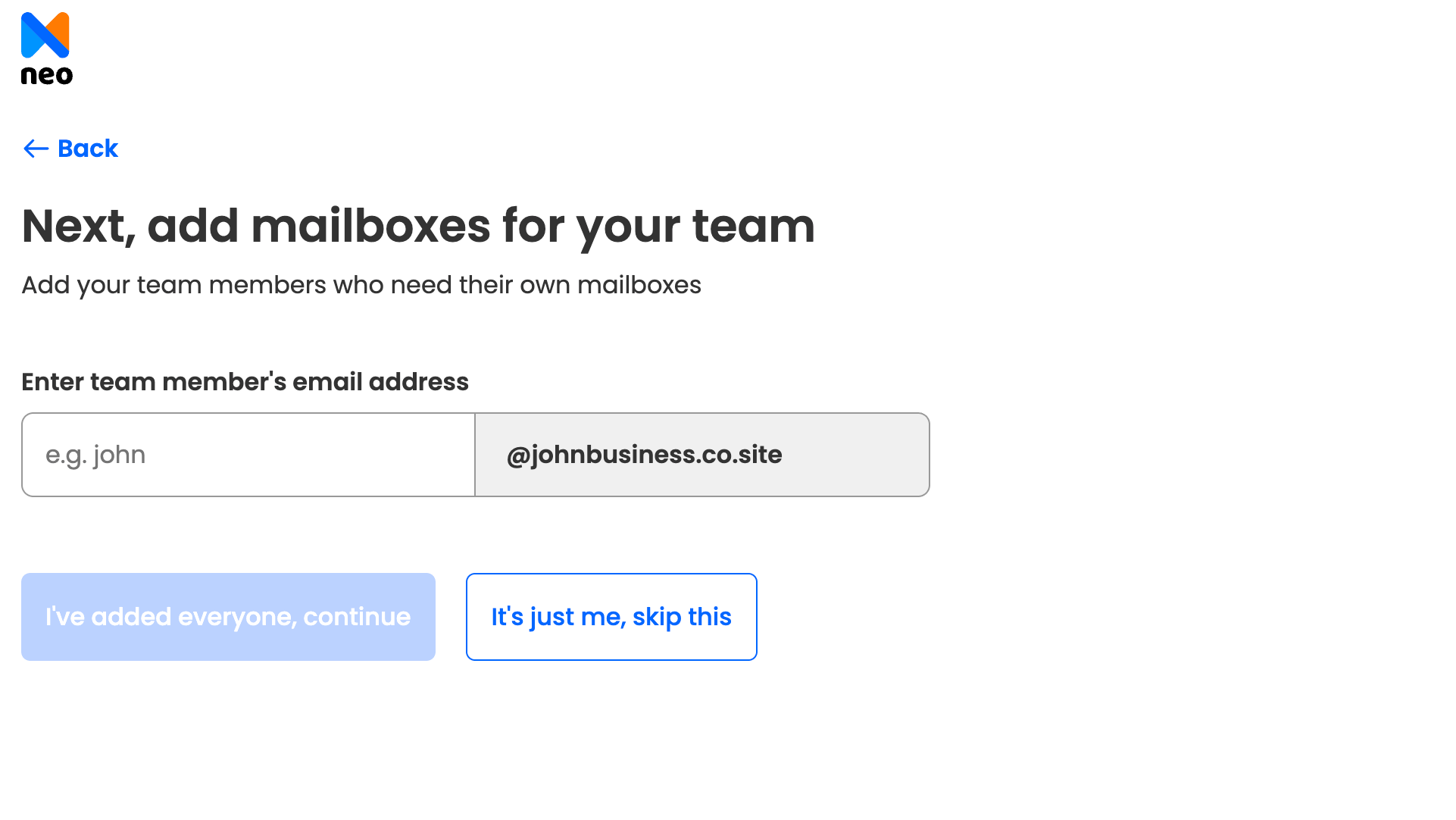
4. Set up your first mailbox: Choose a name-based format from the pattern table, such as maya@mayachen.co.site.
5. Launch your free AI website: Setup builds a free AI website on the same domain. You can turn it into a simple portfolio for recruiters.
A domain-based address is one route, but many job seekers first ask whether a work or school email would do instead.
Can You Use Your Work or School Email to Apply?
You should never use your current work email to apply for a new job. Your employer owns that inbox and can read it. Using it also suggests you're job hunting on company time. And if you leave, you lose every reply that lands after your last day.
A school .edu email is fine for internships and graduate programs. It shows you're a student, which those roles expect. However, many schools close student accounts after graduation. Stanford, for example, keeps @stanford.edu email for only 120 days (Source: Stanford Alumni). Move to a personal address before your final term, so recruiters can still reach you. Then update the address on your resume, LinkedIn and every job board profile.
Personal addresses cover most job seekers, so the next question is whether freelancers should use their own domain for job applications.
Should You Use Your Own Domain for Job Applications?
Your own domain is optional for most job seekers, but it helps freelancers, consultants and creatives. An address like maya@mayachen.com is short and easy to remember. Nobody else can take it, and it can match a portfolio site that shows your work.
The trade-offs are cost and setup effort. Most salaried roles don't need a custom domain, so a clean Gmail or Outlook.com address works just as well there.
Neo Mail is right for job seekers who want to apply from their own name, such as freelancers, consultants and creatives. Every Neo Mail plan includes a free domain if you don't have one, plus a free AI website you can use as a portfolio for recruiters. A one-person setup is normal: 98% of Neo Mail customers use 1 to 5 mailboxes (Source: Neo Mail customer data, 2026).
Neo Mail starts at $1.25 per mailbox per month on the 4-yearly plan. About 96% of G2 reviewers rate it 4 or 5 stars (Source: G2). The common complaint is that the basic plan lacks advanced features, such as sending from an alias. You can try Neo Mail free for 15 days.
With the right type of address picked, the next step is to set up your job-search email so no reply slips through.
How Do You Set up a Job-Search Email and Keep It Organized?
Setting up a job-search email takes five steps and a few minutes. The goal is one clean address that catches every recruiter reply, sorts it into one place and matches your resume exactly:
- Create a name-based address: Pick the first free format from the pattern table.
- Add a simple signature: Include your full name, phone number and LinkedIn URL.
- Create a "+jobs" alias: Gmail delivers maya.chen+jobs@gmail.com to maya.chen@gmail.com, so you can filter job mail into one folder (Source: Gmail Help).
- Forward a separate inbox: A separate job-search account can forward to the inbox you check daily, so you skip a second login.
- Match your resume: Type the address in lowercase, exactly as it appears on your resume and LinkedIn.
Job seekers on Reddit's r/LifeProTips often recommend the same "+jobs" trick for sorting applications. As one job seeker put it, making a professional address is "free and it takes 30 seconds."
A quick check catches most mistakes before a recruiter sees them. Before you hit Apply, run this 60-second check on your job application email address:
- Is the address based on your real name?
- Is it free of birth years and nicknames?
- Is it on a trusted provider or your own domain?
- Is it spelled the same on your resume and LinkedIn?
- Does your signature include your name and phone number?
- Did a test email to yourself arrive safely?
FAQs
Is It OK to Use a Nickname in a Professional Email Address?
Yes, if it's a common short form of your legal name, like Alex for Alexander or Liz for Elizabeth. Hiring managers will still connect it to the name on your resume. Keep other nicknames, like "Ace" or "Tiny", out of the address and out of your signature. Your full name can go in the signature if you prefer.
Should I Delete an Old Unprofessional Email Address or Keep It?
No, you don't need to delete it. Keep the old address for existing accounts, like shopping and social media, and stop using it for applications. Set it to forward to your new address, so no important email gets missed while you switch.
How Many Email Addresses Should a Job Seeker Have?
One clean, name-based address is enough for most job seekers. Add a "+jobs" alias or a separate job-search inbox only if it helps you stay organized. Several unrelated addresses on different applications make it harder for recruiters to find your replies. They also make it easier for you to miss an interview invite.
Should I Use a Professional Email Address Generator?
No, most job seekers don't need one. A generator only mixes your first name, middle initial, last name and job title. You can build the same options yourself in a minute, and pick the one that reads cleanest.
Can I Get a Free Professional Email Address?
Yes. A name-based Gmail, Outlook.com or Proton Mail address is free and professional enough for most job applications. An address on your own domain usually costs money. Our guide to business and role email address examples covers the paid options in more detail.
Get Business Email
No domain name required
Email Addresses
for Job Application
