



.svg)
.svg)
.svg%201.svg)



Get Business Email
No domain name required
Sakshi Shinde
Get yourname@yourdomian.org ID

Key Takeaways
- The .org email address for small businesses: Neo Mail fits teams of 1 to 10 who want a .org inbox without technical setup.
- The.org email options suitable for nonprofits and special needs: Google Workspace for Nonprofits is free for verified nonprofits. Microsoft 365 suits teams that live in Word and Excel. Proton Mail suits for companies that handle sensitive data.
- What a .org email address really costs: You pay a registrar every year for the domain, and your email host charges per mailbox. Google Workspace and Microsoft 365 host email free for verified nonprofits, yet the .org domain is never free.
- What people get wrong when setting up .org email: they think .org needs nonprofit status, and they skip SPF, DKIM and DMARC. Anyone can register .org, and those three records keep your mail out of spam.
Which Email Host Should You Use for a .org Domain?
The right email host for a .org domain is the one that matches your team size and nonprofit status. We compared five email providers on price, nonprofit offers, custom domain support and ease of use, which covers setup and daily use.
"Neo Mail's research team verified these info. in September 2026, on each provider's official page."
What Is a .org Email Address?
A .org email address is an email address on your own .org domain, such as info@yourcause.org.
Neo Mail is a business email built for small teams that want a professional address without technical work. Customers include consultants, boutiques, online stores, offline stores, real estate agents, freelancers and independent creators. Small teams are the core fit: 98% of Neo Mail customers use 1 to 5 mailboxes (Source: Neo Mail customer data, 2026, verified by our internal data science team).
The ".org" part is only the domain ending, not a separate email service like Gmail. Your email provider runs the inbox, and your domain gives the address its name.
A .org address needs two parts to work. The first is a .org domain, the name after the @ sign, which you register and renew every year. The second is an email host, the service that stores, sends and receives your mail. Both parts are needed, and neither works alone.
The next question is who is allowed to use .org, and how people see it.
Who Can Get a .org Email Address, and Is It Trustworthy?
Anyone can get a .org email address. The .org domain is open to people, clubs, charities and businesses alike, with no nonprofit status or country rule. Owners only have to follow the registry's anti-abuse policy, which bans illegal and abusive uses of a domain (Source: Public Interest Registry FAQ).
The .org ending is widely known. Public Interest Registry, the nonprofit that runs .org, reports more than 12 million .org domains worldwide as of June 2026 (Source: Public Interest Registry). Readers link .org with causes, communities and public service.
A .org email address is as safe as the provider and settings behind it. The ending alone does not block spam or stop phishing. Trust comes from a secure email host, two-factor sign-in and the SPF, DKIM and DMARC records covered in the steps below.
Should You Choose .org or .com for Email?
Choose .org when your group exists for a mission, a community or a cause. Choose .com when you mainly sell products or services. Donors and volunteers often expect .org, while customers usually expect .com.
Buying both endings is a smart move when the name is free on both. A matching .com stops someone else from using a look-alike address to fool your contacts. You can point the .com to your website and keep email on .org.
Small nonprofit founders often say the same thing: donors trust a .org address more when it matches the group's website. The ending matters less than using one domain everywhere, from your site to your inbox. Our guide to email hosting for your own domain explains how to put both on the same name.
Once the ending is settled, the next choice is which setup route fits your budget.
What Does a .org Email Address Cost, and Can You Get One Free?
A .org email address costs two things: a yearly domain fee and a monthly email fee for each mailbox. The domain fee is paid to a domain registrar. The mailbox fee is paid to your email provider.
A truly free .org email address does not exist. Verified nonprofits can get email hosting at no cost. Every .org domain still carries a yearly registration fee, and you cannot get a .org address without owning a .org domain.
Two programs give verified nonprofits free hosting:
- Google Workspace for Nonprofits: $0 per user per month, for up to 2,000 users. Groups must pass checks by Goodstack, Google's partner. Government bodies, hospitals and schools are not eligible.
- Microsoft 365 nonprofit grant: up to 300 free Microsoft 365 Business Basic licenses. Microsoft also offers discounts of up to 75% on other plans for nonprofits.
The difference between the two routes is approval. The free programs take time because your group must prove its nonprofit status first. A paid plan starts the same day, with no paperwork. This table shows a first-year example for a group with 3 mailboxes.
"Neo Mail's research team verified these prices in September 2026, on each provider's official pricing page."
Sources: Google Workspace for Nonprofits · Microsoft for Nonprofits updates
Price is only one factor, so the next check is how the email hosts compare.
Business Email Providers for your .Org Domain
1. Neo Mail: Best for Small Businesses and Small Teams
Neo Mail is a business email built for small teams that want a professional address without technical work. Customers include consultants, boutiques, online stores, offline stores, real estate agents, freelancers and independent creators. Small teams are the core fit: 98% of Neo Mail customers use 1 to 5 mailboxes (Source: Neo Mail customer data, 2026, verified by our internal data science team).
The inbox includes useful tools. Read Receipts show when someone opens your email. Email Templates speed up replies to common questions, such as volunteer sign-ups. Every Neo Mail plan includes a free domain if you don't have one, plus a free AI website. Reviewers agree on the experience: 96% of G2 reviewers rate Neo Mail 4 or 5 stars (Source: G2).
The limitation is on the basic plan. The Starter plan caps sending at 500 emails per day. Send Later, Priority Inbox and sending from an alias need the Standard plan or above. You can try Neo Mail free for 15 days.
2. Google Workspace: Right for Verified Nonprofits That Need Free Seats
Google Workspace for Nonprofits gives verified groups free Gmail on their own .org domain, plus Docs, Drive and Meet. The free plan covers up to 2,000 users, which suits large volunteer networks. Nonprofits that want more features can move to Business Standard at $3.50 per user per month on a 1-year commitment.
Google Workspace's limitation is access. The free plan needs a Goodstack check, and government bodies, hospitals and schools cannot join. Leave time for the check before a launch or event.
3. Microsoft 365: Good for Teams That Work in Word, Excel and Teams
Microsoft 365 gives eligible nonprofits up to 300 free Business Basic licenses. Business Basic includes Outlook email on your own domain, Teams and web versions of Word and Excel. Groups that already use Microsoft tools can keep one login for everything.
Microsoft 365's limitation is setup. The admin center has many settings, which can slow down a small team with no IT person. Microsoft suggests working with a Microsoft partner for license changes.
4. Proton Mail: Ideal for Organizations That Handle Sensitive Data
Proton Mail uses end-to-end encryption, so only the sender and the reader can open protected messages. The Mail Essentials plan includes 15 GB of storage per user and up to 3 custom domains. Advocacy groups and journalists often choose Proton Mail for this extra privacy layer.
Proton Mail's limitation is teamwork. Mail Essentials covers email and calendar only, so shared files need a higher Workspace plan. Encrypted messages to people outside Proton Mail also take an extra step, such as a password.
5. Fastmail: Suited to Individuals and Families Using .org
Fastmail suits people who use a .org domain for a personal site, a family or a hobby group. The Standard plan includes 60 GB of storage per user and custom domain support. Fastmail offers 24/7 support from real people on every plan.
Fastmail's limitation is on its entry plan. The Basic plan does not support custom domains, so a .org address needs Standard or above. Fastmail also has no nonprofit program listed on its pricing page.
"Neo Mail's research team verified these details in September 2026, on each provider's official website."
Sources: Neo Mail pricing · Google Workspace for Nonprofits · Microsoft for Nonprofits updates · Proton business pricing · Fastmail pricing
How to Create a .org Email Address, Step by Step
You create a .org email address in six steps. DNS changes can take up to 48 hours to spread across the internet.
- Register your .org domain.
- Sign up with an email host.
- Add MX records.
- Add SPF, DKIM and DMARC records.
- Create mailboxes for staff and volunteers.
- Add the address to your phone and computer.
Setting up the mailbox itself is quick: a new Neo Mail customer goes from sign-up to a working inbox in about 2 minutes. This 2-minute video walkthrough shows each screen. Only the DNS changes in steps 3 and 4 take longer, because they need time to spread across the internet.
Step 1: Register Your .org Domain
Search for your name at a domain registrar, a company that sells domain names. Check that the name is not a trademark of another group. Pick a short name that people can spell after hearing it once. Turn on auto-renew so the domain never lapses. Turn on domain privacy too, so your home address stays out of public records.
Step 2: Sign up With an Email Host
Buy email directly from a business email provider, not as an add-on from your domain registrar. Registrar email is often resold from another company, with fewer features and slower support. Even resellers admit it: one on Reddit's r/webhosting says providing good email is hard and "rarely worth the price people are willing to pay." Choose your plan and enter your .org domain during sign-up.
Step 3: Add MX Records
MX records are the DNS settings that tell the internet where to deliver your email. Your email host shows the exact values. Copy them into the DNS page at your domain registrar, and delete any old MX records. Mail starts arriving once the change spreads, usually within a few hours.
Step 4: Add SPF, DKIM and DMARC Records
SPF, DKIM and DMARC are DNS records that prove your email is really from you. SPF lists the servers allowed to send for your domain. DKIM adds a digital signature to each message. DMARC tells inboxes what to do with mail that fails these checks. Start DMARC in a monitoring mode, then make it stricter once reports show your real mail passes. DMARC.org explains the standard in more detail.
Step 5: Create Mailboxes for Staff and Volunteers
Give each staff member their own mailbox, such as maria@yourcause.org. Shared logins cause problems when someone leaves, because nobody knows who sent what. Short-term volunteers often need less. An alias forwards mail from an address like volunteer@yourcause.org into an existing inbox, at no extra mailbox cost. This keeps costs low when volunteers change often.
Step 6: Add the Address to Your Phone and Computer
Most email hosts offer webmail, plus apps for Android and iOS. Sign in with your full .org address and password, then turn on two-factor sign-in.
Once your inbox works, the last choice is which addresses to create first.
How to Set Up a .org Email Address in Neo Mail?
You set up a .org email address in Neo Mail by connecting a .org domain you already own. You need your own .org domain to get a .org email address in Neo Mail. Neo Mail also gives a free domain if you don’t own one yet.
1. Register your .org domain: buy it from any domain registrar before you sign up, if you don't own it yet.
2. Start your Neo Mail account: go to neo.space, click "Get Started" and choose the option for a domain you already own.
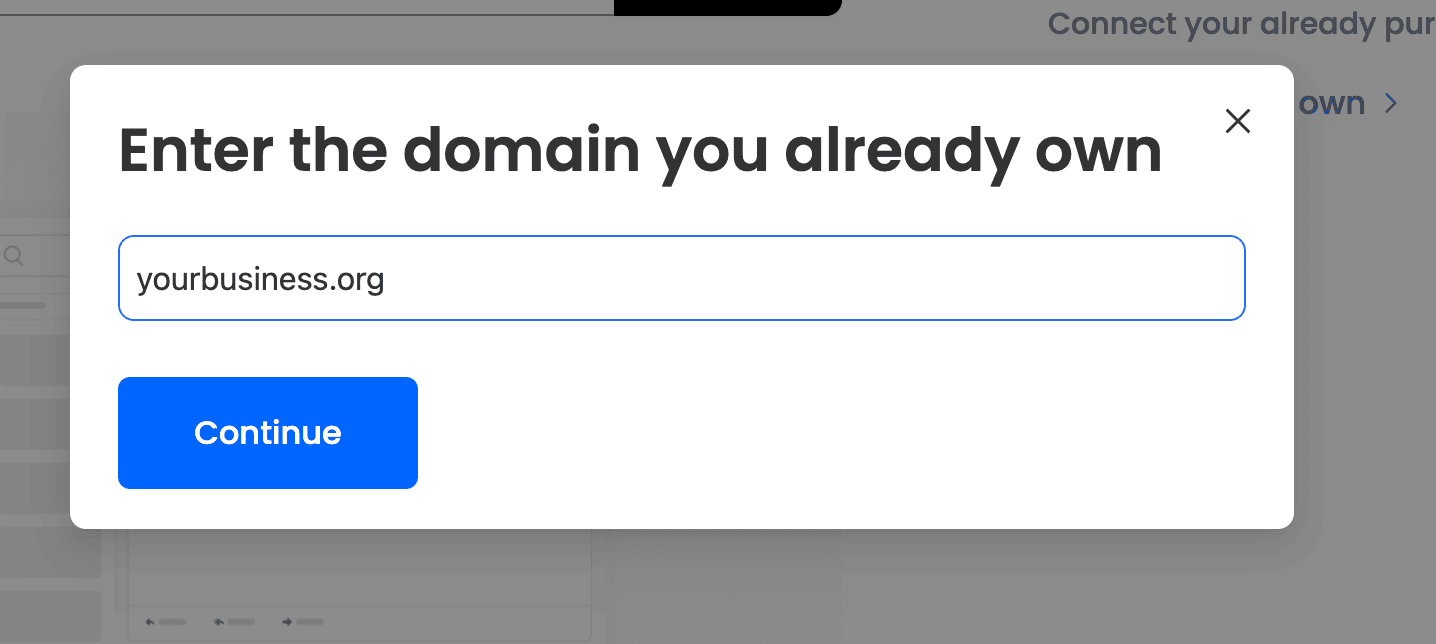
3. Enter your .org domain: type the domain, such as yourbusiness.org, then pick a plan as per your business’s requirements.
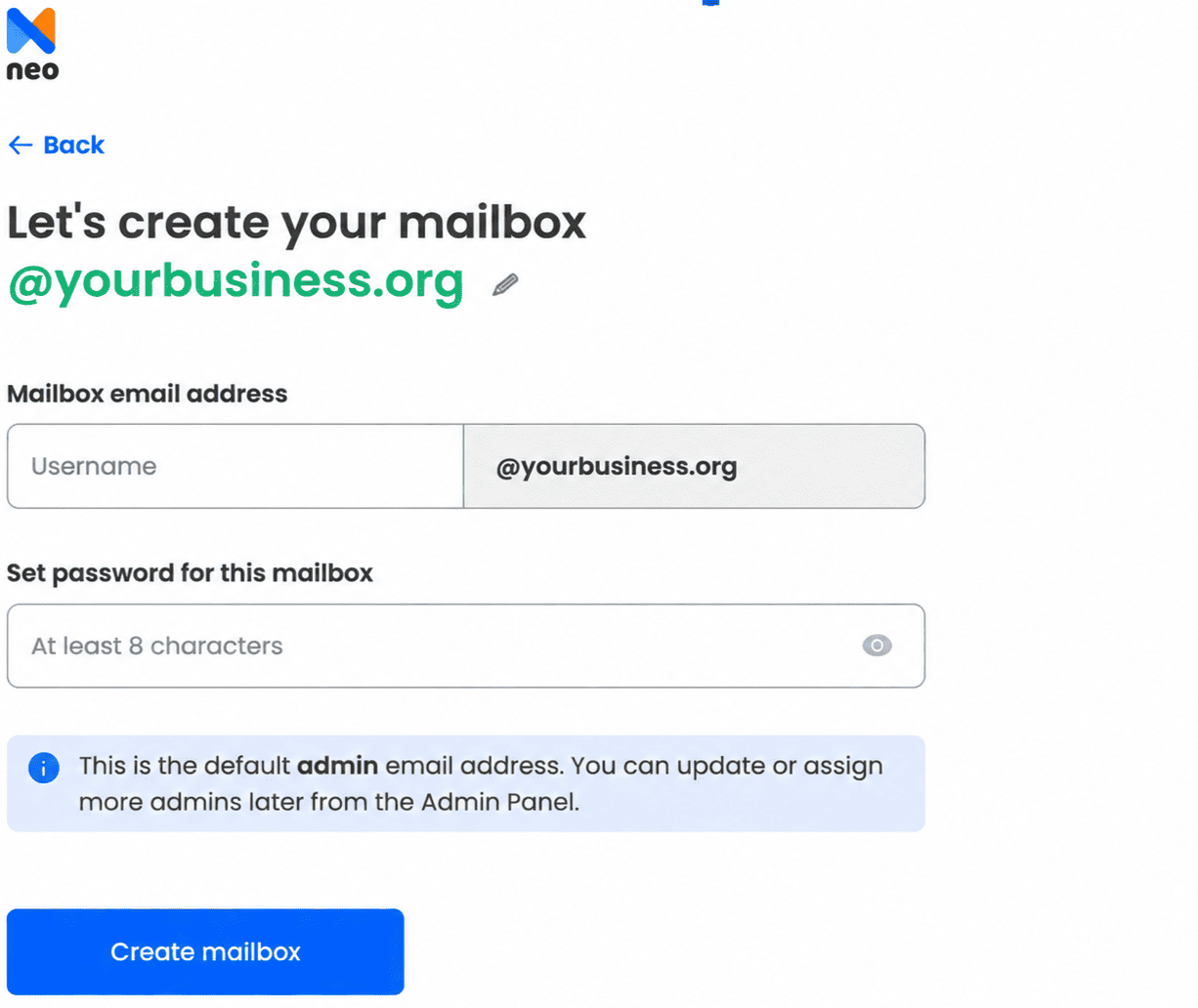
4. Create your first mailbox: set up an address such as info@yourbusiness.org and choose a password.
5. Connect your domain: choose "Connect Automatically" if Neo Mail supports your registrar. Otherwise, add the records manually at your registrar's DNS page:
- MX record: host @, points to mx0001.neo.space, priority 10
- MX record: host @, points to mx0002.neo.space, priority 20
- TXT (SPF) record: host @, value v=spf1 include:spf0001.neo.space ~all
6. Verify your domain: open the Neo Mail control panel and click "Verify Domain" under Domain verification. DNS changes can take up to 6 hours to work.
Which .org Email Addresses Should You Create First?
Role addresses also help with privacy. Staff can answer donate@yourcause.org without sharing a personal address, and several people can share the work. Set each role address to forward to the right person, so no message sits unread.
Pick one naming format for personal addresses and use it for everyone. Firstname.lastname@yourcause.org works well for teams where two people might share a first name. Use letters only, and skip numbers or job titles that could change.
FAQs
Can You Get a .org Email Address Without Buying a Domain?
No. A .org email address must end in a .org domain that you own. Free email services only give addresses on their own domains, such as gmail.com. Some email hosts include a free domain, but it is rarely a .org domain. If you only need a professional address and not a .org one, our guide to creating a business email without a domain shows how.
What Happens to a .org Email Address If the Domain Expires?
Email stops working once a .org domain expires and is not renewed. New messages bounce, and your contacts may think you shut down. After grace and redemption periods of up to about 80 days, anyone can register the domain. Auto-renew with an up-to-date payment card prevents this (Source: Public Interest Registry FAQ).
Can I Use Gmail With a .org Email Address?
Yes. Google Workspace runs Gmail on your own .org domain. Many other email hosts also let you add your .org mailbox to the Gmail app. Your address stays the same in both cases; only the app you read it in changes.
Why Do Email Addresses End in .com, .net or .org?
Email addresses end in the top-level domain of the domain they use. The .com ending was meant for businesses, .net for networks and .org for organizations. Today all three are open to anyone, so the ending signals purpose, not legal status.
How Can a Nonprofit Get an Email Address With Its Organization's Name?
A nonprofit gets a named email address by registering a .org domain and connecting it to an email host. Verified nonprofits can apply for Google Workspace for Nonprofits or Microsoft 365 grants. Small teams that want quick setup can choose a paid business email plan instead.
Get Business Email
No domain name required
Sakshi Shinde
Get yourname@yourdomian.org ID
