



.svg)
.svg)
.svg%201.svg)



Get Business Email
No domain name required
Free Email Address
Explore Neo Mail today!

Key Takeaways
- Getting a free email address: Gmail, Outlook.com, Yahoo Mail and Proton Mail all give you a free inbox after one short sign-up. You need a username, a password and a way to verify. To skip the phone number, sign up with Proton Mail and confirm by CAPTCHA or email instead.
- Matching a free email provider to how you'll use it: Gmail is right for Google app users, and Outlook.com for Microsoft users. Pick Proton Mail for privacy and Yahoo Mail for a spare address. Small business owners can try Neo Mail free for 15 days.
- Storage limits on free email plans: Free plans cap your space. Gmail's 15 GB is shared with Google Drive and Google Photos, and Proton Mail's free plan gives you 1 GB.
- The mistake people make with a new email account: They skip recovery details. Turn on two-factor authentication and add a recovery email on day one.
- Trying business email for free: Business email comes with a paid plan, but Neo Mail lets you test it for free for 15 days. Every plan includes a free domain, so you can send from a business email address before you pay.
How Do You Create a Free Email Address?
To create a free email address, open a free provider's sign-up page, like Gmail or Proton Mail, then pick a username and password and verify. Neo Mail covers business addresses, with a free domain included on every plan.
Next, gather what you need before you create the account, so sign-up takes minutes, not an afternoon.
What Do You Need Before You Create a New Email Account?
A new email account needs your name, your date of birth, a username, a strong password, and a way to recover the account. Most providers ask for a phone number or a backup email address for recovery. Some also ask for your country or gender.
Your username becomes your email address, so choose it with care. A good username is easy to spell and easy to say out loud. Use your first and last name, like jane.doe@gmail.com. Avoid your birth year, random numbers and nicknames you'll outgrow.
Common names are often taken, so keep two or three backup usernames ready. Google lists these reasons a username can't be registered:
- Someone already uses it.
- It's too close to an existing username.
- Someone used it before and then deleted it.
- Google reserves it to prevent spam.
(Source: Google Help)
Before you start, check you have these five items:
- Your full name
- Your date of birth
- Two or three username ideas
- A password of at least 16 characters
- A phone number or backup email address
With these ready, the next choice is the provider itself.
What Is the Difference Between a Personal Email and a Business Email?
A personal email address uses the provider's name, like jane.doe@gmail.com, and is free. A business email address uses your company's own domain, like hello@yourbusiness.com, and comes with a paid plan.
Personal Email: Good for Everyday Life
A personal email is good for family, friends, online shopping and sign-ups. Gmail and Yahoo Mail are common picks for a personal address. The trade-off is that the provider's name stays in your address, and free storage has a limit.
Business Email: Suited to Customers and Clients
A business email is suited to anyone who sends quotes, invoices or updates to customers. The address carries your business name, so customers know who is writing.
Neo Mail was built for exactly this kind of work. Its customers include fashion brands, real estate agents, consultants and freelancers. You can try it free for 15 days before choosing a plan.
Once you know which kind of address you need, the next step is picking the provider.
Which Free Email Provider Should You Choose?
Gmail fits people who live in Google apps. Outlook.com fits Microsoft users. Proton Mail fits people who want privacy. Yahoo Mail fits anyone who needs a spare address for sign-ups.
We compared the email providers on five points:
- Ease of use: how simple sign-up and daily use are
- Storage: how much mail you can keep for free
- Phone number: whether sign-up needs one
- Privacy: how the provider protects your messages
- Business use: whether you can use a domain, like hello@yourbusiness.com
Storage matters more than it seems. A free inbox that fills up stops receiving new mail. Photos and attachments use the most space, so heavy senders should look at the storage column first.
"Neo Mail's research team verified these details in September 2026, on each provider's official website."
Sources: Google storage · Outlook.com storage · Yahoo Mail storage · Proton Mail · Neo Mail pricing
Once you've picked a provider, the next step is the sign-up itself, which is short and very similar everywhere.
How to Create a Free Email Address With Each Provider?
You create a free email address with any provider in a few short steps, and each one differs only slightly. Here are the exact steps for each, with a screenshot for every step.
1. Gmail: Apt for Everyday Personal Use
Gmail is apt for people who already use Google apps like Docs, Drive and Photos.
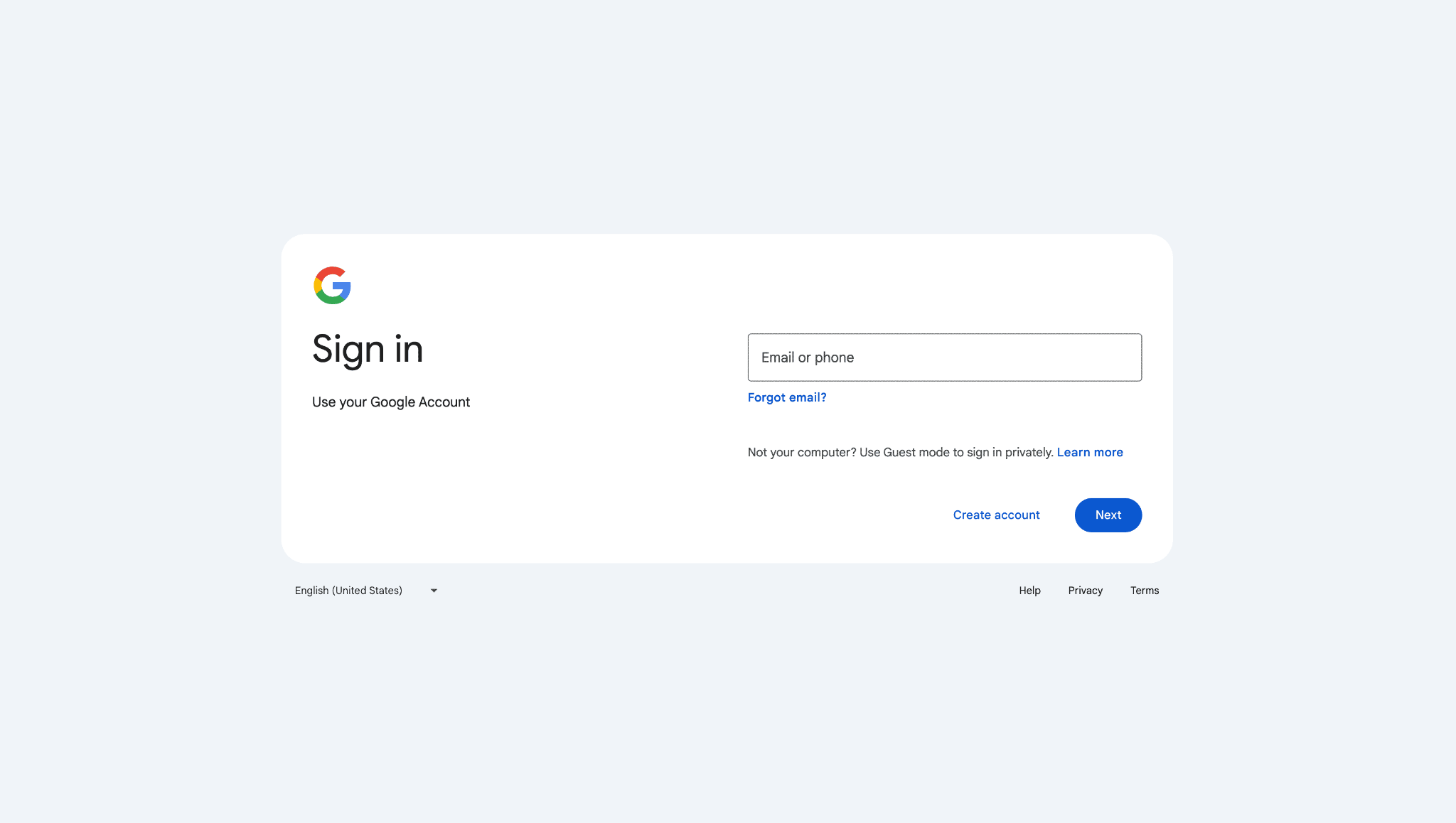
1. Go to the Google Account sign-in page and click Create account.
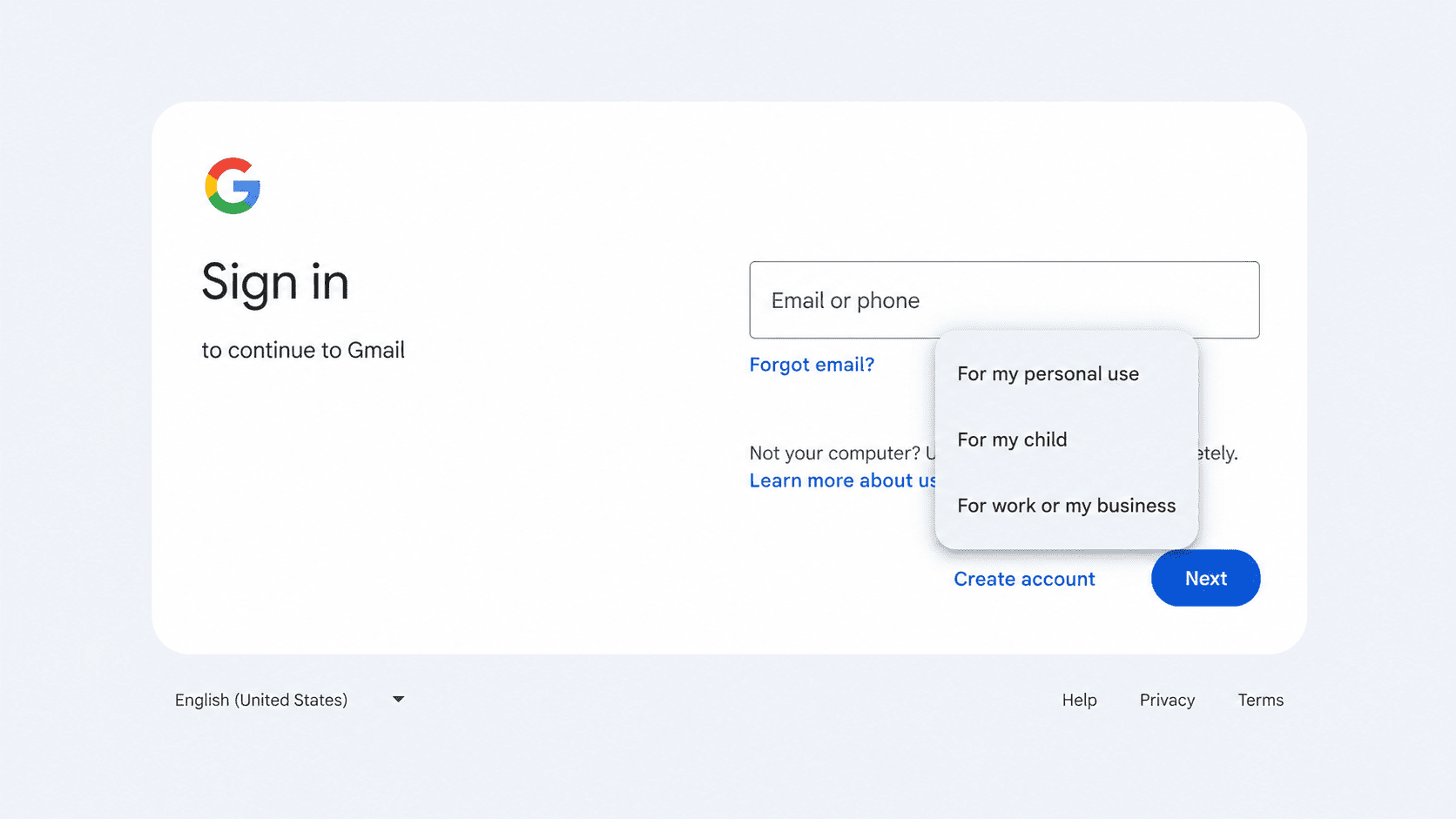
2. Choose For my personal use.
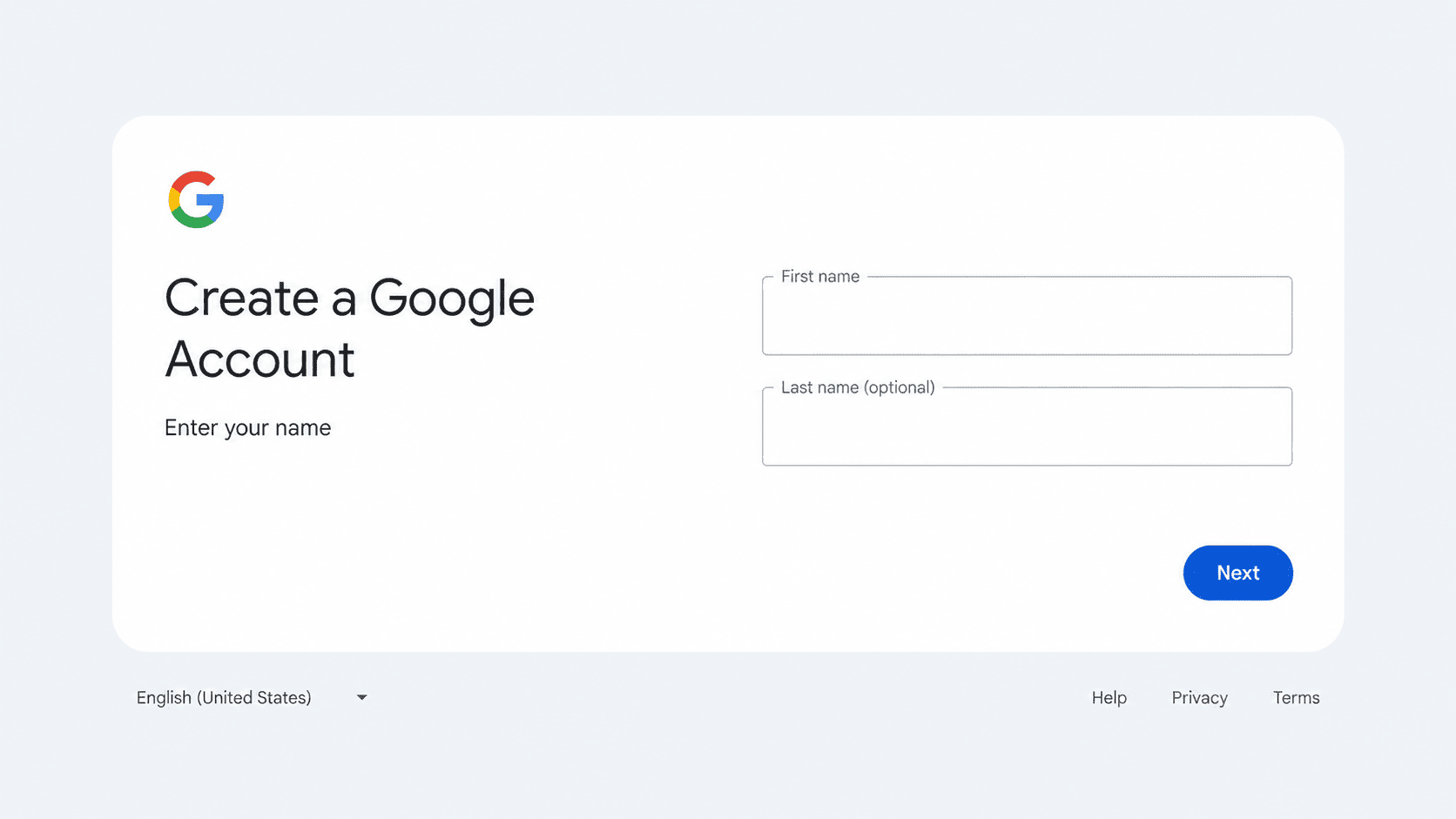
3. Enter your first and last name, then click Next.
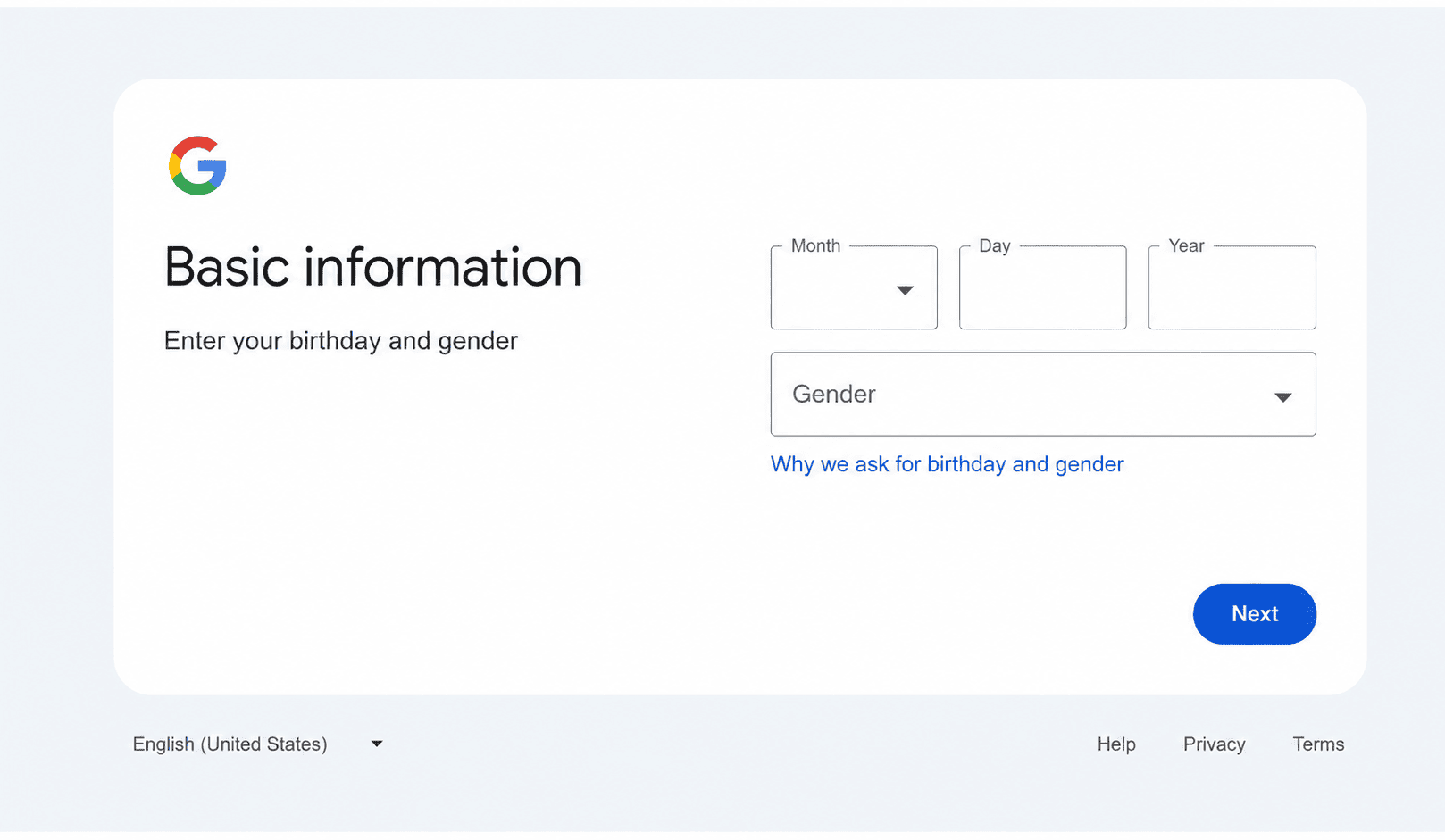
4. Add your birthday and gender, then click Next.
5. Pick a suggested Gmail address, or create your own.
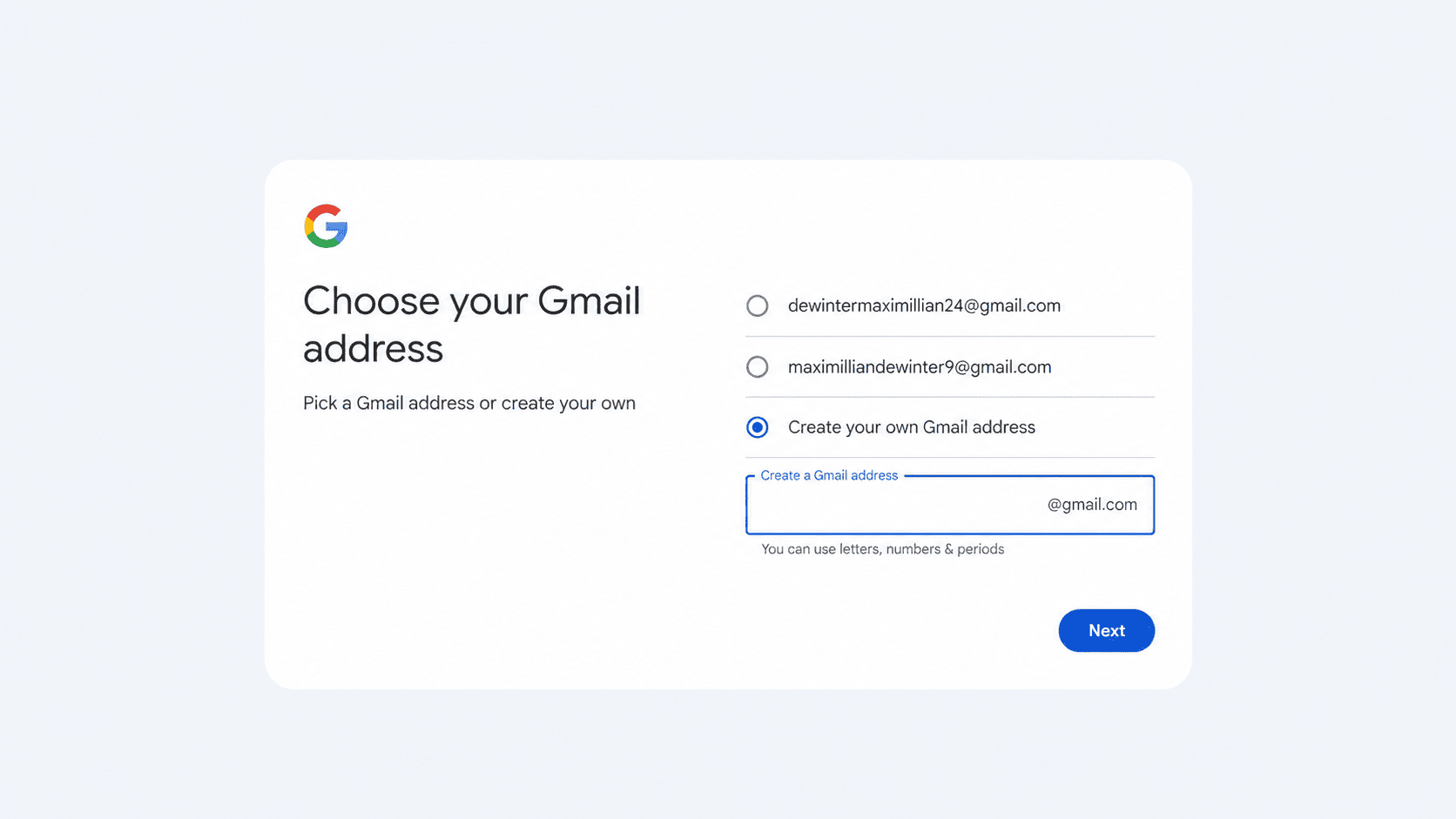
6. Create and confirm a password, then click Next.
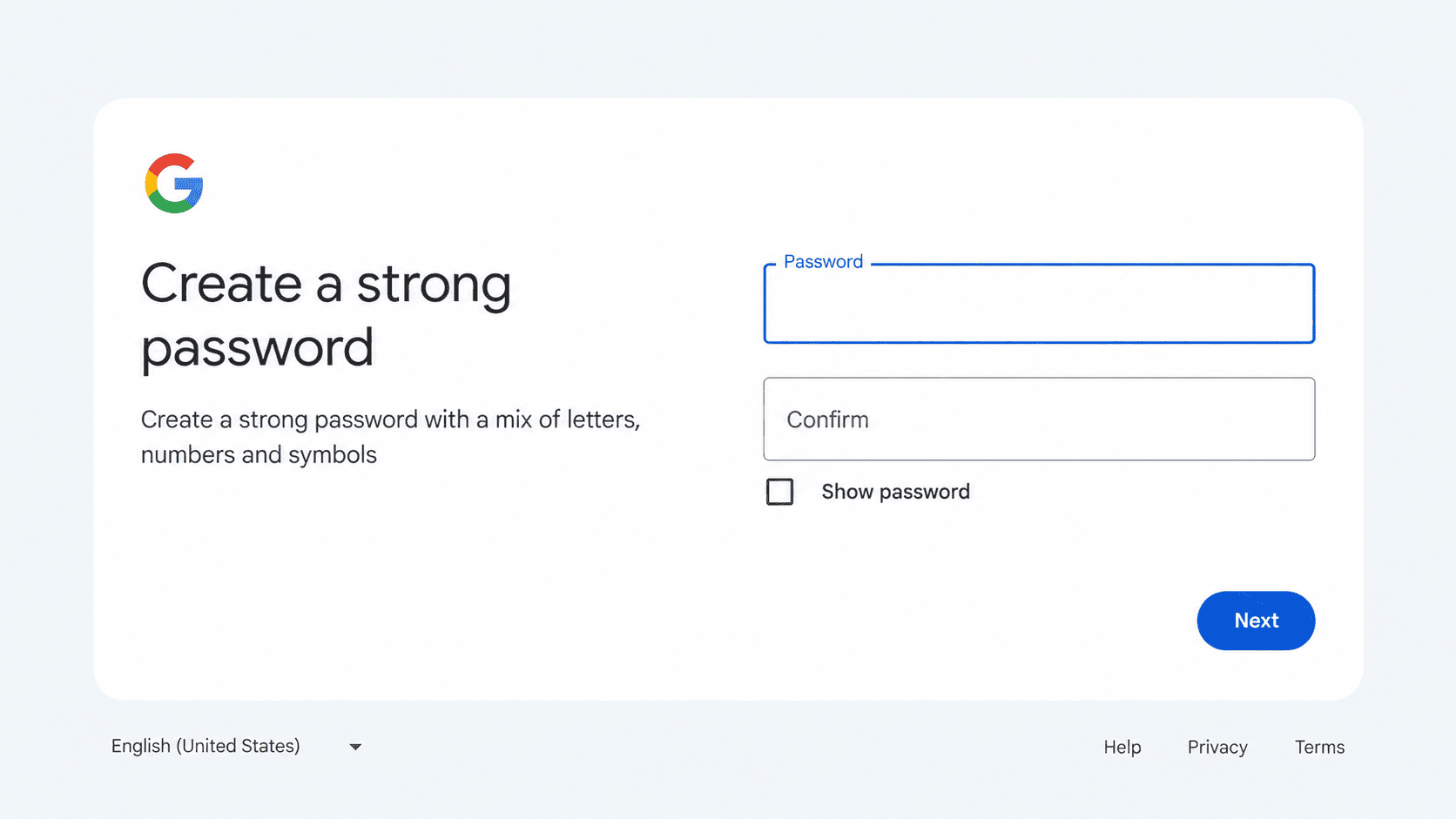
7. Verify a phone number if Google asks, add a recovery email, and agree to the terms.
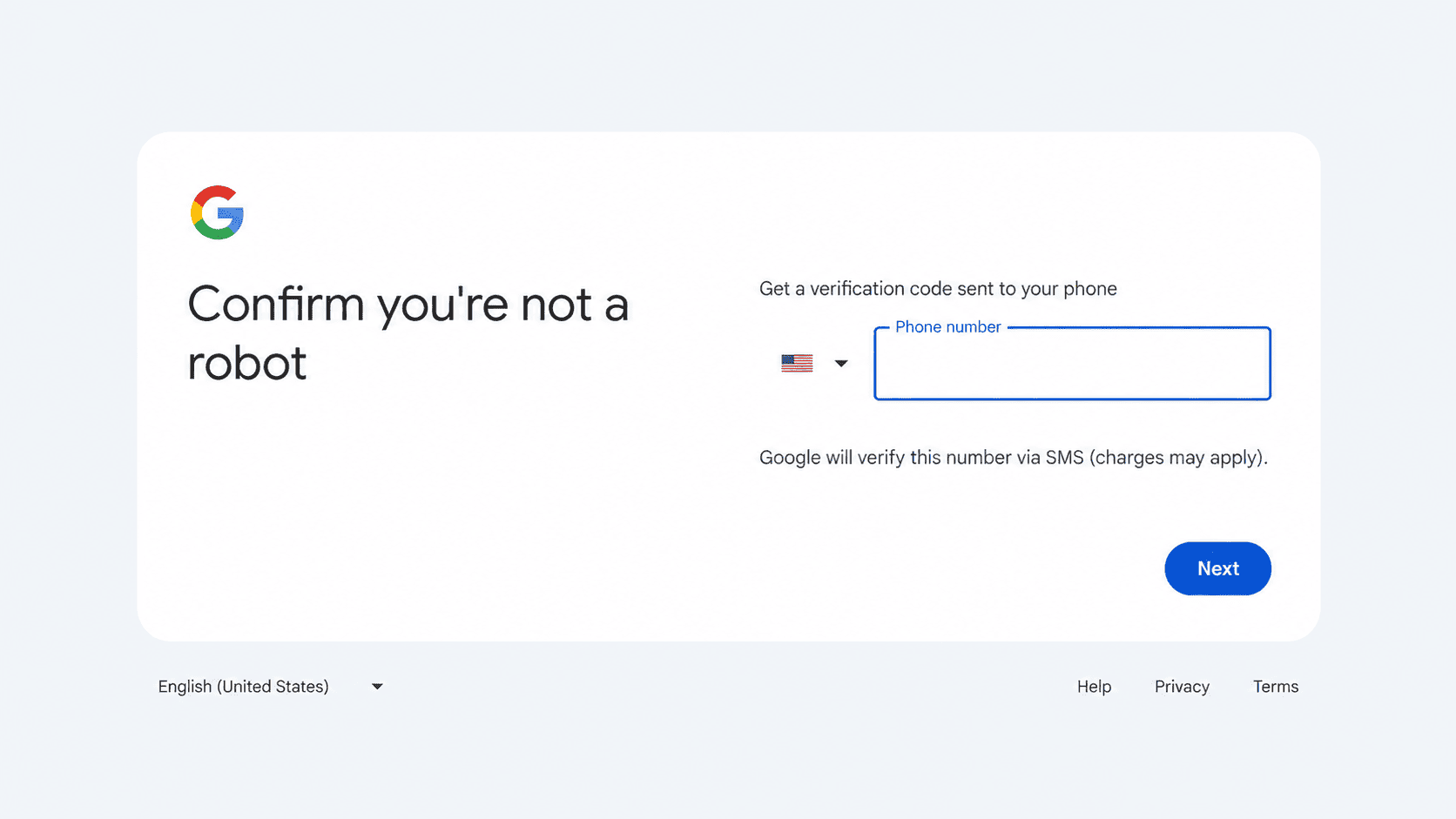
Worth knowing: your 15 GB of free storage is shared with Google Drive and Google Photos.
2. Outlook.com: Good for Microsoft Users
Outlook.com is good for people who use Windows, Word or Excel.
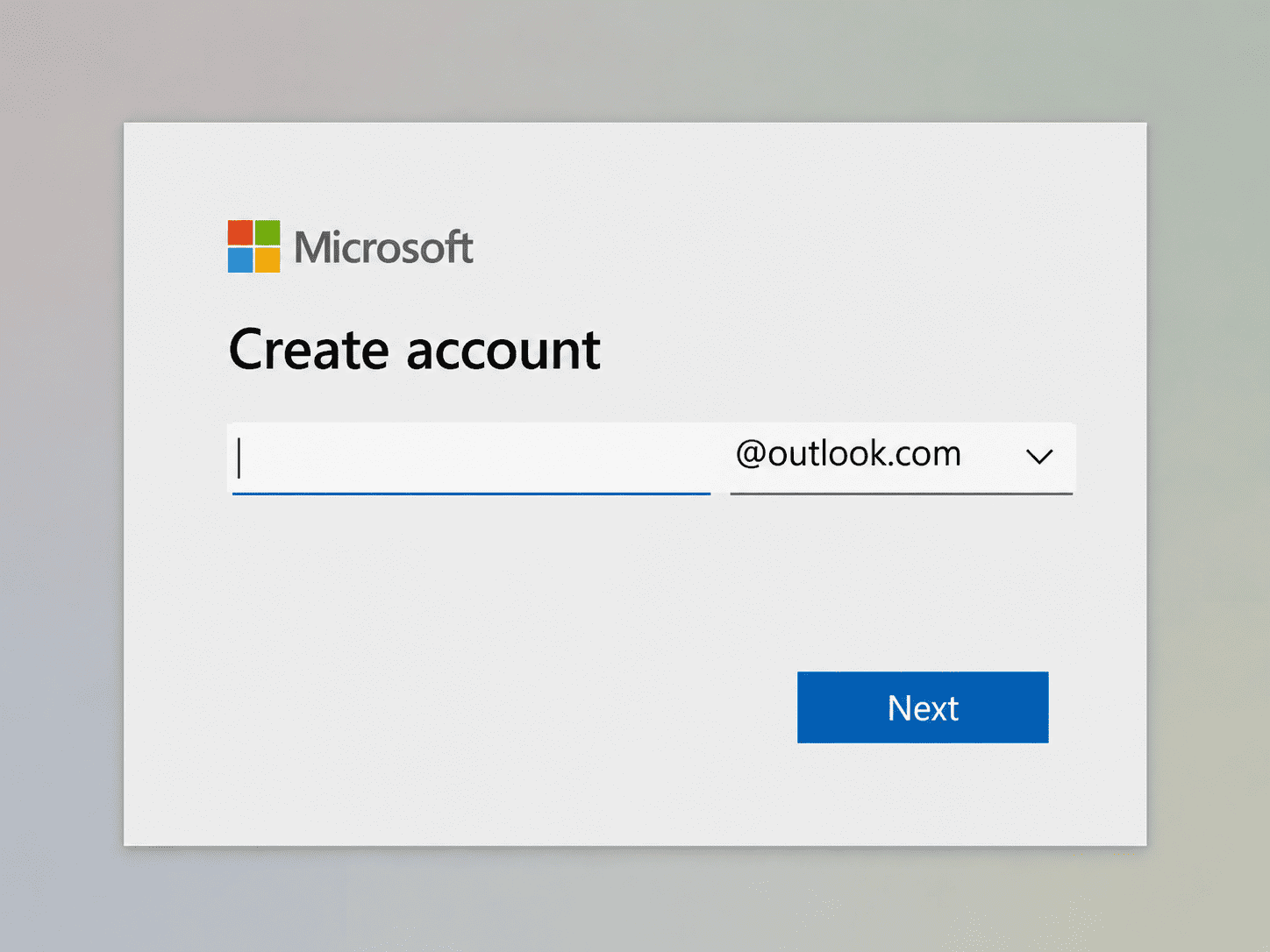
1. Go to outlook.com and select Create free account.
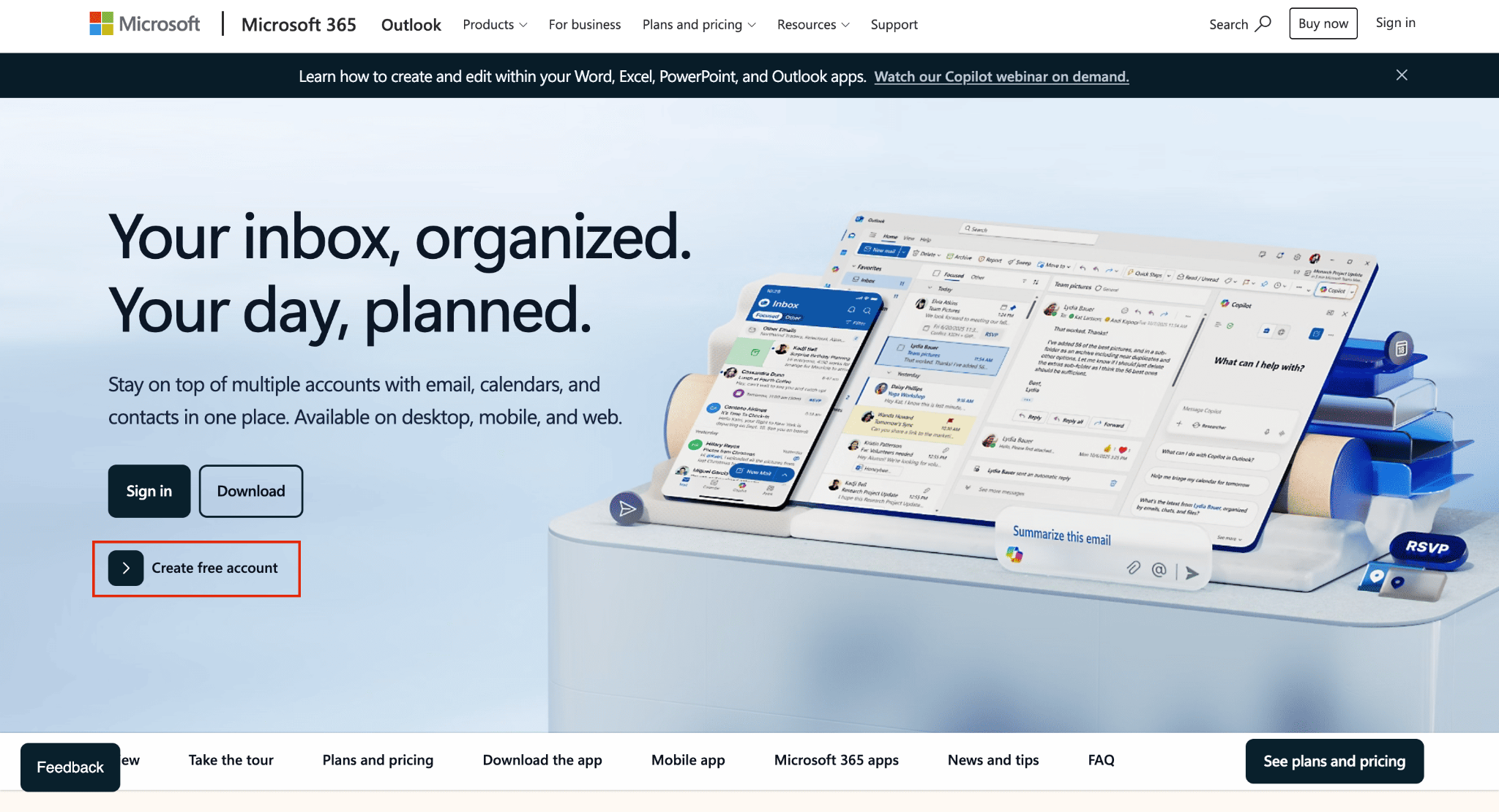
2. Type the address you want, choose @outlook.com or @hotmail.com, and select Next.
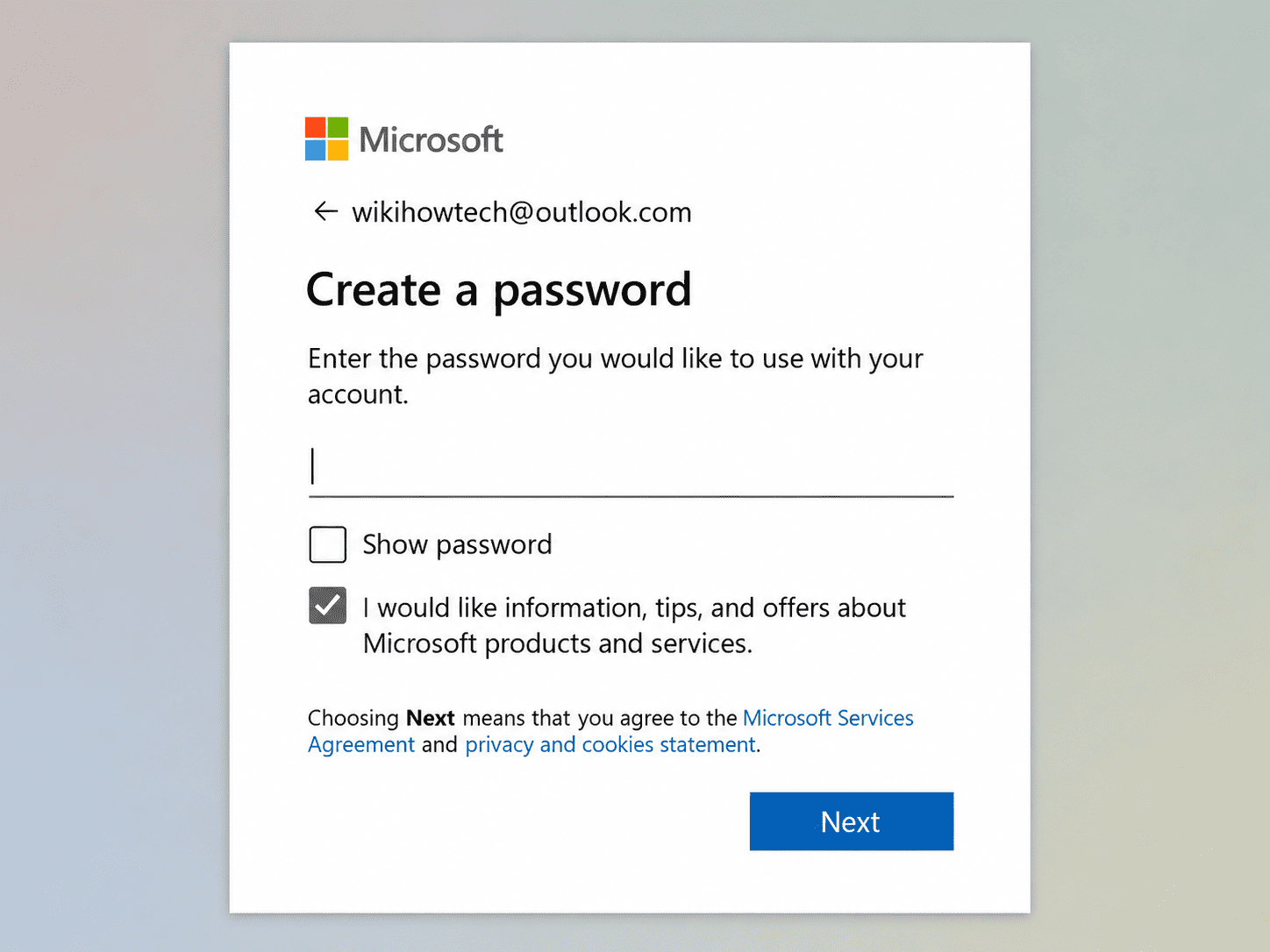
3. Create a password, then select Next.
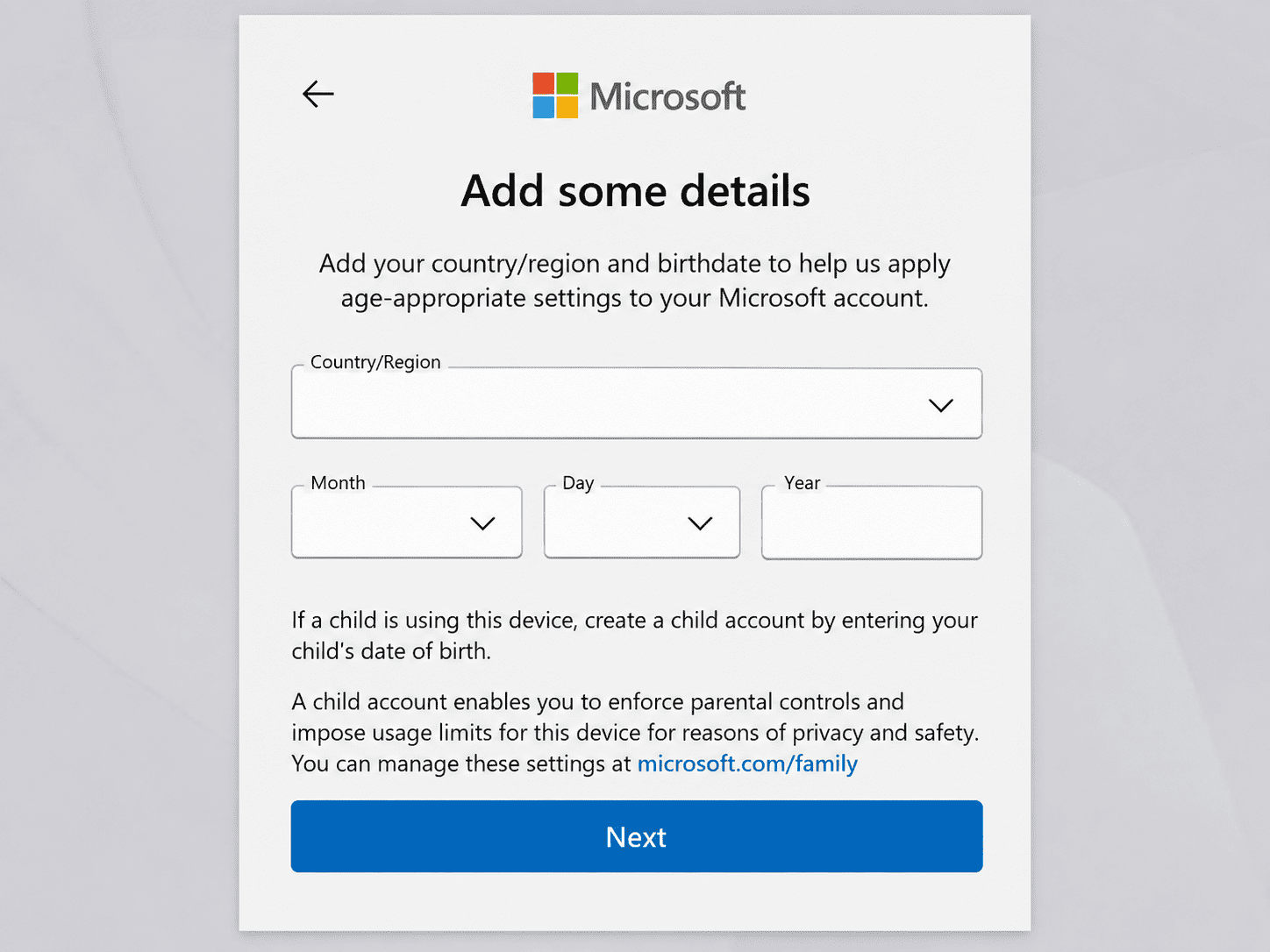
4. Enter your name, country and birth date.
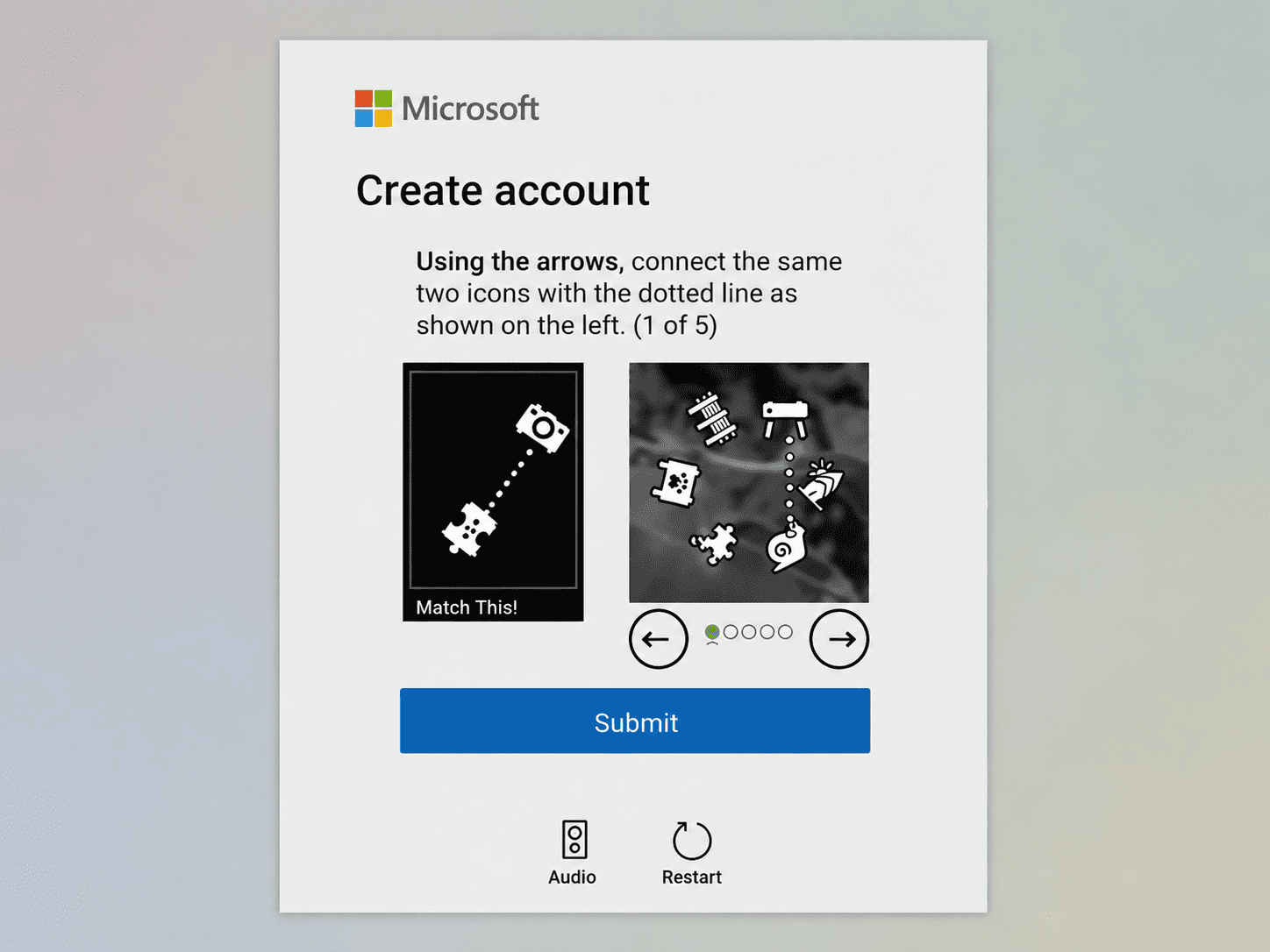
5. Complete the quick security check to prove you're a person.
Just note that files and attachments draw from a separate 5 GB of Microsoft cloud storage.
3. Yahoo Mail: Ideal for a Spare Address
Yahoo Mail is ideal for a second address that keeps sign-ups and newsletters out of your main inbox.
1. Go to the Yahoo sign-up page.
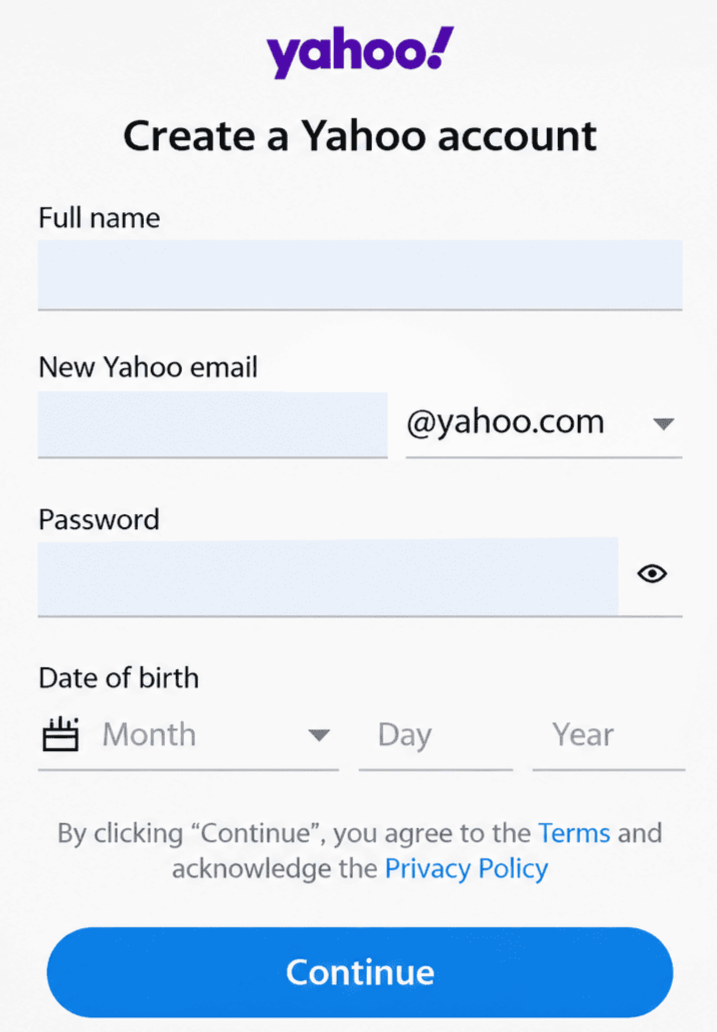
2. Enter your name and choose your Yahoo Mail address.
3. Create a password and add your date of birth.
4. Enter your mobile number and click Continue.
5. Enter the code Yahoo texts you to verify your number or email for 2FA.
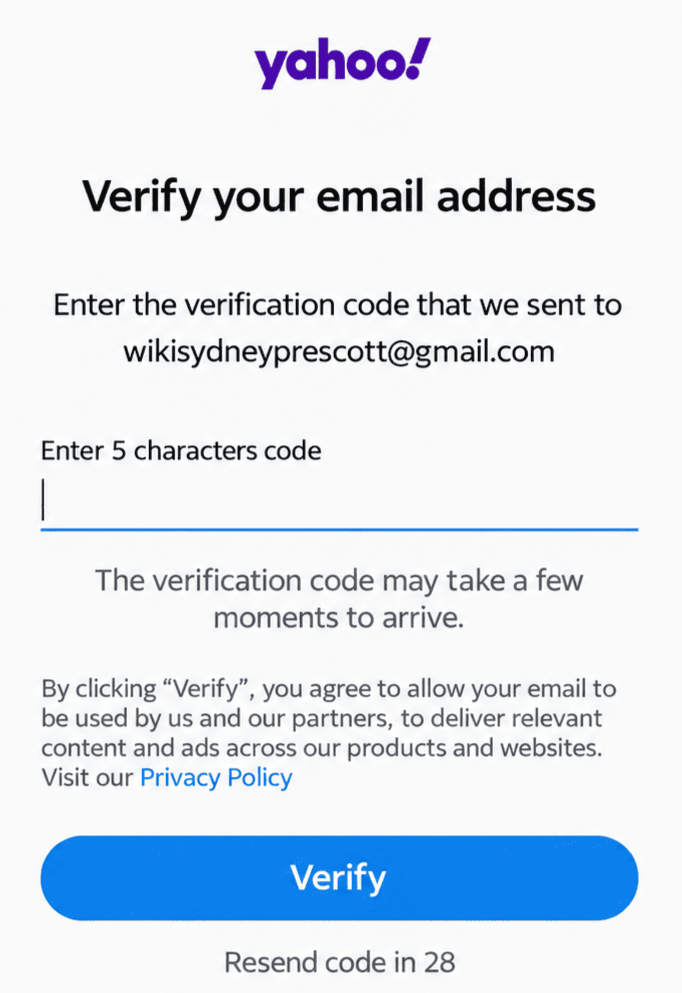
Keep in mind that Yahoo asks for a mobile number at sign-up.
4. Proton Mail: Suited to Privacy
Proton Mail is suited to people who want their messages kept private, with end-to-end encryption.
1. Go to account.proton.me/signup and select the Free plan.
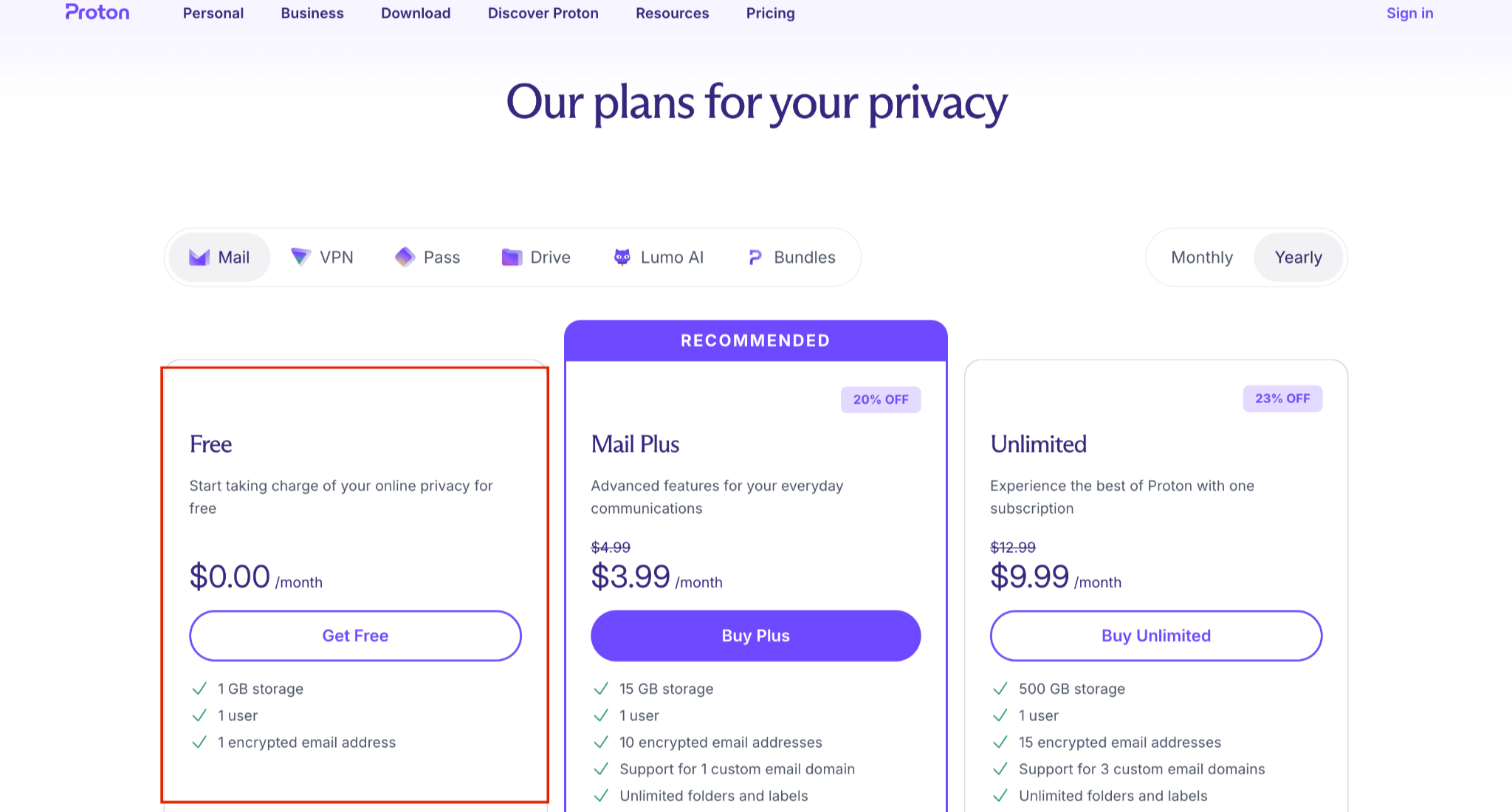
2. Enter a username and create a password.
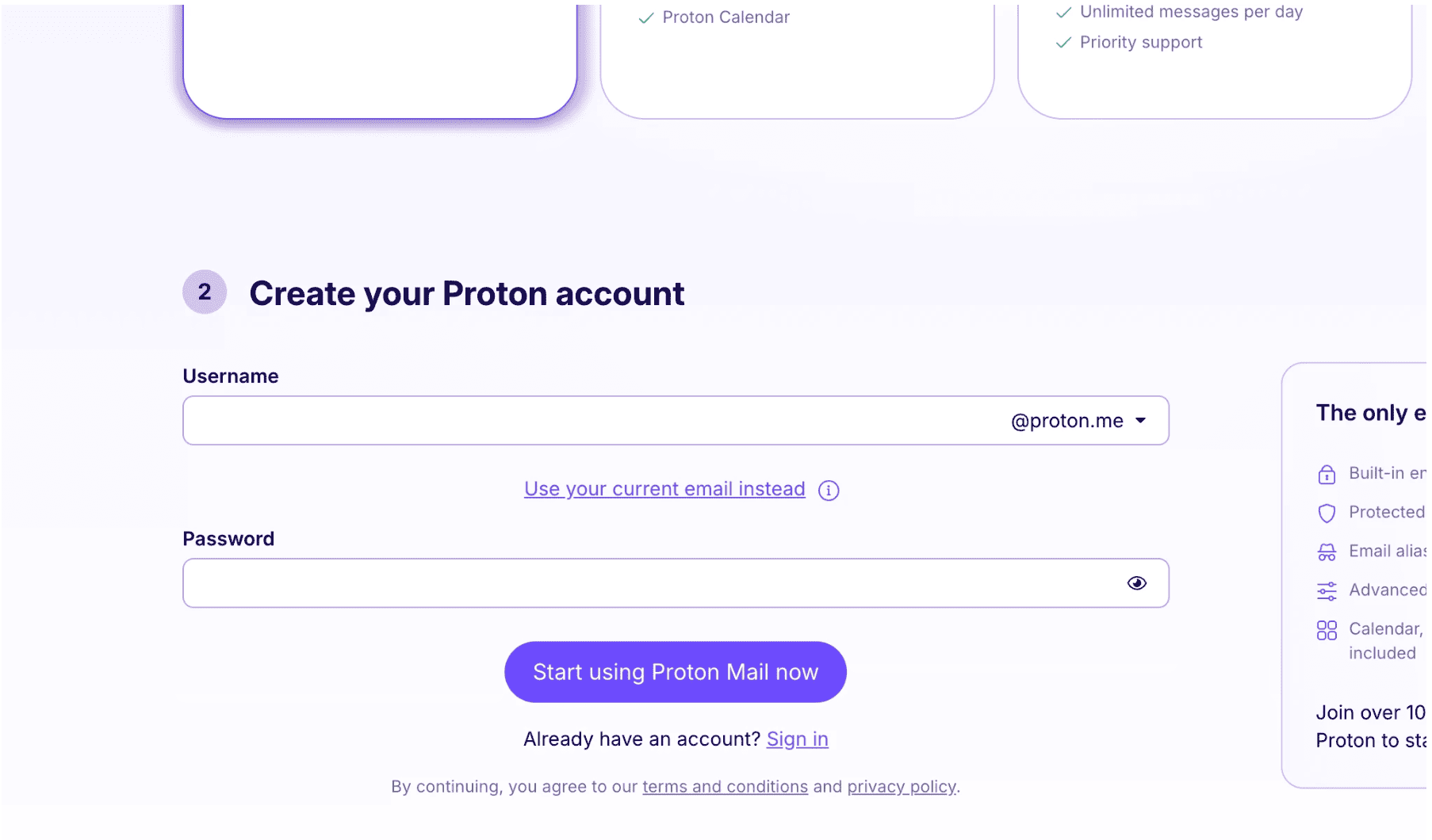
3. Click Start using Proton Mail now, and complete the check by CAPTCHA, email or SMS.
4. Download your Recovery Kit and confirm.
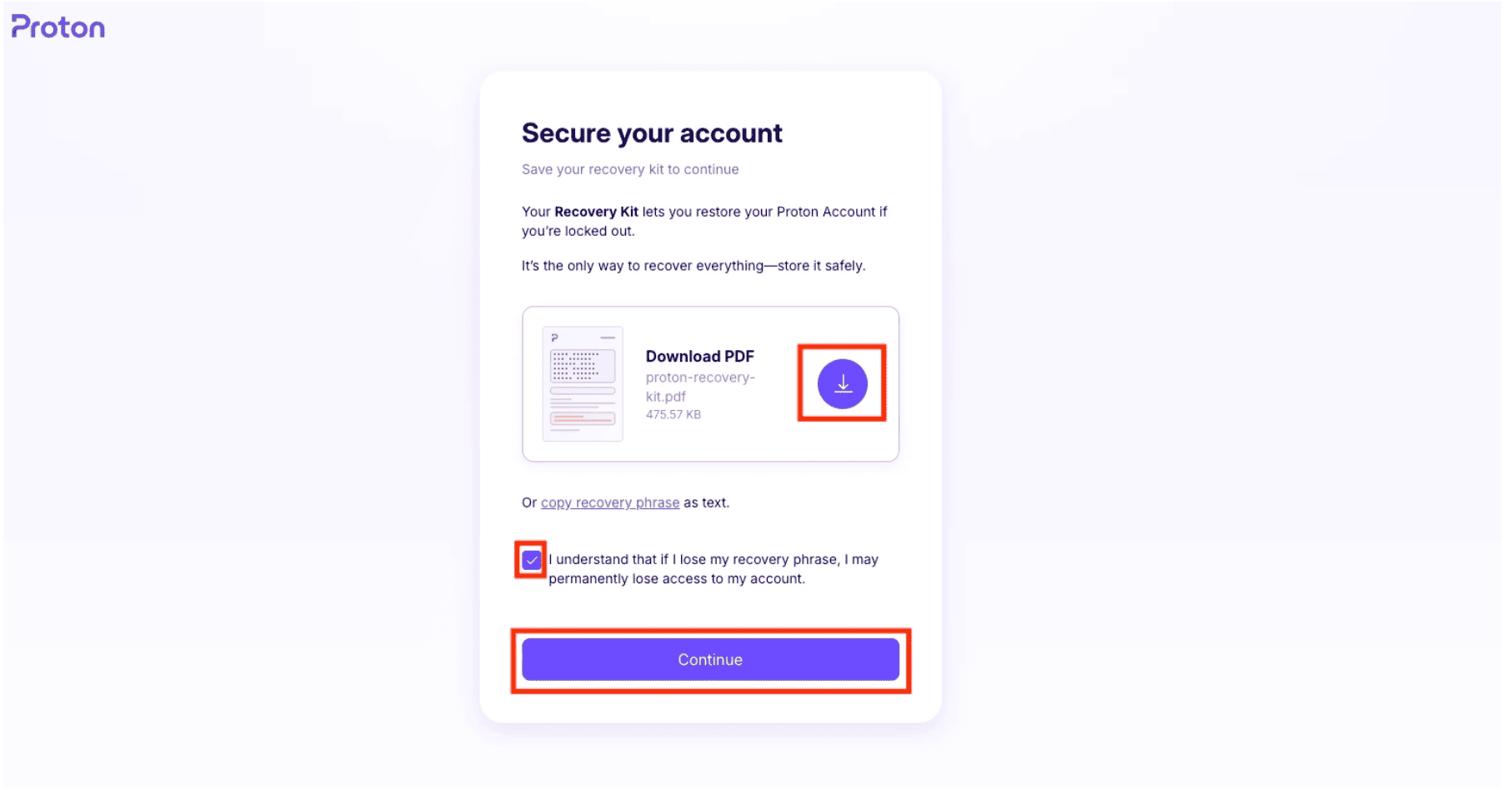
5. Add your display name, then select Mail.
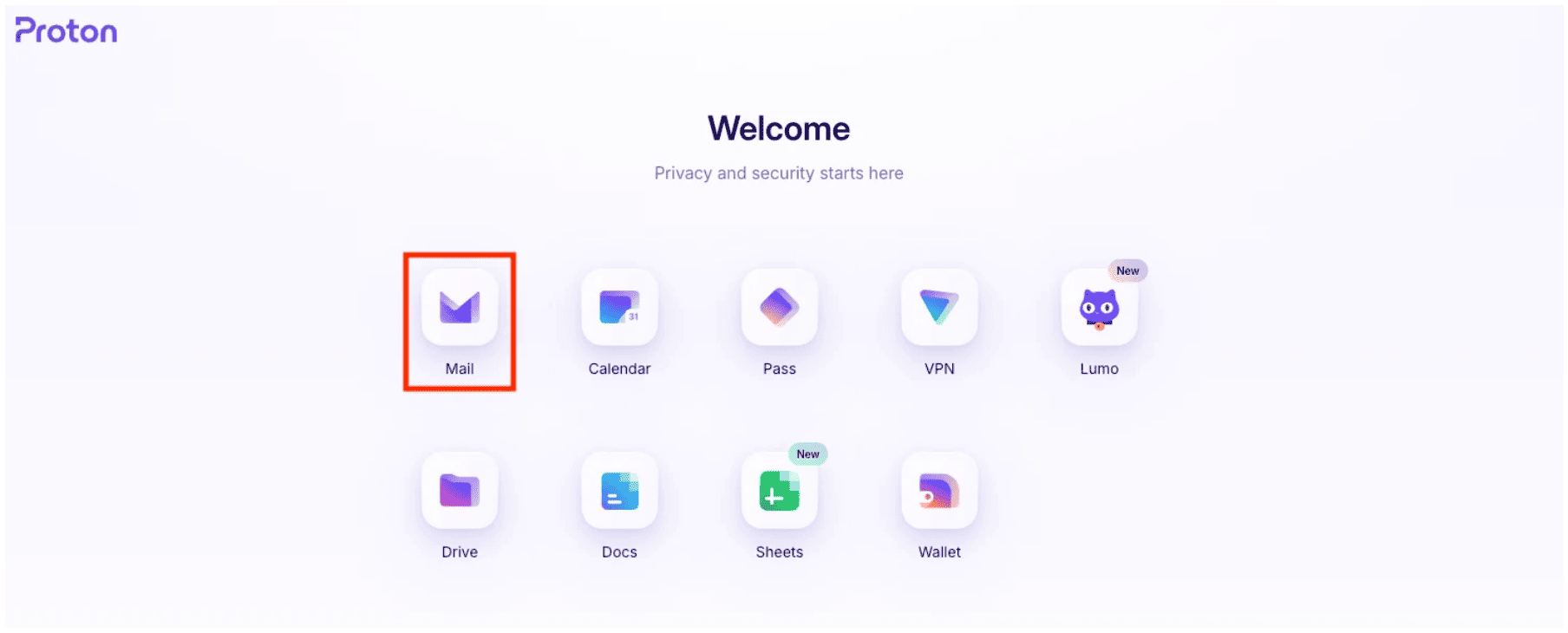
That’s it. Your encrypted email account is now open, and you can start sending and receiving messages from your new email address.
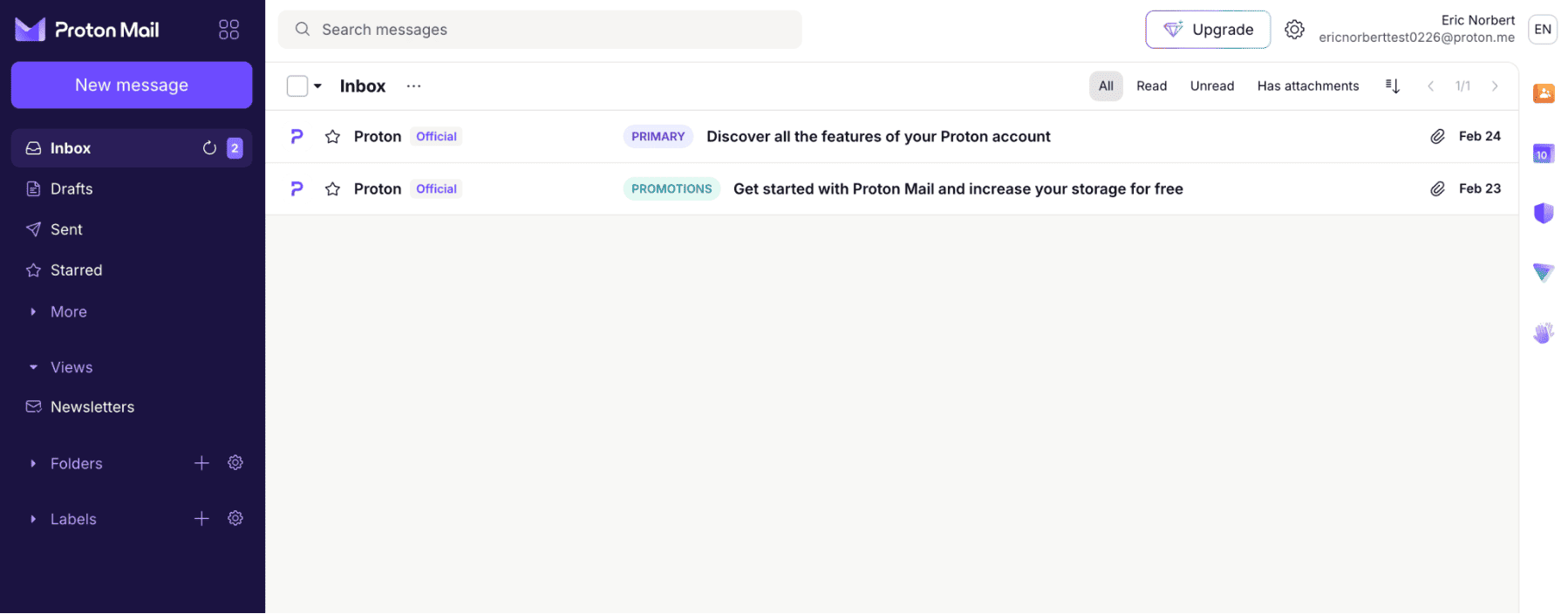
The free plan comes with 1 GB of storage, so it suits lighter use.
5. Neo Mail: Best for a Small Business Email Address
Neo Mail is the best choice for for small businesses that want email, a domain and a free AI website set up in one place.
1. Go to neo.space and click Get Started for Free.
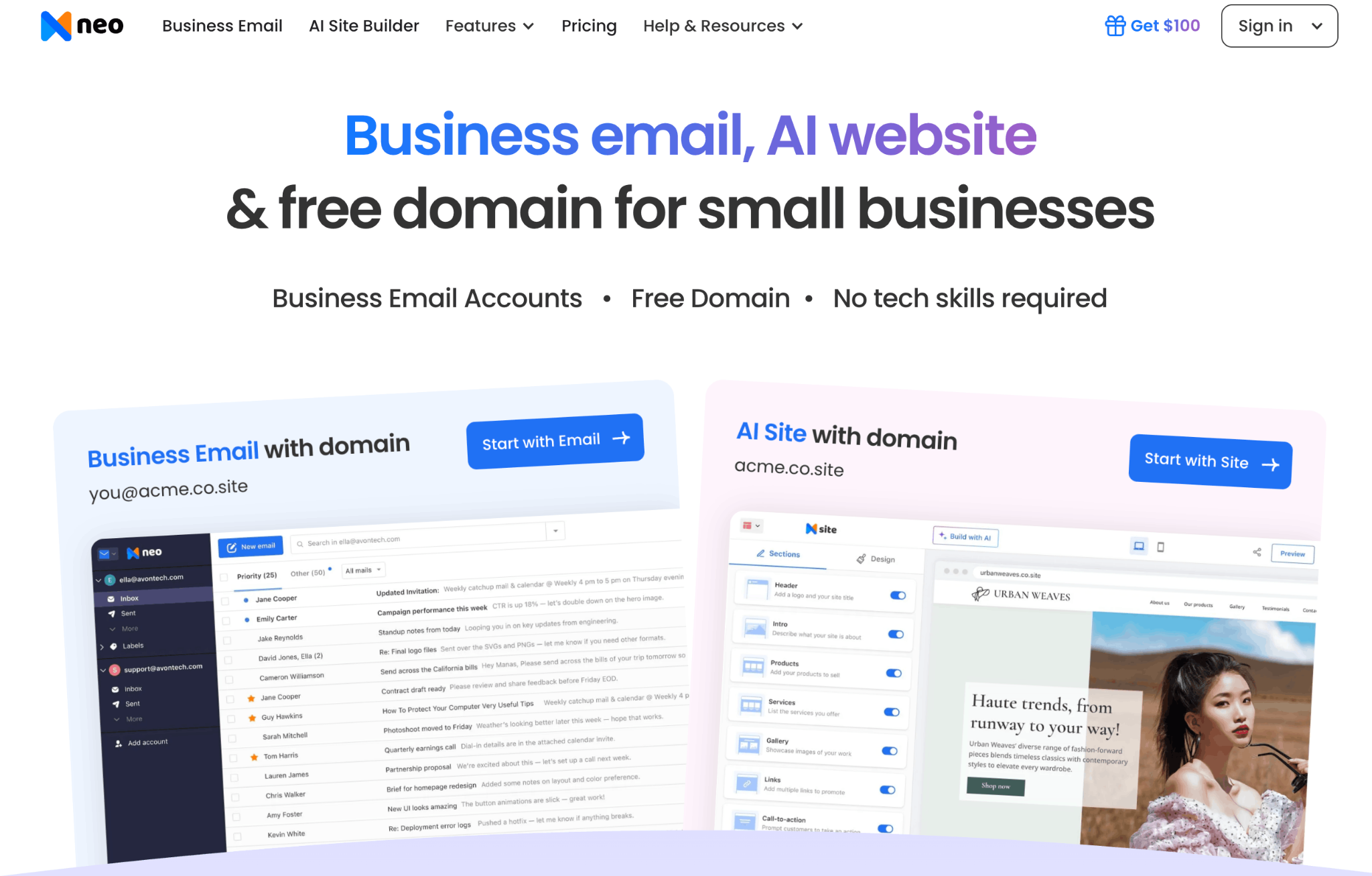
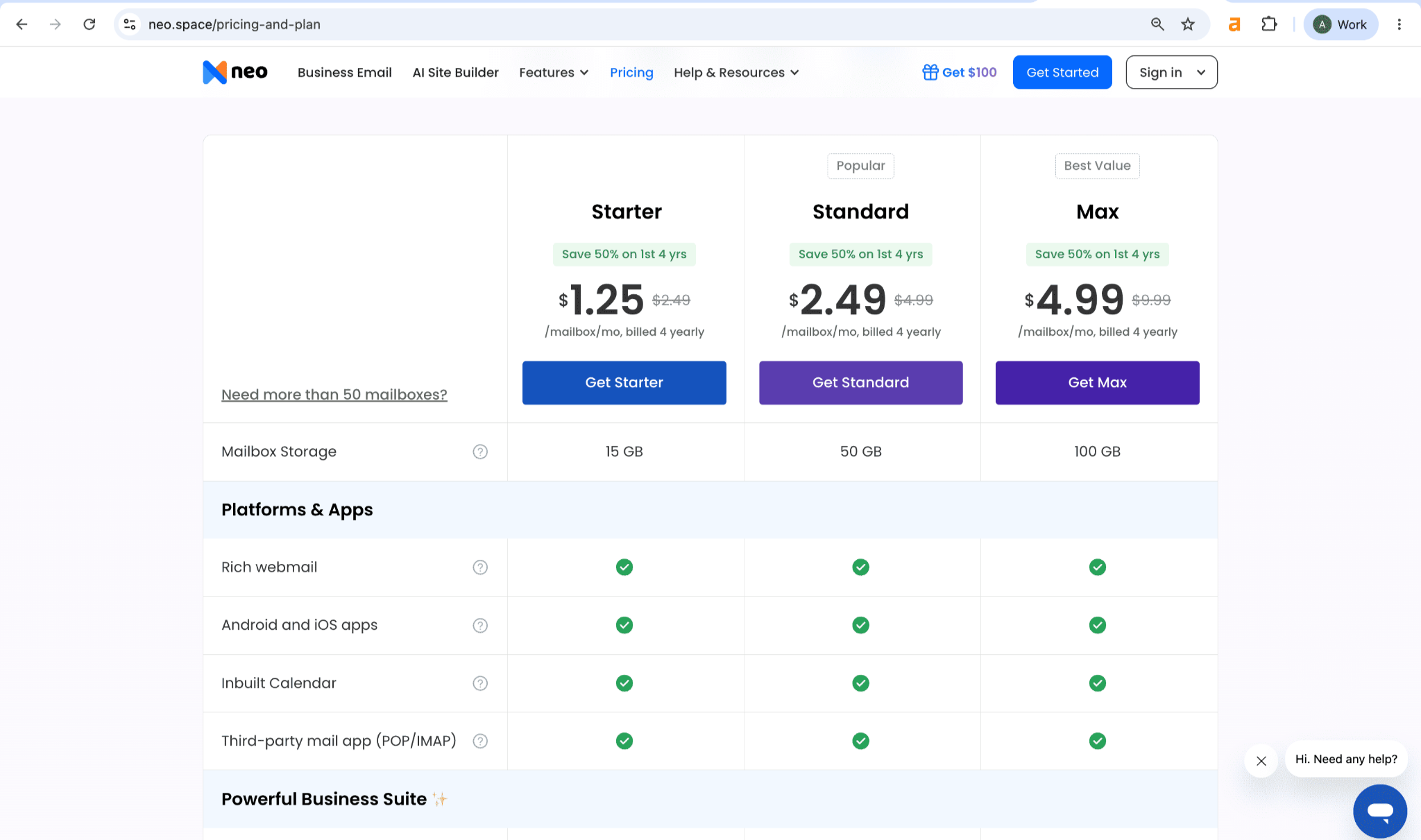
2. Choose a Neo Mail plan.
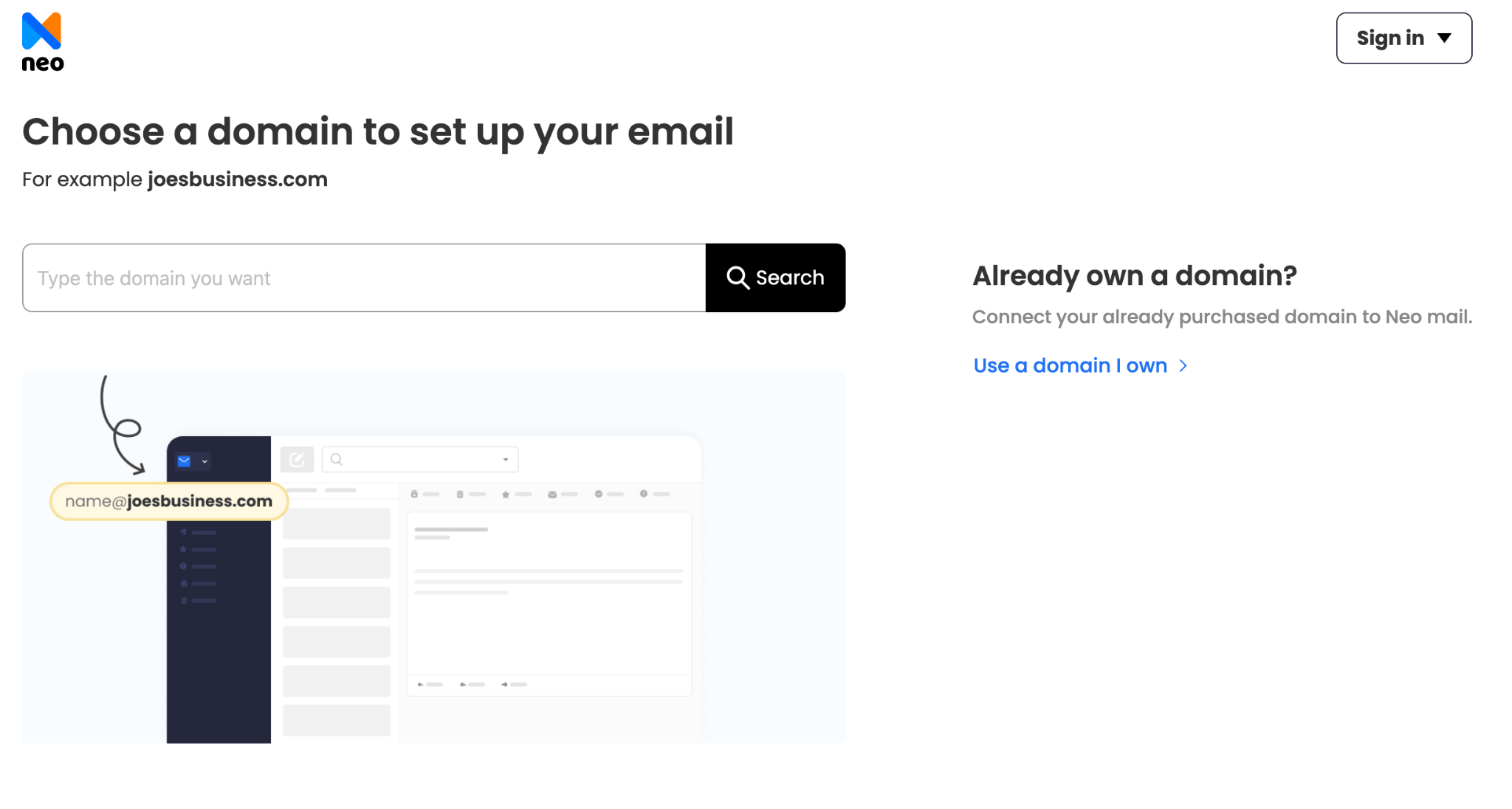
3. Connect a domain you own, or claim a free domain.
4. Enter your name, an email and phone number you check daily, and a password.
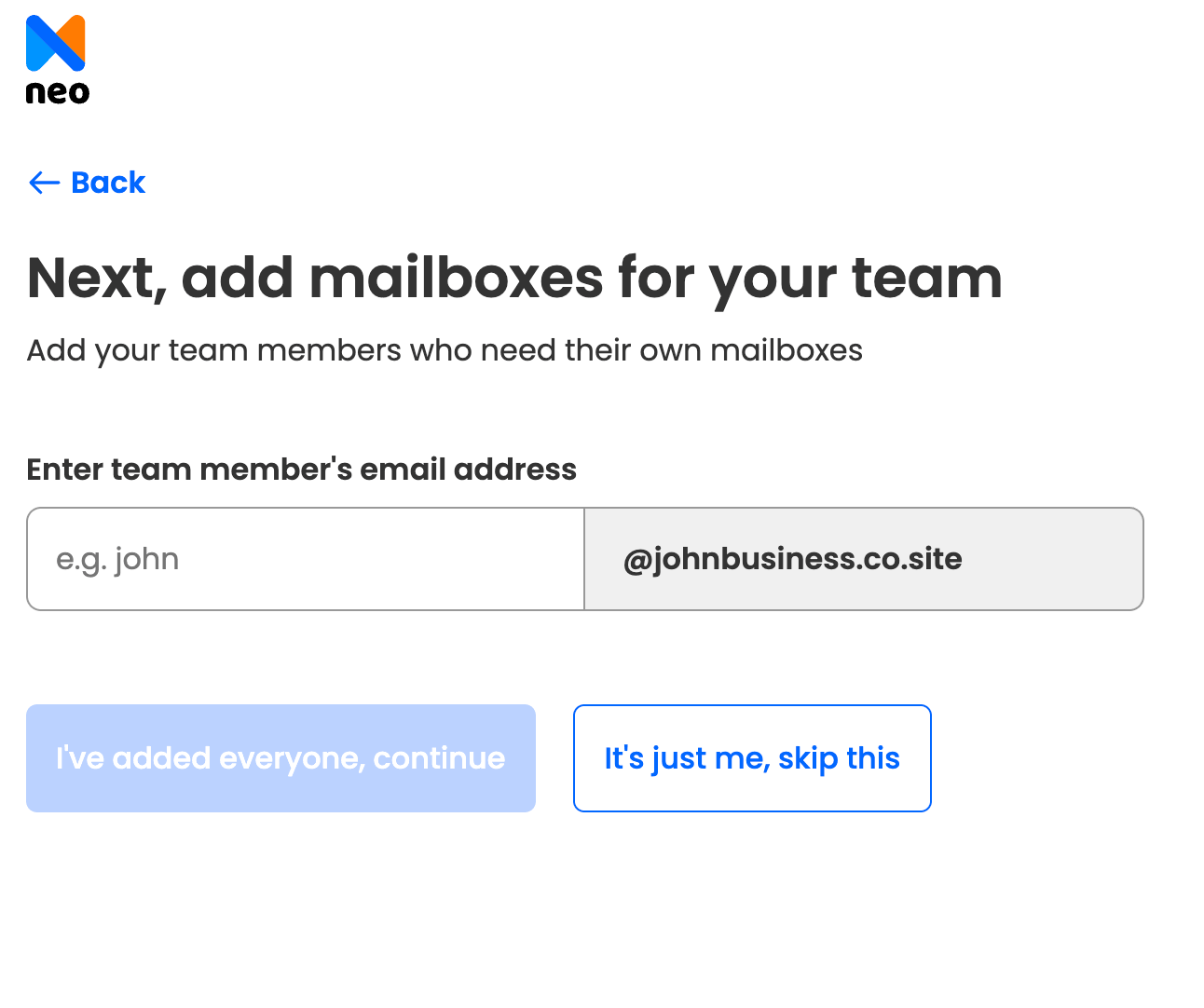
5. Choose your business address.
6. Click Continue & Launch Your Free Website.
Pricing starts at $1.25 per mailbox per month on the 4-yearly plan.
"Neo Mail's research team verified these details in September 2026, on each provider's official website."
The same steps work on a phone, with one extra step to add the account to your mail app.
How Do You Create a New Email Account on Your Phone?
You create a new email account on your phone by signing up in the provider's app or mobile browser. Then you add the account to your phone's mail app. The sign-up steps match the desktop ones.
On an iPhone, follow these steps:
- Download the provider's app, or open its sign-up page in Safari.
- Create the account.
- Open Settings, tap Apps, then Mail, then Mail Accounts, and tap Add Account.
- Choose your provider and sign in.
On an Android phone, follow these steps:
- Open the Gmail app, which comes on most Android phones.
- Tap your profile picture, then "Add another account".
- Choose your provider and sign in, or create a new Google account.
If the "Create account" option doesn't show, update the app or use the mobile browser instead. Phone sign-ups often ask for a phone number next, which many people would rather not give.
Can You Create a Free Email Address Without a Phone Number?
Yes, you can create a free email address without a phone number. Proton Mail lets you verify with a CAPTCHA test or a backup email address instead of a text message. Proton says it stores only a scrambled version of that email, not the address itself. (Source: Proton)
Providers ask for a phone number for two reasons. First, it slows down people who create fake accounts in bulk to send spam. Second, it gives you a way back in if you forget your password. A phone number is the fastest way to reset a password.
Gmail, Outlook.com and Yahoo Mail may ask for a phone number during sign-up. Whether they do depends on your device and location. You may see the request on a phone but not on a laptop, or the other way around.
Skipping the phone number has a trade-off. Without it, your backup email or recovery phrase becomes the only way back into your account. Proton Mail gives you a recovery kit at sign-up. Save it somewhere safe, away from the inbox it protects.
The same sign-up also works for a second address, if you already have one.
How Do You Create a New Email Account When You Already Have One?
You create a second email account the same way as the first: sign up with a new username. Most providers let you hold several accounts and switch between them in one app, without signing out.
A second address helps in three common cases:
- Separate sign-ups: keep newsletters and shopping receipts out of your main inbox.
- A fresh start: leave behind an old address full of spam.
- Work: keep business mail apart from personal mail.
To move over fully, turn on forwarding in your old account, so new mail reaches the new inbox. Then import your contacts. Update the address on your bank, shopping and social media accounts, starting with the ones you use most. Keep the old account open for a few months to catch anything you missed.
Next comes the step most people skip with a new account: keeping it secure.
How Do You Keep Your New Email Account Secure?
You keep a new email account secure with three actions: a long, unique password, two-factor authentication, and a recovery email. Do all three before you use the address anywhere.
A strong password is at least 16 characters long, according to the US Cybersecurity and Infrastructure Security Agency (CISA). A password manager can create and store one for you. (Source: CISA)
Two-factor authentication adds a second check, such as a code on your phone, when someone signs in. A stolen password alone is then not enough to get into your inbox. CISA explains how to turn on multifactor authentication step by step.
A recovery email is a second address the provider can use to reset your password. Use one you check often, and keep it up to date.
A secure personal address works well for everyday life, but using email for work raises a different question.
Is a Free Email Address Enough for Work?
A free email address is enough for personal use, but not for most businesses. An address on a business domain, like hello@yourbusiness.com, tells customers your business is real. A free address, like yourbusiness@gmail.com, can look less trustworthy on an invoice or a quote.
Business email also adds tools a free inbox lacks. Neo Mail includes Read Receipts on every plan, so you know when a client opens your quote. Small teams are its core customers: 98% of Neo Mail customers use 1 to 5 mailboxes. (Source: Neo Mail customer data, 2026)
Our guide to creating a free professional business email walks through the options. You can also read how to set up a custom email domain.
Frequently Asked Questions
Can I Have Two Accounts With the Same Email?
No. Each email address belongs to one account only, so two accounts can't share it. You can hold several addresses yourself, though. Some providers also offer aliases, which are extra addresses that deliver mail to one inbox. An alias lets you use a different address for sign-ups.
How Many Email Accounts Can I Have With One Phone Number?
Providers limit how many accounts one phone number can verify, but most don't publish the number. The limit stops people from creating fake accounts in bulk. If a provider rejects your number, verify with a backup email instead, or choose a provider like Proton Mail that offers other options.
What Is the Easiest Email Address to Set Up?
The easiest email address to set up is one from a company you already use. An Android phone user already has a Google account, so a Gmail address takes seconds. A Windows user can add an Outlook.com address the same way, with most details already filled in.
Are There Any Free Email Providers Anymore?
Yes. Gmail, Outlook.com, Yahoo Mail and Proton Mail all still offer free accounts. The free plans differ on storage, from 1 GB on Proton Mail to 20 GB on Yahoo Mail in the US. They also differ on ads and privacy. Paid plans add more storage and features.
Can I Use My Free Email Address as a Business Email?
Yes, but it's not ideal. A free address works for a side project or a hobby. For a business, an address on a business domain looks more professional and builds trust with customers.
Get Business Email
No domain name required
Free Email Address
Explore Neo Mail today!
