


.svg)
.svg)
.svg%201.svg)



Get Business Email
No domain name required

Key Takeaways
- The meaning of a .biz email address: Any address ending in .biz, like hello@yourbrand.biz, is a .biz email address. The ending comes from your domain, and the inbox comes from the email provider you pick.
- How to create a .biz email address: You need a .biz domain, an email provider and a few DNS records. For small teams, Neo Mail connects to a .biz domain and it also gives a 15-day free trial. Google Workspace and Microsoft 365 are good options for teams already using those apps, and Proton Mail for encrypted email.
- The trade-off with .biz email addresses: No rule bans .biz mail, yet some spam filters and IT teams still distrust the domain. Careful setup matters more for .biz than for .com.
- What people get wrong when setting up .biz email: They skip SPF, DKIM and DMARC and never check the spam folder. A quick test to Gmail and Outlook catches most problems before most customers notice.
What Is a .biz Email Address?
A .biz email address is an email address that ends in a .biz domain, such as sales@yourbusiness.biz. It works like any other custom domain email address, and any email provider that supports your own domain can run it.
The next question most people ask is what the .biz ending actually means and who controls it.
What Does .biz Mean, and Who Runs It?
The .biz ending is short for "business." It is a generic top-level domain (TLD), the last part of a web or email address. The .biz domain was added to the internet's root on June 26, 2001. GoDaddy Registry has run it since October 19, 2020 (Source: IANA).
The .biz domain is meant for business or commercial use. It is not tied to any country, so a shop in Ohio and a consultant in London can both use it. A .biz email address is also not the same as "Bizmail." Bizmail is a paid email product from Turbify, formerly Yahoo Small Business, with no link to the .biz domain.
Knowing what .biz is leads straight to the worry most people have: whether a .biz address is legit or lands in spam.
Is a .biz Email Address Legit, or Will It Land in Spam?
Yes, a .biz address is a valid, legitimate email address. It carries more spam-filter and trust risk than a .com address, though. That risk comes from history, not from any rule that blocks .biz today.
Quick verdict: .biz email works. Protect it by authenticating your domain, warming it up slowly and testing where your mail lands.
Why Did .biz Get a Spam Reputation?
The .biz domain got its spam reputation from a spam filter rule in the mid-2000s. Apache SpamAssassin is a widely used open-source spam filter. Its 3.1 release added up to 2.013 to the spam score of any email with a .biz link. By default, a total score of 5 marks an email as spam.
We checked both numbers in SpamAssassin's own rule lists and documentation (Source: Apache SpamAssassin). The .biz rule is gone from the 3.2 rule list, but the reputation outlived it.
Do .biz Email Addresses Still End up in Spam More Often?
No global rule blocks .biz email today, but some companies and IT admins still filter it. A sysadmin on Reddit's r/sysadmin said .biz "got used by scammers and spammers to the point where legitimate businesses avoid them." One r/smallbusiness thread adds that some organizations mark any .biz email as spam.
What you can control is proof that your mail is real. Email authentication and a clean sending history carry more weight with most filters than the domain ending.
Once the spam question is settled, the next choice is whether .biz is the right domain ending for your brand at all.
Should You Choose .biz or .com for Your Business Email?
Choose .com if the name you want is available. Choose .biz when your .com is taken and your brand sells products or services. The .biz ending signals "business" clearly, and good names are easier to find. Some businesses also register .biz to protect a brand name that a competitor could otherwise take.
Skip .biz in fields where trust matters most, such as finance, healthcare and education. Customers in those fields expect .com or .org, and a .biz address can make a careful reader pause.
The domain ending won't change your search rankings either way. Google says keywords in a domain ending give no advantage or disadvantage in search (Source: Google Search Central).
The trust and filter-risk ratings above are our editorial judgment, based on the history in this article.
Say ".biz" clearly on the phone and on business cards. An entrepreneur on Reddit's r/Entrepreneur noted that people assume ".com" when they hear a web address.
If .biz fits your brand, creating the address takes a few decisions and some copy-and-paste.
How to Create a .biz Email Address in 6 Steps
To create a .biz email address, you need a business name, a payment card and access to your domain's DNS settings. DNS is the system that points your domain to the right services. You don't need a website.
- Register a .biz domain.
- Choose an email provider for your .biz domain.
- Point your domain to the provider with MX records.
- Add SPF, DKIM and DMARC records.
- Create your mailboxes and choose an address format.
- Send test emails and check where they land.
Step 1: Register a .biz Domain
Search for your name and register the .biz domain from a domain registrar. Check the renewal price before you pay, not just the first-year price. One domain owner on Reddit called a $25 yearly .biz renewal "a bit too high." Buy the domain from the registrar, but buy email directly from a business email provider. Registrar email is often a limited add-on resold from another company.
Step 2: Choose an Email Provider for Your .biz Domain
The domain gives you the address, and the email provider gives you the inbox. Each provider below works with a .biz domain, so pick the one that fits how your team works.
Neo Mail's research team checked these prices in September 2026. Other providers' prices are annual-plan prices.
Sources: Google Workspace · Microsoft 365 · Proton
Neo Mail is popular with boutiques, consultants, online stores and real estate agents. It connects to a .biz domain you own, and 96% of G2 reviewers rate it 4 or 5 stars (Source: G2). Its catch: the Starter plan caps sending at 500 emails per day. You can try Neo Mail free for 15 days.
Step 3: Point Your .biz Domain to Your Provider With MX Records
MX records are the DNS settings that tell the internet where to deliver your email. Your email provider lists the exact records. Paste them into your registrar's DNS page. The change can take from 30 minutes to one day to spread across the internet, according to Forbes Advisor.
Step 4: Add SPF, DKIM and DMARC Records
SPF lists the servers allowed to send mail for your domain. DKIM adds a digital signature that proves an email wasn't changed. DMARC tells receiving servers what to do with mail that fails those checks. These records matter even more for .biz, because they prove your mail is real. Neo Mail includes custom DKIM on every plan.
Step 5: Create Your .biz Mailboxes and Pick an Address Format
Use first names for people, such as maria@yourbusiness.biz. Use role addresses for shared jobs, such as sales@yourbusiness.biz and support@yourbusiness.biz. Pick one format and use it for everyone. See our professional email address examples or try the email address generator.
Step 6: Send Test .biz Emails and Check Where They Land
Send a test email to a Gmail inbox and an Outlook inbox. Check the inbox and the spam folder in each one. Then run a spam-score test with a free checker such as mail-tester. A good score before launch saves you from finding problems through missed customer replies.
With the address live, a few ongoing habits keep your .biz mail out of spam.
How do you set up a .biz email address with Neo Mail?
To set up a .biz email address with Neo Mail, you need a .biz domain first. Neo Mail creates a .biz email address only on a .biz domain you already own, so register the domain before you sign up. Then connect it in five steps:
- Register your .biz domain: Buy yourbusiness.biz from a domain registrar and keep your registrar login handy.
- Sign up with your own domain: Choose the option to use a domain you already own, and enter your .biz domain.
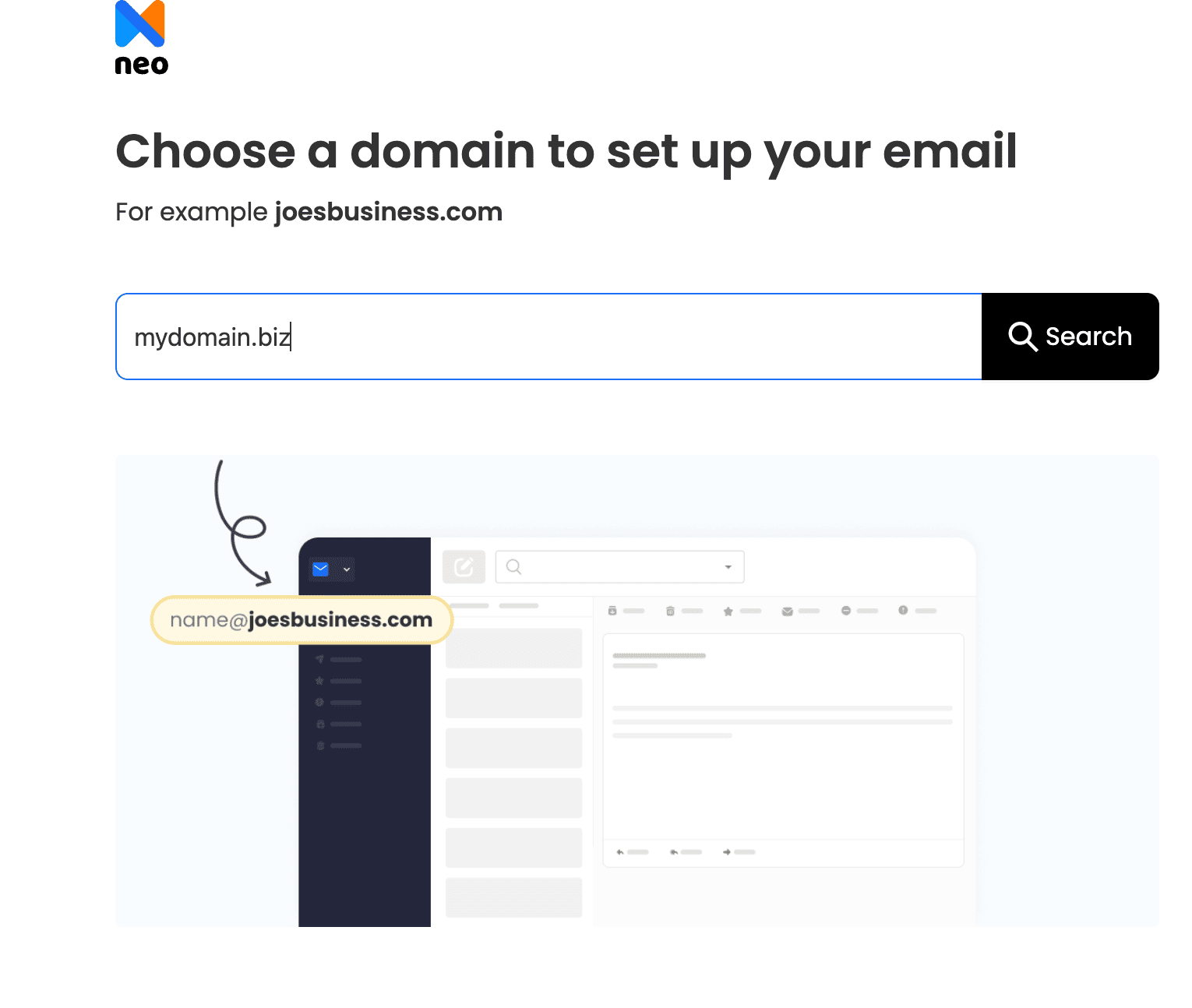
- Add the MX records: In your registrar's DNS panel, point your domain to mx0001.neo.space (priority 10) and mx0002.neo.space (priority 20).
- Add the SPF and DKIM records: Add the TXT record v=spf1 include:spf0001.neo.space ~all. Then copy the DKIM record from the admin panel and click Verify DKIM Record.
- Verify your domain and create mailboxes: In the email control panel, click Verify Domain. Then create addresses such as sales@yourbusiness.biz.
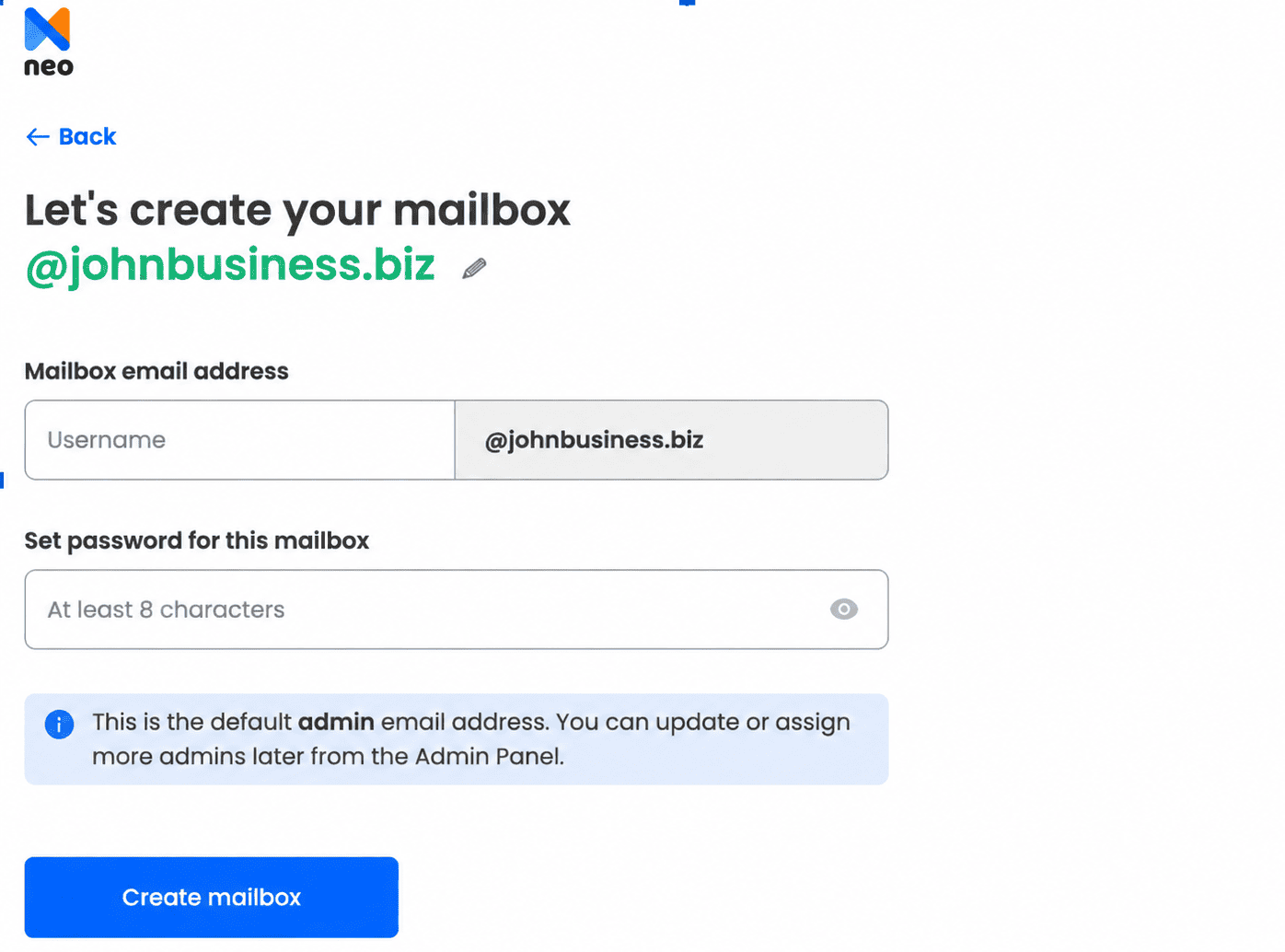
DNS changes can take up to 6 hours to work, and an unverified domain can't send or receive email. The help center also has record-by-record guides for GoDaddy, Namecheap, Hostinger and other registrars (Source: Neo Mail help center).
With the address live, a few ongoing habits keep your .biz mail out of spam.
How Do You Keep Your .biz Emails Out of Spam?
Keeping .biz emails out of spam depends on steady, careful sending after setup. Setup proves who you are, and habits prove you send wanted mail. These six habits help most:
- Warm up slowly: Send a small number of emails at first, and grow the volume over a few weeks.
- Avoid early bulk sends: Don't email a big list from a brand-new .biz domain.
- Test your signature and links: SpamAssassin's old .biz rule scored links in the email body, not just the sender address.
- Read your DMARC reports: They show who sends mail as your domain and what fails.
- Keep lists clean: Remove addresses that bounce.
- Retest after changes: Run a new test after you change your provider, DNS or signature.
Neo Mail includes advanced anti-spam and anti-virus protection on every plan. Those features filter incoming mail. The six habits above protect the mail you send.
Good sending habits cost nothing, but the domain and inbox do, so the last question is price.
How Much Does a .biz Email Address Cost, and Can You Get One Free?
A .biz email address has two costs: the domain, paid yearly, and the email service, paid per mailbox. Forbes Advisor says most businesses pay $10 to $20 per year for a domain. Business email then costs a few dollars per mailbox per month. Neo Mail, for example, starts at $1.25 per mailbox per month on the 4-yearly plan. Suite providers such as Google Workspace cost more because they bundle office apps with email.
A fully free .biz email address isn't realistic, because the .biz domain itself costs money. Small business owners often suggest free email forwarding as a stopgap. Forwarding only receives mail, though. Replies still go out from your personal address, which undoes the point of a .biz address.
For free and low-cost options in general, read our guide to free business email addresses. If you don't own a domain yet, our guide on how to create a professional business email without a domain explains your options.
FAQs
Who Can Register a .biz Domain?
Anyone can register a .biz domain. The .biz rules say the domain should be used for business or commercial purposes. A registration used for something else can be challenged.
What Country Is .biz?
No country owns .biz. The .biz domain is a generic top-level domain, not a country code like .us or .uk. Businesses anywhere in the world can register and use a .biz domain for email and websites, with the same rules for everyone.
Can I Use a .biz Email Address With Gmail or Outlook Apps?
Yes. Most business email providers support IMAP, the standard way email apps sync with a mail server. With IMAP, you can add a .biz address to the Gmail or Outlook app on your phone. Check that your provider's plan includes IMAP before you buy.
Can I Get a .biz Email Address Without a Website?
Yes. A .biz email address needs only the .biz domain and the right MX records. A website is optional. Many small businesses set up email first and build a site later. Our guide to custom email domains explains the setup.
What Is a .biz Website?
A .biz website is a website on a .biz domain, such as www.yourbusiness.biz. The same .biz domain can run both your website and your email. Using one domain for both keeps your brand consistent, so customers see the same name on your site and in their inbox.
Get Business Email
No domain name required
