


.svg)
.svg)
.svg%201.svg)



Get Business Email
No domain name required
Email Domain Hosting
With Free Custom Domain

Free Email Hosting with Custom Domain - 4 Ways to Get Free Addresses
A professional email address like hello@yourbusiness.com keeps your branding consistent and helps customers know they are contacting the right business. However, purchasing free business email and a custom domain separately can make the setup feel more complicated than necessary.
Some providers simplify the process by bundling email with a domain, a free trial, or additional business tools. Here is a quick look at the four options:
- Neo Mail: Best for small businesses that want affordable email, a domain option, and built-in business tools.
- Google Workspace: Good for teams that rely on Gmail, Drive, Docs, and Meet.
- Microsoft 365: Another option for businesses already using Outlook, Teams, and Office apps.
- GoDaddy Business Email: For businesses that already manage their domain or website through GoDaddy.
Important: Most custom domain email hosting services are not permanently free. “Free domain email hosting” usually means the domain is included with a paid email plan, or the provider offers a limited free trial.
Free Email Hosting Providers Compared
1. Neo Mail
Best for getting free domain email hosting when you do not already own a domain
Neo Mail makes it easy for small businesses to create a professional email address without getting stuck in a complicated setup. Whether you're looking for free email hosting to get started or a simple way to launch your business online, Neo Mail lets you bring your existing domain or get one included with an eligible plan. It also includes a free AI website builder, so you can launch a simple business website from the same place.
If you've been searching for business email free of unnecessary complexity, Neo Mail combines business email, domain setup, and productivity features in one platform. You also get practical tools that make everyday communication easier, including Smart Write, AI Summary, read receipts, drive, email templates, follow-up reminders, email backup, Send Later, and a signature designer. Plus, your inbox is protected with spam filtering, antivirus protection, two-factor authentication, and encryption.
Neo Mail storage capacity: Neo Mail plans provide between 10 GB and 50 GB of email storage per mailbox.
Neo Mail refund policy: Eligible plans that include a domain come with a 7-day refund period.
Why choose Neo Mail?
Neo Mail is a strong option if you:
- Do not own a domain yet
- Want a domain included with your email plan
- Need an affordable alternative to free business email hosting services with more professional features
- Want built-in AI and customer communication tools
- Prefer a guided setup process instead of piecing together free email domain hosting
- Want to create a simple website alongside your email
- Need more mailboxes later for team members, sales, or support
Steps to set up Neo Mail
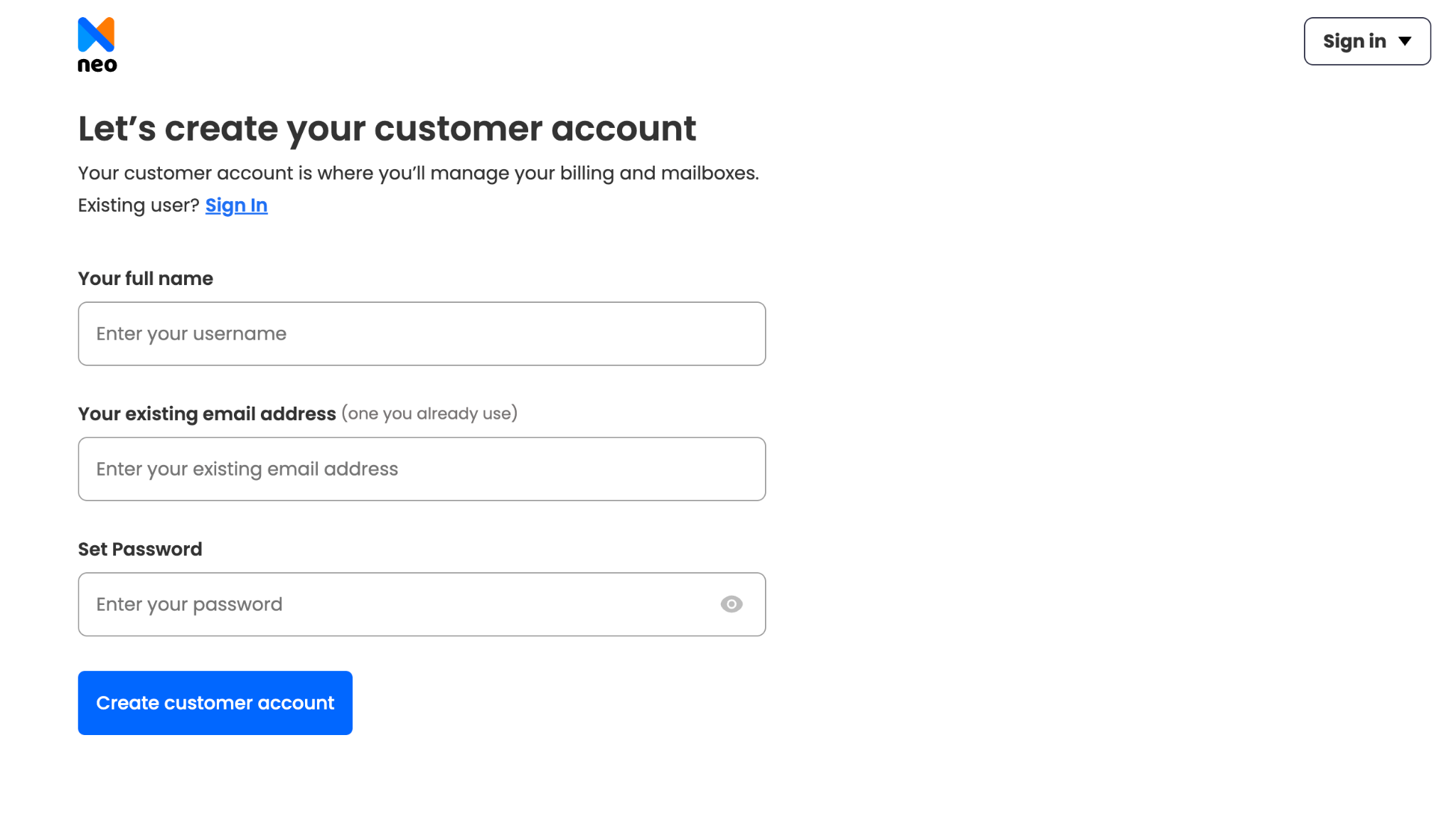
Step 1: Sign up for a Neo Mail account
Go to the Neo Mail website and create an account using basic details such as your name and current email address.
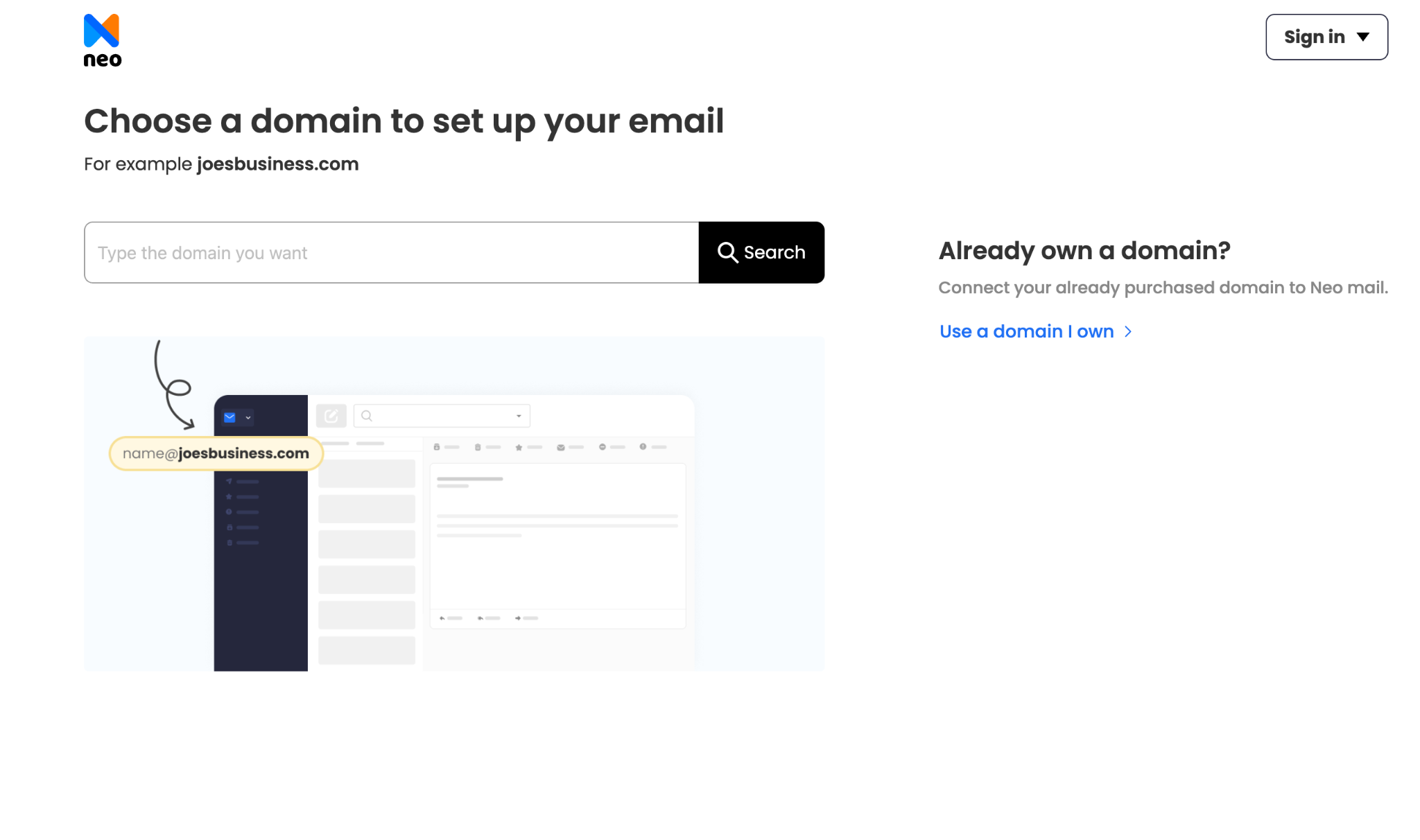
Step 2: Add a new domain or use one you already own
Choose whether you want to connect an existing domain or select a new domain for your business. If you are starting without a domain, Neo Mail includes a domain with eligible plans.
Step 3: Set up your main business email address
Create your primary mailbox. This could be an address such as yourname@yourbusiness.com or hello@yourbusiness.com.

Step 4: Add more mailboxes if needed
Create additional addresses for team members or different areas of your business, such as sales@yourbusiness.com, support@yourbusiness.com, or billing@yourbusiness.com.
Step 5: Select a plan and complete payment
Choose the Neo Mail plan that matches your required storage and features. Complete the payment to activate your account and begin using your new business email.

2. Google Workspace
Best for professional collaboration if you already own a domain
Google Workspace brings the familiar Gmail experience to your business domain, along with tools like Drive, Calendar, Meet, Docs, Sheets, and Slides. It works well for larger teams that already rely on Google's ecosystem for everyday collaboration. While it's a popular choice for business email, it's not designed for users looking for free email hosting options.
However, Google Workspace can feel expensive if you only need professional email. It also does not include a domain with its standard plans, so you'll need to own or purchase one separately. If you're searching for free business email hosting you'll need to combine Google Workspace with a separately purchased domain, which increases the overall cost. For users looking for free email hosting with a custom domain, other providers may offer a more affordable way to get started.
Google Workspace storage capacity: Google Workspace business starter includes 30 GB of pooled storage per user.
Google Workspace payment: A payment method may be required during registration.
Why choose Google Workspace?
Google Workspace may suit you if you:
- Already own a business domain
- Prefer the Gmail interface
- Regularly use Google Docs, Sheets, Drive, Calendar, and Meet
- Need real-time document collaboration
- Are comfortable paying for a wider productivity suite
How to set up Google Workspace
Step 1: Create a Google Workspace Account
Visit the Google Workspace website and click Free Trial or Get Started to begin the setup process.

Step 2: Enter Your Business Information
Provide your business name, team size, and a contact email address so Google can configure your account.

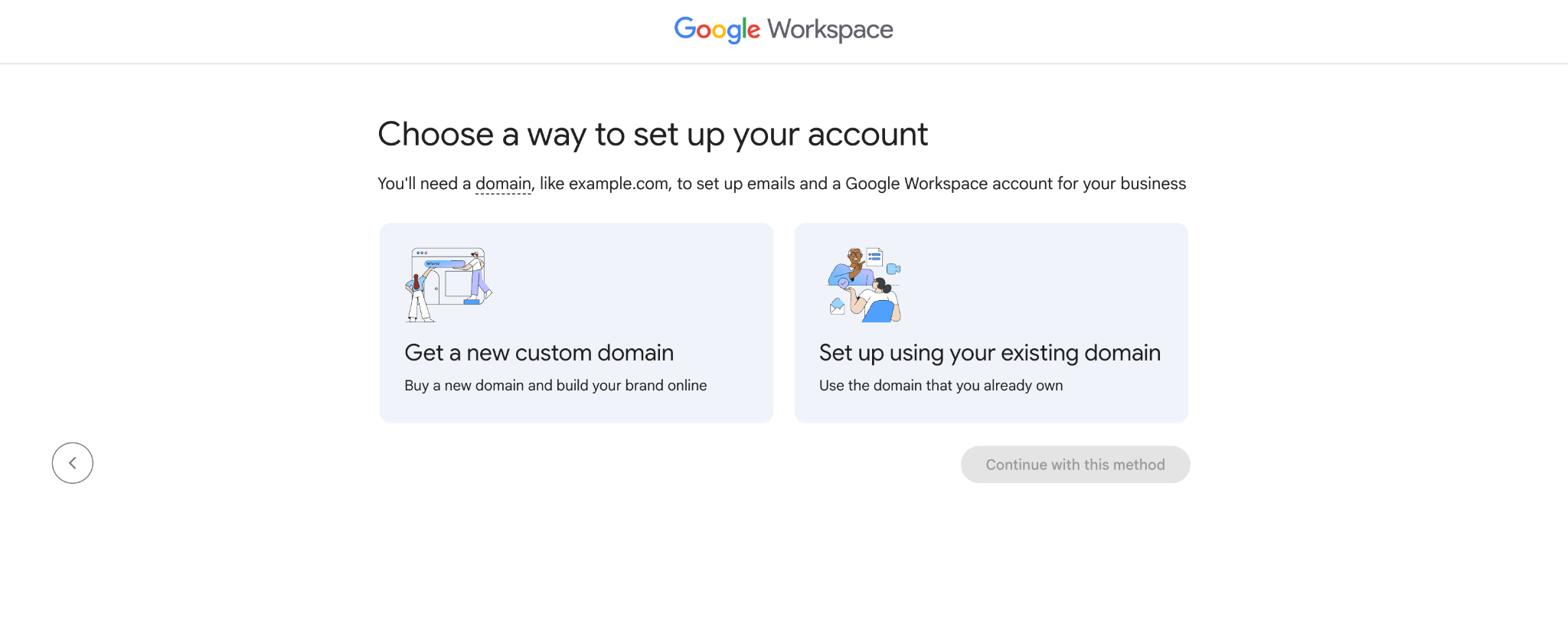
Step 3: Connect or Buy a Domain
Use an existing domain or purchase a new one through Google to create your custom business email addresses.
Step 4: Create User Accounts
Set up professional email addresses for yourself and your team using your business domain.

Step 5: Verify Your Domain
Confirm domain ownership by adding the required DNS verification record through your domain registrar.

Step 6: Choose a Billing Plan
Select a Google Workspace plan to continue with the 14-day free trial. Billing starts only after the trial ends.

3. Microsoft 365
Best for established teams that already use Microsoft tools
Microsoft 365 combines custom domain email through Outlook with tools like Teams, Word, Excel, PowerPoint, and OneDrive. It is best suited to established teams that already use Microsoft products and need a broader suite for collaboration and administration. While it offers a powerful business email solution, it's not an option for businesses looking for free email hosting services.
However, the setup can feel complex and may be more than a freelancer or small business needs. Microsoft 365 also does not include a domain, so you'll need to purchase one separately or connect an existing domain, making it less suitable for users looking for free email domain hosting or a lower-cost way to get started with business email.
Microsoft 365 storage capacity: Storage can vary across Exchange and Microsoft 365 plans.
Microsoft 365 free trial: Trial availability and terms may vary.
Why choose Microsoft 365?
Microsoft 365 may be the right choice if you:
- Already use Outlook and Microsoft Office
- Need Word, Excel, PowerPoint, Teams, and OneDrive
- Manage a growing or established team
- Require advanced administrative controls
- Have someone who can manage the initial setup
How to set up Microsoft 365 email
Step 1: Visit the Microsoft 365 website and choose a suitable plan.
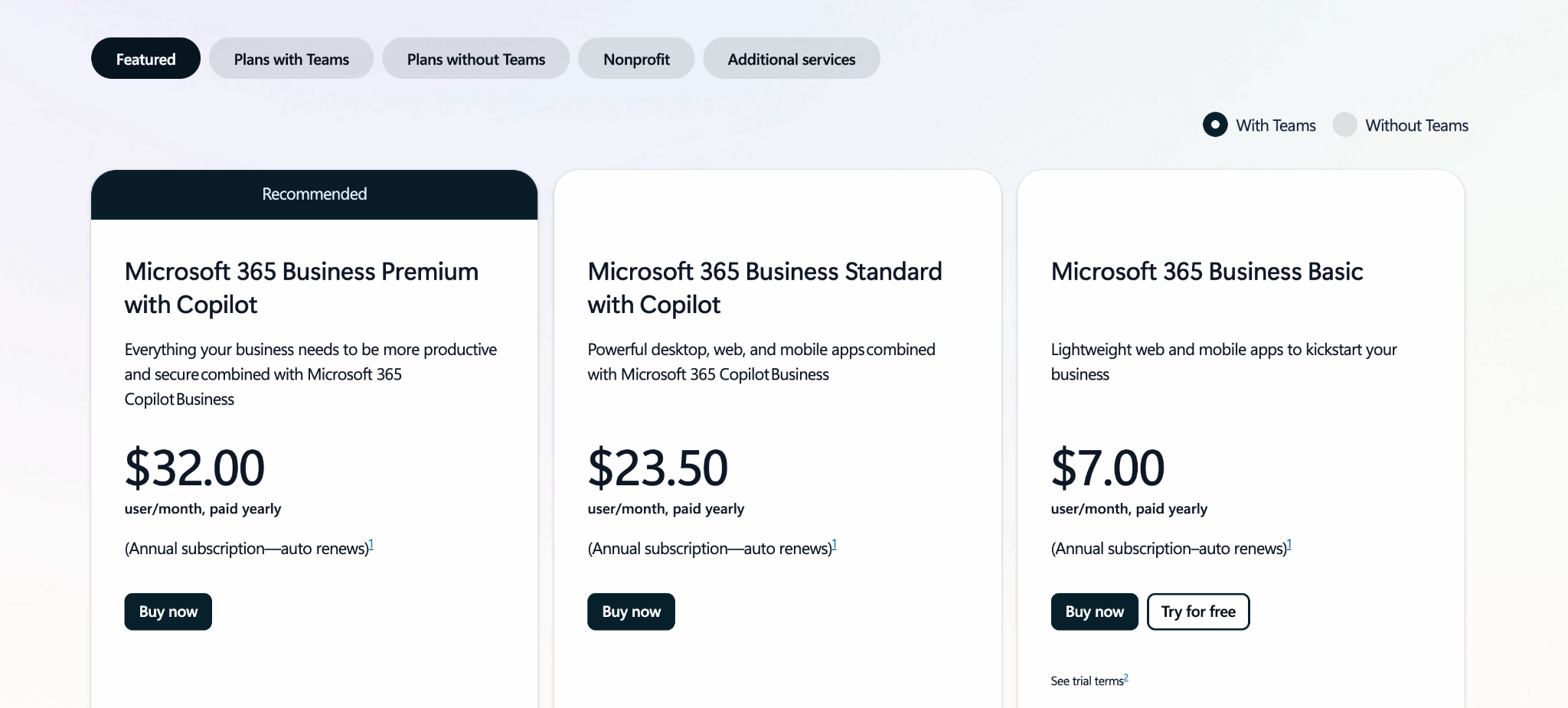
Step 2: Purchase the subscription.
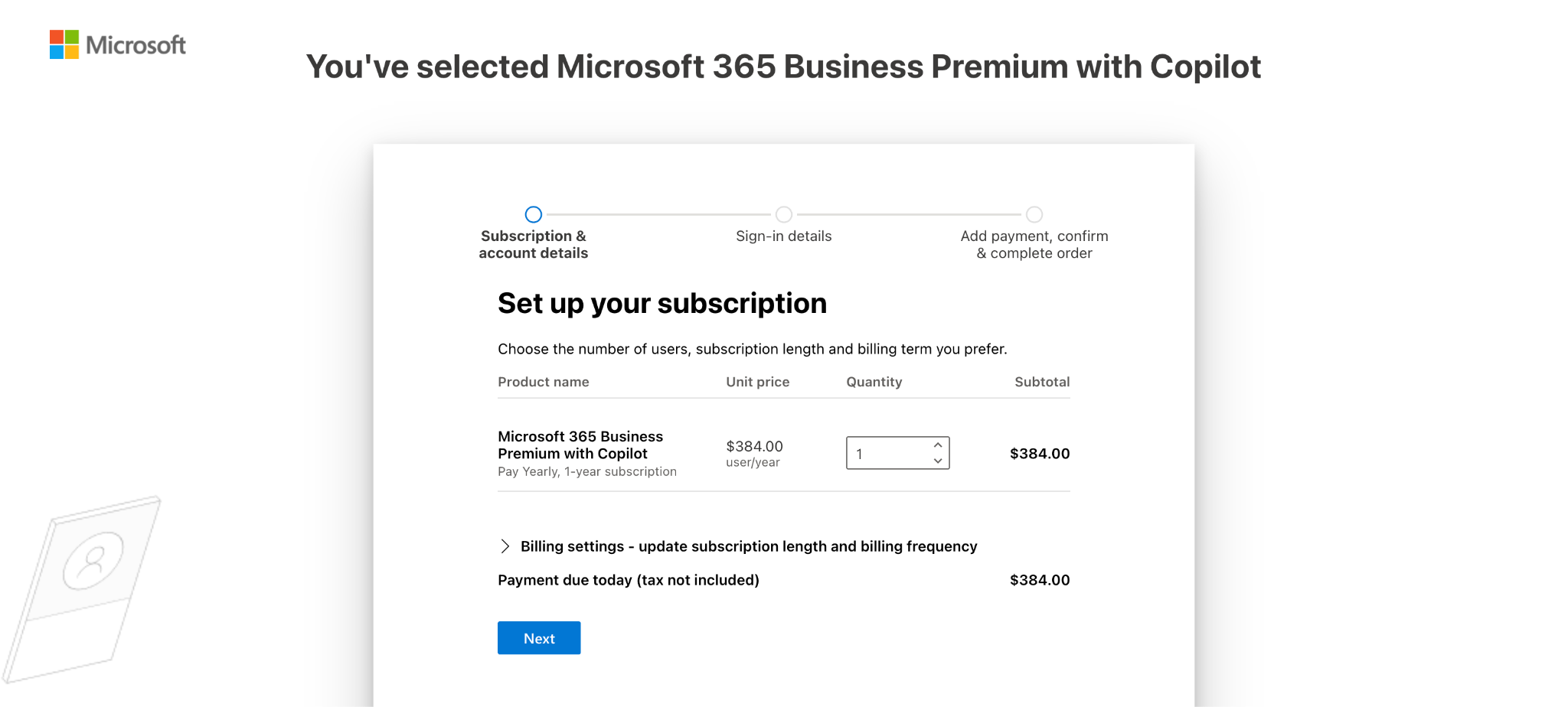
Step 3: Connect your domain and create your business email address.

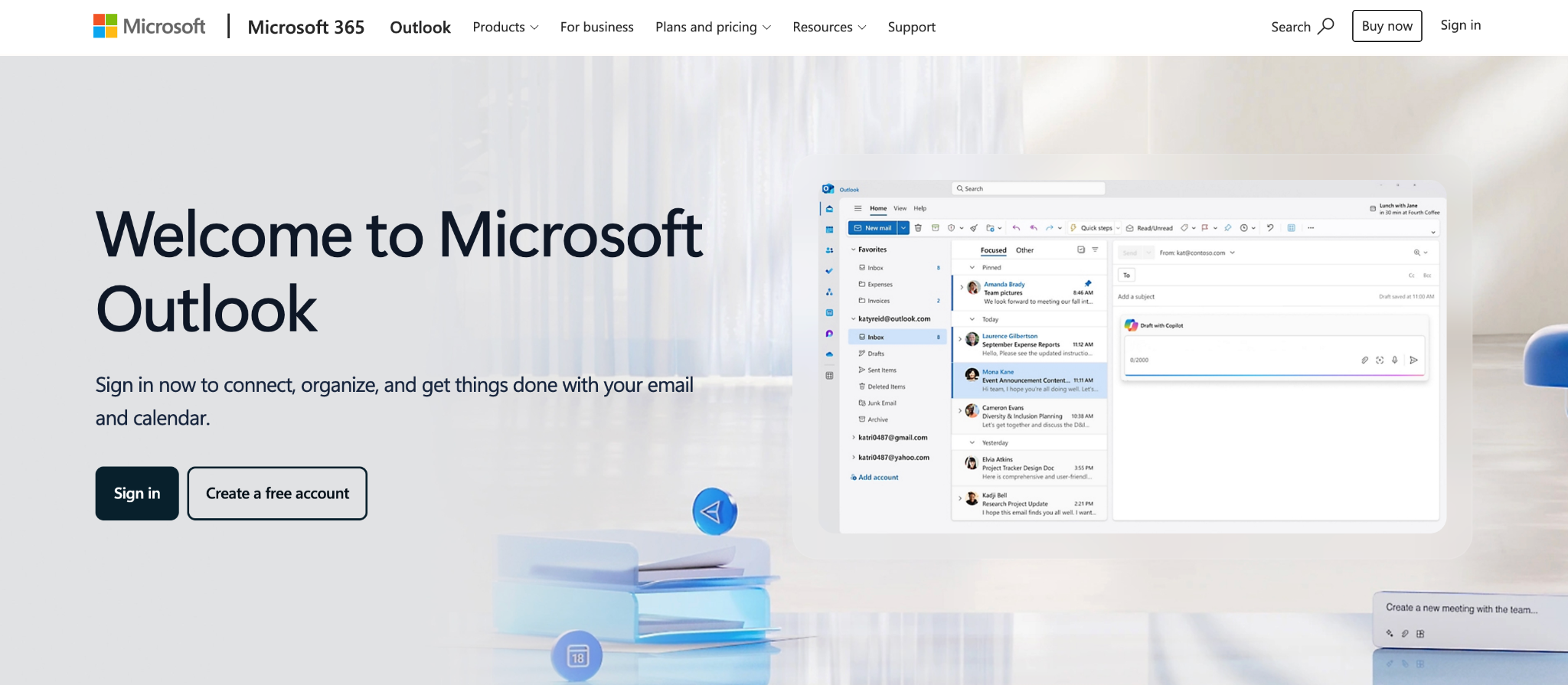
Step 4: Sign in to Outlook and access your inbox.
4. GoDaddy
Best for businesses already using GoDaddy for a domain or website
GoDaddy business email is a convenient choice for businesses that want a professional email address with their own domain. It offers a clean email experience along with useful features such as calendars, contacts, shared mailboxes, and business-grade email security. It's a good fit for businesses that want a reliable email solution with the essentials needed for day-to-day communication.
The entry-level plans focus on business email, while the higher-tier plans include additional storage and security features. Keep in mind that the introductory price is usually available only for the first billing term, so it's worth checking the renewal cost before subscribing. If you're looking for free business email hosting or free email domain hosting, GoDaddy may not be the most cost-effective option, as you'll need to pay for both the email service and a custom domain.
GoDaddy email storage capacity: GoDaddy's email essentials plan includes 10 GB of storage, while higher-tier plans offer 50 GB or more.
GoDaddy refund policy: Eligible email plans also come with a 7 day money back guarantee. Availability can depend on the product and region.
Why choose GoDaddy Business Email?
GoDaddy may work well if you:
- Already registered your domain through GoDaddy
- Want domain and email management in one account
- Need a basic custom email address
- Want the option to add Microsoft 365 tools
- Prefer access to phone support
How to set up GoDaddy Business Email
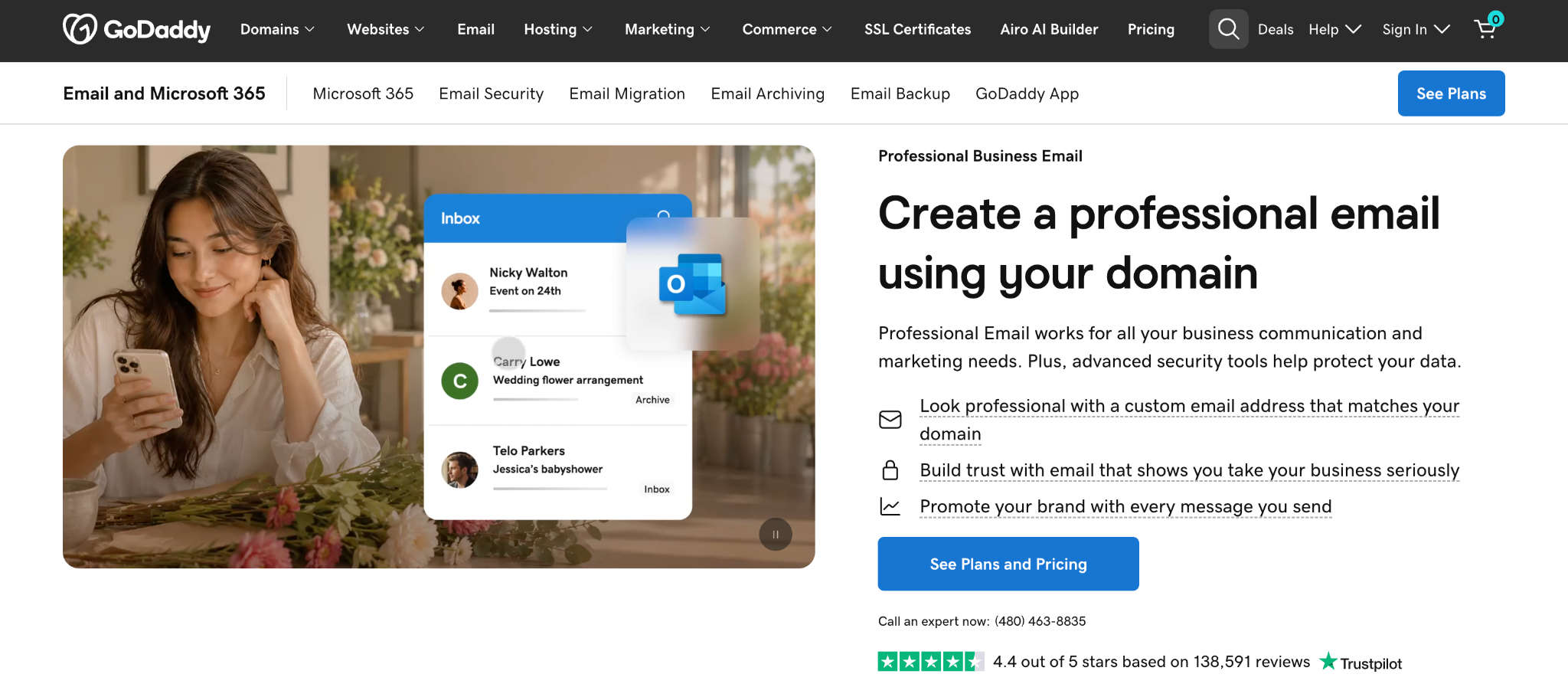
Step 1: Visit the GoDaddy Business Email Page
Go to GoDaddy's Business Email page to explore email plans.
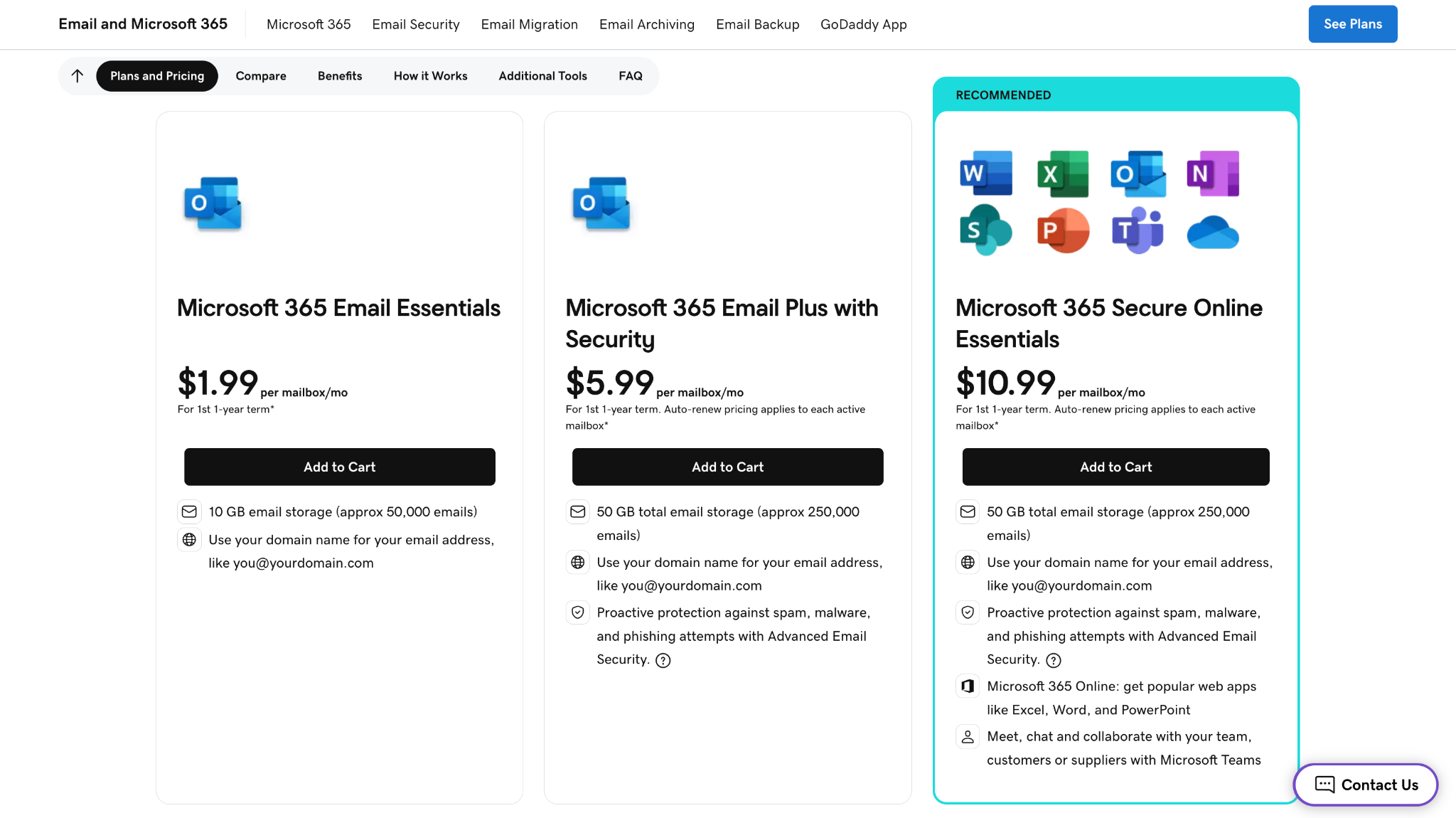
Step 2: Choose a Business Email Plan
Select the business email plan that best suits your needs and click Get Started.
Step 3: Complete Your Purchase
Sign in or create a GoDaddy account, review your order, and finish the checkout process.

Step 4: Connect or Choose Your Domain
After purchase, use an existing GoDaddy domain, connect a domain you already own, or register a new one for your business email.
Step 5: Create Your Business Email Address
Set up your professional email address (such as you@yourbusiness.com) and add additional users if needed.
What, Who, Why, and How: The four pillars of custom domain email hosting
What is email domain hosting?
Email hosting is a service that stores, sends, and receives email for your domain. It powers everything from free email hosting plans to enterprise business email services, handling mailbox storage, message delivery, spam filtering, security, and access across your devices.
A regular free business email address uses the provider's domain, such as yourbusiness@gmail.com. A custom domain email address uses your own brand after the @ symbol, such as hello@yourbusiness.com.
Your domain gives you the address, while your business email provider runs the system behind it. The provider is responsible for delivering emails reliably, protecting your inbox, and keeping your data secure.
Some providers focus mainly on email, while others include free business email features alongside document editing, video meetings, cloud storage, calendars, website building, or AI productivity tools. If you need free email hosting for business or free email hosting with a custom domain, compare what's included beyond just the mailbox before choosing a provider.
Why set up email hosting on a custom domain?
Create a consistent brand identity
A custom email address keeps your communication connected to your business name. Customers see the same brand on your website, email address, invoices, and other materials.
Build customer confidence
An address such as support@yourbusiness.com makes it easier for customers to recognize who they are speaking with. It also separates business communication from personal email.
Control your addresses
Owning a domain allows you to create addresses for different people or purposes. For example:
- hello@yourbusiness.com
- sales@yourbusiness.com
- support@yourbusiness.com
- billing@yourbusiness.com
As your team grows, you can add more mailboxes without changing the domain customers already know.
Organize business communication
Separate addresses help messages reach the right person. Sales inquiries can go to the sales team, while customer questions can go directly to support.
Access business security features
Business email platforms often include spam filtering, malware scanning, authentication tools, encryption, and account controls. You should still configure SPF, DKIM, and DMARC correctly to protect your domain and improve email deliverability.
Keep your email portable
Your domain belongs to you as long as you continue renewing it. If you change email providers later, you can usually keep the same addresses and point the domain to the new service.
Who benefits from email domain hosting?
Freelancers
Freelancers can use a domain-based address when pitching clients, sending proposals, sharing invoices, or applying for projects. It also keeps client communication separate from personal messages.
Solopreneurs
A solo business owner can create a main inbox for everyday communication and additional addresses for inquiries, bookings, or support. Aliases may help manage several business email addresses without paying for a separate mailbox in every case.
Small businesses
Small teams can give every employee a branded address while creating shared points of contact for sales and customer service. Best business email providers such as Neo Mail, Zoho, etc, are especially useful for teams that want a simpler and more affordable setup.
Growing organizations
Larger businesses may need advanced user management, compliance features, shared storage, video meetings, and document collaboration. Google Workspace and Microsoft 365 are generally better suited to these broader requirements.
How do you choose a custom domain email provider?
Start with what your business actually needs.
If you want email, a domain, and a simple website in one setup, Neo Mail is the most convenient option on this list. It is particularly useful when you have not purchased a domain yet.
Google Workspace makes more sense if your team spends most of its time in Gmail, Drive, Docs, and Meet. Microsoft 365 is better suited to businesses that rely on Outlook, Teams, Word, and Excel. GoDaddy can be convenient when your website and domain are already managed there.
Before choosing, compare:
- The starting and renewal price
- Storage available per mailbox
- Whether a domain is included
- The number of mailboxes you need
- Mobile and desktop access
- Spam and malware protection
- Email backup and recovery options
- AI writing and summary tools
- Calendar and contact features
- Customer support
- Migration assistance
- Refund and cancellation terms
Conclusion
Choosing custom domain email hosting is not just about finding somewhere to store your messages. The right service should make it easy to build your brand, communicate with customers, and add more accounts as your business grows.
Neo Mail is the strongest starting point for freelancers, solopreneurs, and small businesses that want a simple setup. You can connect an existing domain or get a domain included with an eligible plan, create your business email, and build a website using the included AI website builder.
Google Workspace is a better fit for teams that need Google’s complete collaboration suite. Microsoft 365 works well for organizations already using Outlook and Office. GoDaddy is convenient for businesses that already manage their domain and website through its platform.
Whichever option you choose, look beyond the introductory offer. Compare renewal pricing, storage, security, support, and the tools you will genuinely use. A good email setup should work for your business today and still make sense when your team starts growing.
Frequently Asked Questions
1. Can I get custom domain email hosting completely free?
Permanent custom domain email hosting is difficult to find. Most reputable providers charge for mailbox storage, security, spam filtering, and support.
Some services offer short trials or include email with another paid product. Neo Mail takes a different approach by including a domain with eligible paid email plans, so you do not need to purchase the domain separately.
2. Which business email provider is best if I do not own a domain?
Neo Mail is one of the easiest options and most trustworthy business email providers if you do not own a domain. You can select a domain while setting up your email and use the included AI website builder to create a simple online presence for your business.
Google Workspace, Microsoft 365, and GoDaddy can also work, but you will generally need to purchase or connect a domain separately.
3. Can I use a domain I already own with Neo Mail?
Yes. Neo Mail allows you to connect an existing domain and create business addresses using it. You will need to update your domain’s DNS records, but Neo provides instructions to guide you through the connection process.
4. What is the difference between a domain and email hosting?
A domain is the name used in your website and email address, such as yourbusiness.com. Email hosting is the service that lets you send, receive, and store messages using that domain.
You need both to operate a custom business email address.
5. Is Neo Mail better than Google Workspace?
It depends on what you need. Neo Mail is a better fit for freelancers and small businesses that want affordable business email, a domain option, an AI website builder, read receipts, email templates, and customer communication tools. Google Workspace is better for teams that need a larger collaboration suite built around Gmail, Drive, Docs, Sheets, and Meet.
6. Can I create multiple business email addresses?
Yes. Most providers let you purchase additional mailboxes for employees or departments. With Neo Mail, you can create addresses for team members and business functions such as sales, support, or billing. Check whether an address requires a paid mailbox or can be created as an alias, since this affects the overall cost.
7. How long does it take to set up domain email?
Creating the account and mailbox may only take a few minutes. If you are connecting an existing domain, DNS changes can take longer to update across the internet. Providers with a guided setup process, such as Neo Mail, can make the process easier for users who are not familiar with DNS settings.
8. Can I access custom domain email on my phone?
Yes. Neo Mail, Gmail through Google Workspace, Outlook, and GoDaddy email can all be accessed on supported mobile devices. Depending on the provider, you can use its official app or connect the mailbox to another compatible email application.
9. Do I need a website to create a business email address?
No. You only need a domain and a business email service. You can create your business email before building a complete website. If you want both, Neo Mail includes an AI website builder that can help you create a simple website alongside your business email.
10. What happens to my email if I switch hosting providers?
You can normally keep your domain and email addresses when moving to another provider. However, you will need to update your DNS records and migrate any existing messages, contacts, and calendars you want to preserve. Always back up your data and confirm the migration process before canceling your current service.
Get Business Email
No domain name required
Email Domain Hosting
With Free Custom Domain
