


.svg)
.svg)
.svg%201.svg)



Get Business Email
No domain name required

Your logo is the face of your brand. It's the first thing customers see and remember. Research shows that 75% of companies recognize them solely through their logos. So, an impressive and memorable logo directly attracts new customers, increases brand awareness, and makes your business easy to recall. A logo design must accurately reflect your brand identity, appeal to your consumer segment, and be versatile.
However, designing an effective logo can be challenging, and many small businesses may not have the budget to accommodate a logo design with high prices. Are you looking to buy a logo at a reasonable cost and make your business easy to recall to your client? This blog will help you purchase a suitable logo design by comparing the top 10 providers. Let’s get started!
Importance of Logo Design
Logo design is very important in branding your business and giving your clients a mental image of your products and services. Here are some of the importance of a logo:
1. Brand Identity
A logo design is not just a simple graphic task. It requires extensive research and understanding of your company to grasp the purpose, mission, vision, and values that you want to communicate with your audience. A powerful logo that concisely incorporates your brand makes a lasting impression on your customers, making it the face of your business.
2. Helps Connect With Your Consumers
A recognizable logo holds symbolic value for customers. It helps build long-standing relationships and brand loyalty. Coca-Cola’s iconic red logo is recognized by 90% worldwide, and it invokes feelings of nostalgia. An ideal logo design establishes genuine connections at affordable prices.
3. Brand Recognition
An effective logo initially attracts customers. Over time, it builds brand recognition and loyalty, which directly impacts sales and customer retention positively. It helps your consumers visualize and remember your business. Therefore, investing in a high-quality logo design is always beneficial.
4. Brand Uniformity
A logo becomes a great tool to create a common identity for your business across all platforms. Whether you are looking to establish a personal brand or a corporate brand, a logo is an important aspect, along with a brand name, brand colors, and a tagline.
10 Providers To Help You Make Your Logo Design (With Prices)
Building a strong brand presence starts with a memorable logo. An ideal logo designer should offer robust features, be easy to navigate, and fit into your budget without requiring comprehensive coding or technical knowledge.
We have compiled a list to help you buy the right logo provider. Here's a comparison of 10 top logo design providers, categorized into free and paid options, with key features, pros, and cons for each.
1. Canva

Canva offers an intuitive platform with thousands of templates and design elements. It’s perfect for businesses looking for easy, free design solutions as well as feature-rich premium plans for their organization. Anyone can design unique logos with this platform, which offers thousands of customizable premade logo templates and graphics without requiring any advanced technical skills.
Pricing Plans
- Personal Plan: Free for 1 person with limited features
- Canva Pro: $12.99 per month per person
- Canva Teams: $14.99/per user/per month
- Canva Enterprise: Customizable prices
Key Features
- Free-forever plan with limited features
- Intuitive drag-and-drop tools
- Over a million design elements
- Multi-user collaboration
- AI design tools
2. Squarespace Logo Maker

Squarespace’s free logo maker is simple and effective for creating minimalist logos. It integrates seamlessly with Squarespace’s website builder and offers a quick logo creation tool with an array of icons, tagline integration, and keyboard shortcuts for greater convenience. Additionally, Squarespace’s logo maker has a variety of font options, sizes, colors, and styles.
Pricing Plans
The plan is free to use. It is an additional service offered by Squarespace.
Key Features
- Completely free
- Simple editing tools
- Live design previews
- Easy to add a logo to a Squarespace site
- Font and icon customization options
3. Design.com
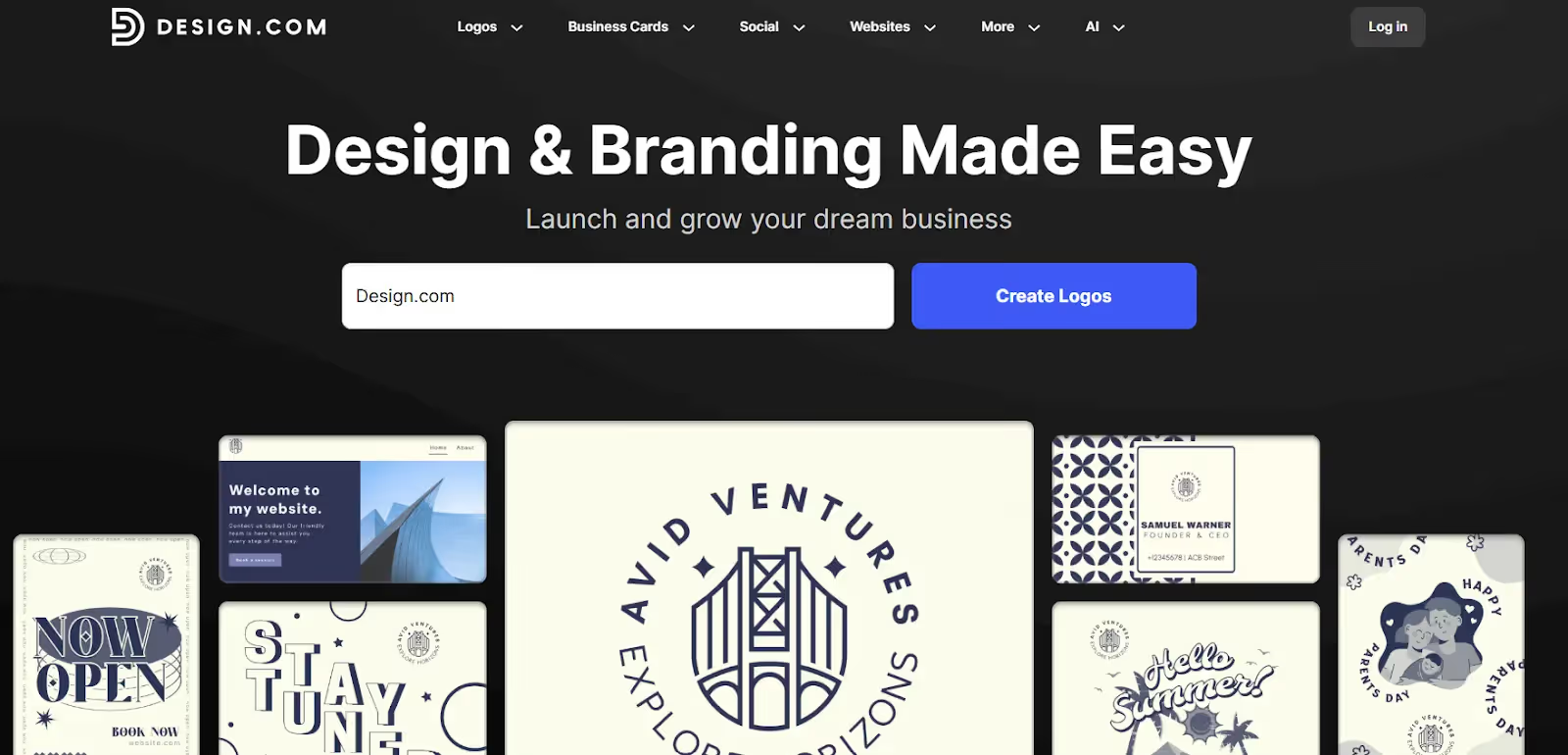
Design.com features a powerful AI logo generator to help entrepreneurs and small business owners create the logo of their dreams in seconds. Users just need to enter their business name or a short description, and the AI will use that to create a suitable logo. You can then use the generated logo as is or customize it to further fit your needs.
Pricing
- Free to generate and edit, but need to pay a plan to use the images
- Paid plans start at $5 per month
Features
- Fast logo creation
- Unlimited logo generation
- Fully editable templates
- Unique designs
- Intuitive interface
4. BrandCrowd Logo Maker

BrandCrowd offers affordable logo design prices and an easy-to-navigate platform for all your business branding needs. You can add your business’s name, and the logo maker will generate an exhaustive amount of logo templates that can fit your business. Furthermore, you can choose from several categories of logos, from the app and bakery logos to restaurant and gym logos.
Pricing
- Free plan available
- Paid plans: From $9 per user
Features
- Industry and theme-specific logos
- Easy brand consistency with logo maker, business card maker, and more.
- Allows you to shortlist several designs.
- Premium logo designs
- Multiple logo download options are available.
By exploring these options, you can find the best logo design prices that fit your business’s needs and budget, ensuring a strong brand presence with a memorable logo.
5. Tailor Brands

Tailor Brands uses AI to create logos based on your business details, making it a great starting point for beginners. There is a free trial offered to help you decide whether this tool is the right one for you. With various format sizes, including for social media, additional features like a website builder, and 100s of templates, Tailor Brands is a great option to buy your branded logo.
Pricing Plans
Tailor Brands provides a lot of additional services along with a logo, including a website designer, a domain free for a year, and more. The bundled charges of all services are:
- Basic: $3.99/month
- Standard: $5.99/month
- Premium: $12.99/month
- Elite: $20.75/month
Key Features
- AI-powered logo builder
- Free plan available
- 100s of templates
- Font customization
- Website builder and custom domain free for a year, among other additional features
6. Looka

Looka generates industry-specific logos based on your business details, providing modern, clean designs. It also allows customization choices but with limited options like colors and font style. Furthermore, Looka’s AI technology allows you to create your logo in just minutes, and with the availability to incorporate your brand kit, you can create a unified online presence in minutes.
Pricing Plan
- Basic: $20 one-time logo purchase (one low-resolution file)
- Premium: $65 one-time logo purchase (multiple high-resolution files)
- Brand kit subscription (logo brand): $96 per year
- Brand kit + AI-Generated Website: $129 per year
Key Features
- Industry-specific designs
- Logo generator
- Customization options
- AI-based logo creation
- Incorporation of your brand kit
7. Wix Logo Maker

Wix goes beyond letting you create landing pages and websites. Wix Logo Maker also offers AI-generated logos and professional design services with its website building and hosting services. You can even use available logo templates and customize them according to your business’s needs.
Pricing Plan
- Logo Basic: $49 (one-time fee)
- Logo Advanced: $99 (one-time fee)
- Professional graphic designer: $10 to $500
- Logo + Website Value: $11 per month
- Logo + Website Unlimited: $16 per month
- Logo + Website Unlimited: $24 per month
Key Features
- AI-generated logos
- Professional designer access
- Customizable templates
- Theme-based logo templates
- Easy integration
8. LogoMakr

LogoMakr specializes in icon-based logos with a straightforward platform interface and affordable pricing. It is one of the best sites to purchase your logo design from, as it offers a library of logo templates and design elements. Furthermore, with advanced features like Gradient Colors and Icon Maker, your logo will be creative and professional.
Pricing Plan
- Free Plan available (one low-resolution logo file).
- Logo Redesign: $290
- Custom Logo Design: $350
Key Features
- Free plan available
- Simple editor
- Icon-based templates
- The advanced plan offers unlimited concept and revisions
- Create icons easily with Icon Maker
9. Designhill

Designhill offers AI-generated logos and professional design services, including design contests to crowdsource your project and buy the best logo for your business. Moreover, the logo maker offers you an option to create your logo using one of its modifiable templates or the AI tool.
Pricing Plan
- Basic: $20 one-time
- Premium: $65 one-time
- Enterprise: $150 one-time
- Price for Design Contests: $249 to $999 per contest
Key Features
- AI logo generator
- Design contests
- Customizable templates
- Free design consultation feature
- Full ownership of your logo with high-tiered plans.
10. Envato Elements

Envato Elements is a one-stop platform for all your logo design needs at affordable prices. It provides unlimited downloads of creative assets, perfect for businesses needing extensive design resources. Furthermore, you also get access to 3D graphics, a comprehensive graphic library, and add-ons like curated font packs and effects. The platform also easily integrates with other photo editing software, such as Adobe Photoshop.
Pricing Plan
- Individual: $16.50 per month
- Team: $53.75 per user per month (for teams of up to five members)
- Enterprise plan: custom quote for large teams of 6+ employees
Key Features
- Unlimited downloads
- Comprehensive asset library
- Commercial licensing
- Easy add-ons
- Seamless integration with photo editing softwares
11. 99designs

99designs by Vista allows you to hold design contests or work directly with designers for unique, custom logos. Moreover, you can even create your own logo easily with its free, AI-generated logo maker, which offers extensive pre-made templates, font libraries, and icon packs.
Pricing Plan
Bronze Package: $299 (for 30 design submissions)
Silver Package: $499 (for 60 design submissions)
Gold Package: $899 (for 90 design submissions)
Platinum Package: $1,299 (for 60 premium design submissions)
Key Features
- Design contests
- Custom logos
- Professional designers
- Rich template libraries
- Extensive icon and font packs
Quick Comparision and Ratings
Each of these options has its drawbacks and advantages. Here’s a competitive table for the logo design providers, with quick comparison and ratings:
Our ratings have been based on the platform's robustness, features, scalability, and user-friendliness.
Wrapping Up
Investing in the best logo designer helps you achieve the best and highest-quality visual representation of your brand. These providers range from basic logo creation tools to AI-generated designs that help attract customers and keep your brand memorable.
Considering the pricing factors and valuable tips also ensures businesses' logos effectively represent their brand identity and resonate with the target audience. However, determining a reasonable budget can be challenging for small businesses. Choosing the right logo design provider depends on your needs, budget, and desired level of customization. Our list of the 10 best logo design providers and their prices let you determine the right choice for your business.
Moreover, these logos can also easily integrate with your other platforms, including your email provider, such as Neo, and websites. Neo is a one-stop email provider for businesses that offers custom domain support and a free one-page website. Also, this email platform lets you integrate these logos into your email signature for consistent branding. So, select any one of the logo makers from our list and get started with Neo today!
Frequently Asked Questions (FAQs)
Q1. Is it possible to create a logo for a small business?
Yes, logos can be created for all businesses regardless of their size and industry. Small businesses can design logos using an affordable option or a freemium model.
Q2. Is there a free logo design provider?
Yes, you can create and buy a logo for free. However, the logo makers that offer free plans, like Canva and Squarespace Logo Maker, often have limitations, such as low-resolution files. Most platforms require payment for high-quality, watermark-free logo files.
Q3. How should I design my logo?
You can design your logo by following these steps:
- Research your target audience and competitors.
- Choose the right design platform.
- Create a clear project brief.
- Reflect on your brand’s benefits.
- Gather feedback before finalizing your logo.
Get Business Email
No domain name required
